
WhatsApp Business et OTP · Wallet and top-ups
How do I top up my WhatsApp Business wallet?
A prepaid wallet that verification and marketing messages are charged to: card top-ups, a low-balance alert, and wallet movements with export and print.
Pour qui : Propriétaire et responsable
Où : Sidebar → WhatsApp Business → Numbers & wallet → Wallet
Étapes
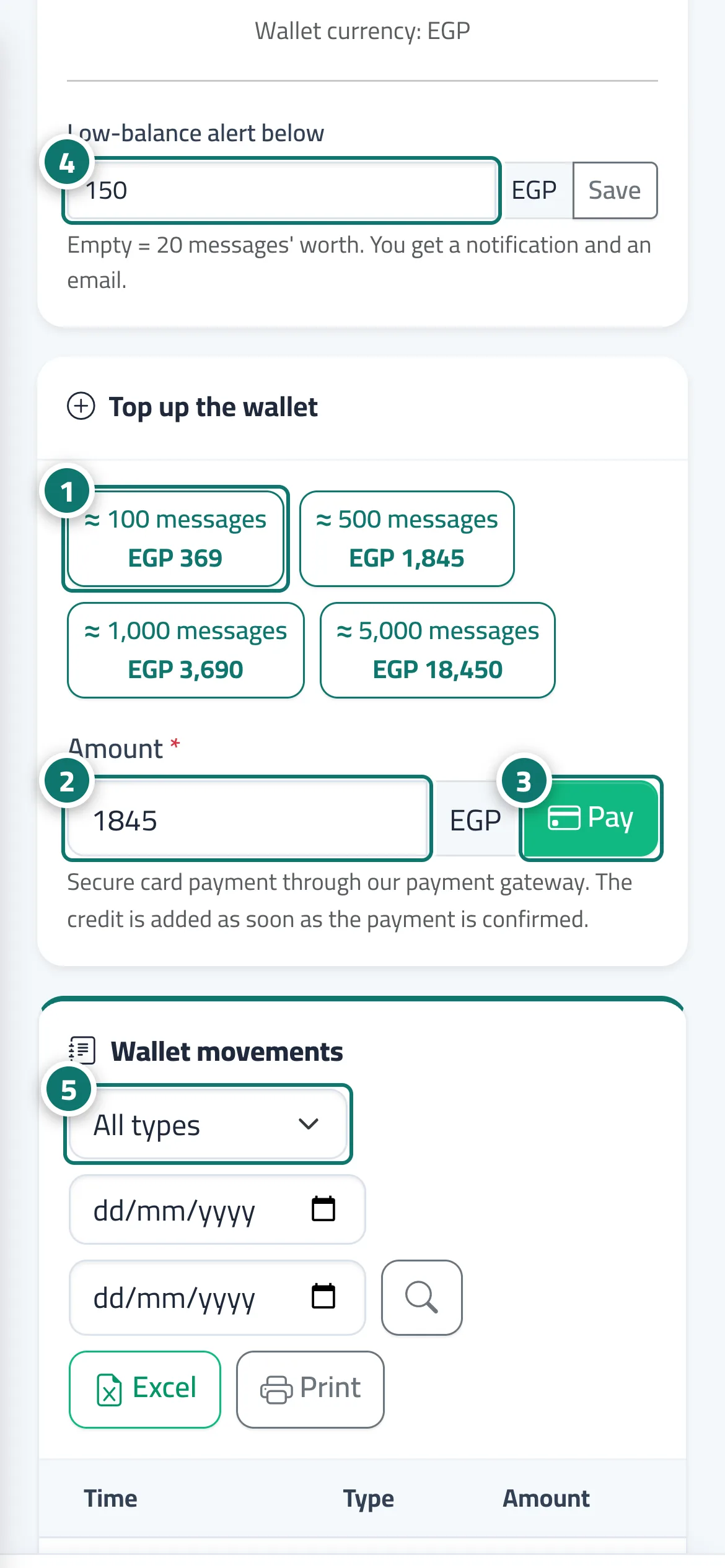
- Pick an amount from "Quick amounts". Numéro 1 sur l’image
- Or enter the amount you want in the "Amount" field. Numéro 2 sur l’image
- Click "Pay" and complete the payment; the balance appears within moments. Numéro 3 sur l’image
- Enter the "Low-balance alert below" threshold and click "Save". Numéro 4 sur l’image
- Filter "Wallet movements" by type and export to Excel when needed. Numéro 5 sur l’image
Étapes
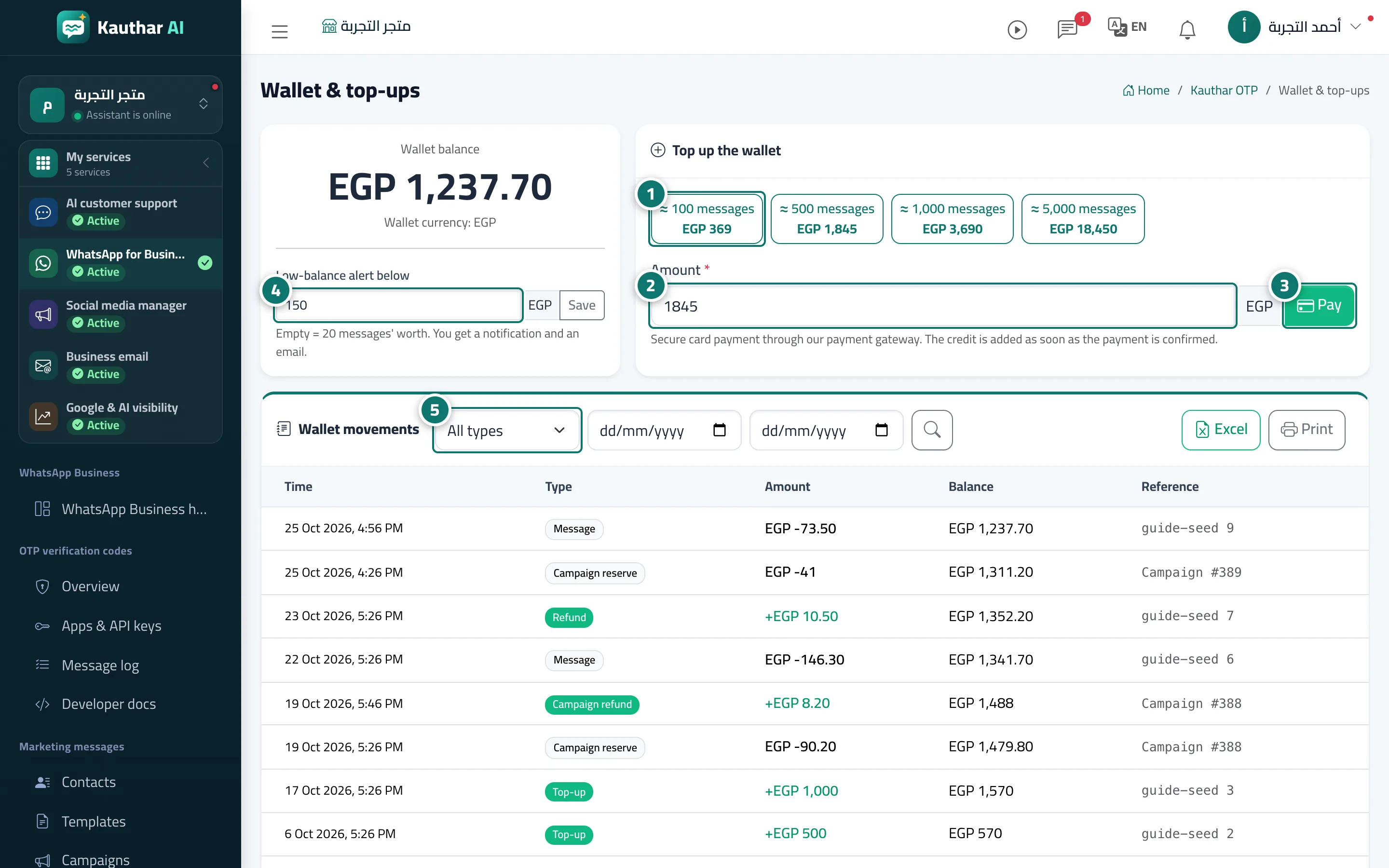
- Pick an amount from "Quick amounts". Numéro 1 sur l’image
- Or enter the amount you want in the "Amount" field. Numéro 2 sur l’image
- Click "Pay" and complete the payment; the balance appears within moments. Numéro 3 sur l’image
- Enter the "Low-balance alert below" threshold and click "Save". Numéro 4 sur l’image
- Filter "Wallet movements" by type and export to Excel when needed. Numéro 5 sur l’image