
Assistant & knowledge · Business profile
How does the assistant reply when a customer asks «What do you offer?» or «Tell me about you»?
The built-in AI sums up your knowledge base in one business profile that updates itself, so the assistant answers general questions like «What do you offer?» with an engaging overview, your product photos and your links.
Who this is for: Owner & manager · Team members
Where: Sidebar → Account → Assistant settings → «Business profile» card
Steps
- Upload your files to «Knowledge base» or connect your store; the profile is created automatically within minutes.
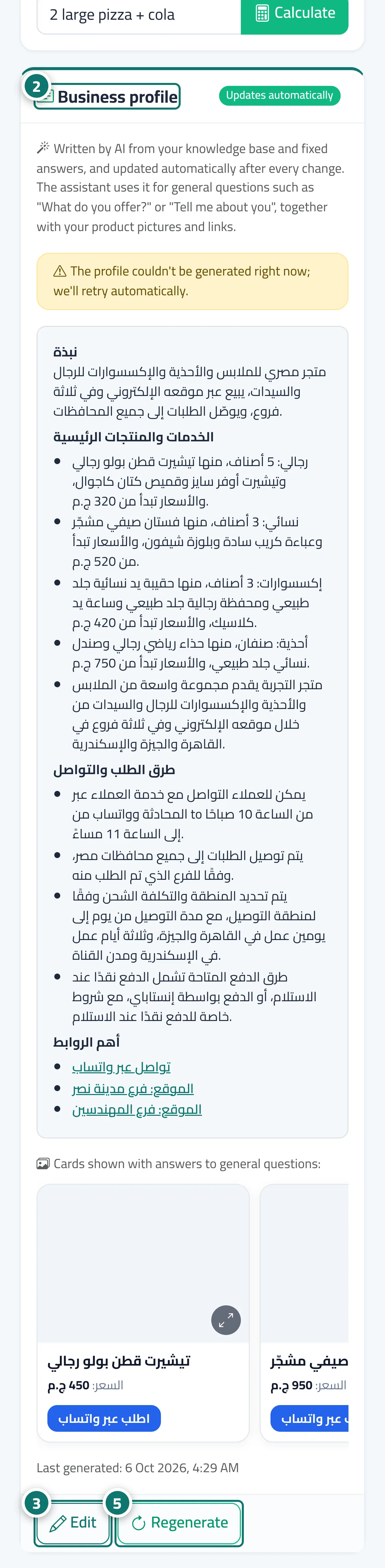
- Open «Assistant settings» and review the «Business profile» card and the cards shown with it. Number 2 on the picture
- Click «Edit» if you want to change the wording, then «Save changes». Number 3 on the picture
- When «A suggested update is available» appears, choose «Apply update», «Merge with my edits» or «Dismiss».
- «Regenerate» writes a fresh version from the latest data at any time, and «Restore automatic version» discards your manual edits. Number 5 on the picture
Steps
- Upload your files to «Knowledge base» or connect your store; the profile is created automatically within minutes.
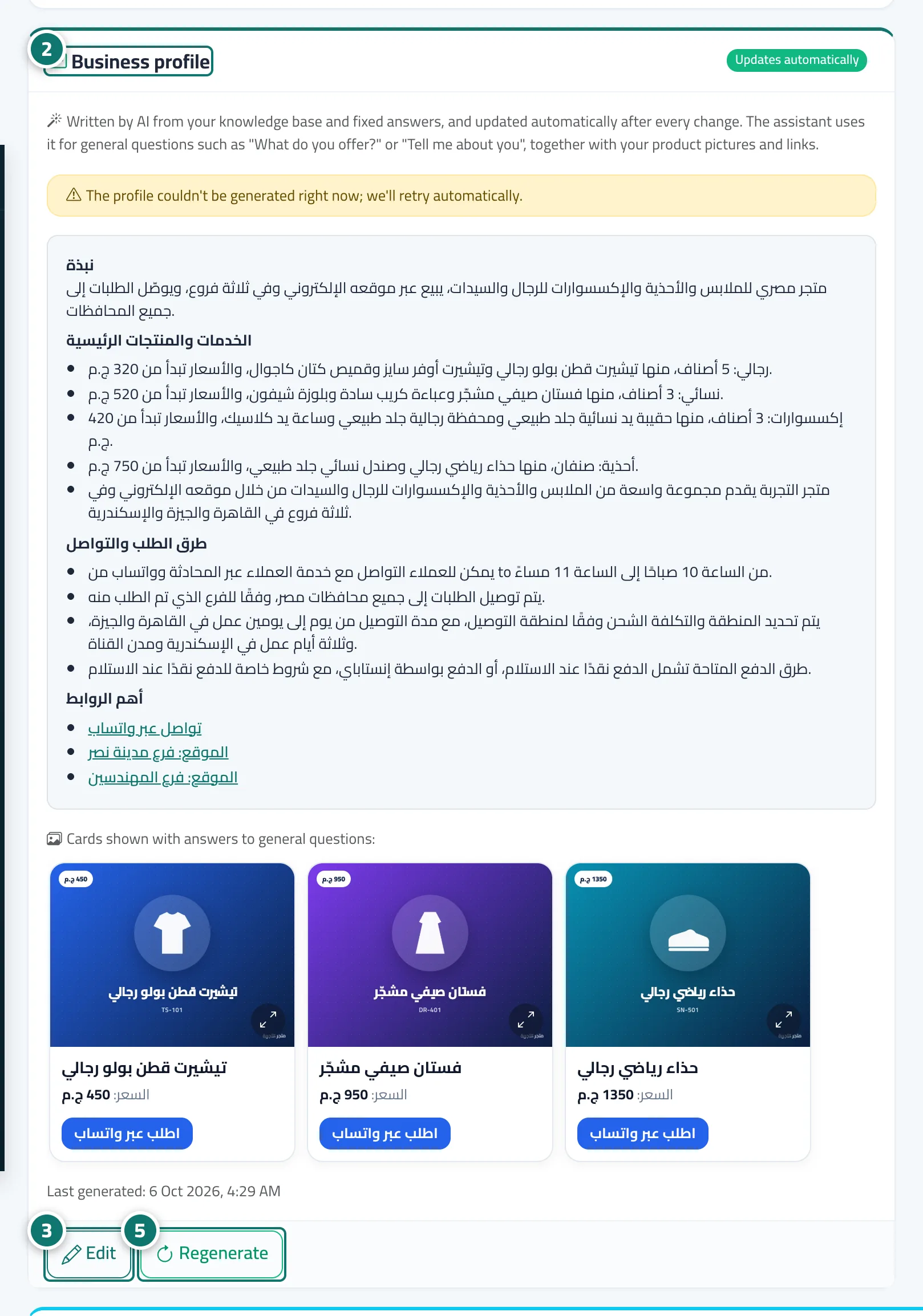
- Open «Assistant settings» and review the «Business profile» card and the cards shown with it. Number 2 on the picture
- Click «Edit» if you want to change the wording, then «Save changes». Number 3 on the picture
- When «A suggested update is available» appears, choose «Apply update», «Merge with my edits» or «Dismiss».
- «Regenerate» writes a fresh version from the latest data at any time, and «Restore automatic version» discards your manual edits. Number 5 on the picture