
Bookings · Booking schedule: day, week and list
How do I see today's appointments for each provider?
Today's appointments for every provider in an hourly grid, a weekly view and a filterable list — all on one screen.
Who this is for: Owner & manager · Team members
Where: Sidebar → Appointments → Bookings
Steps
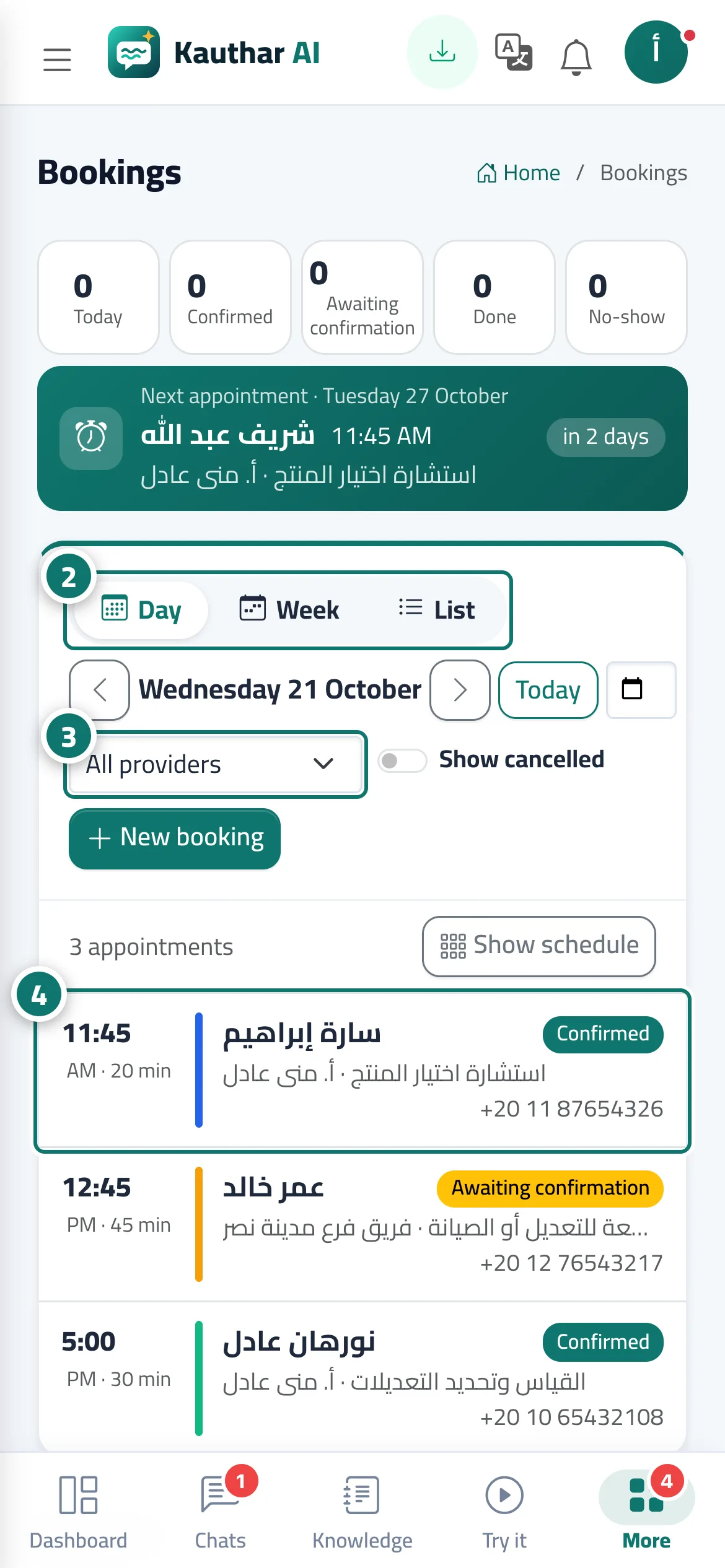
- Open «Bookings»; the page opens on today's schedule.
- Switch between «Day», «Week» and «List». Number 2 on the picture
- Pick a provider from «All providers» to see only their schedule. Number 3 on the picture
- Click any appointment to see its details in the side panel. Number 4 on the picture
Steps
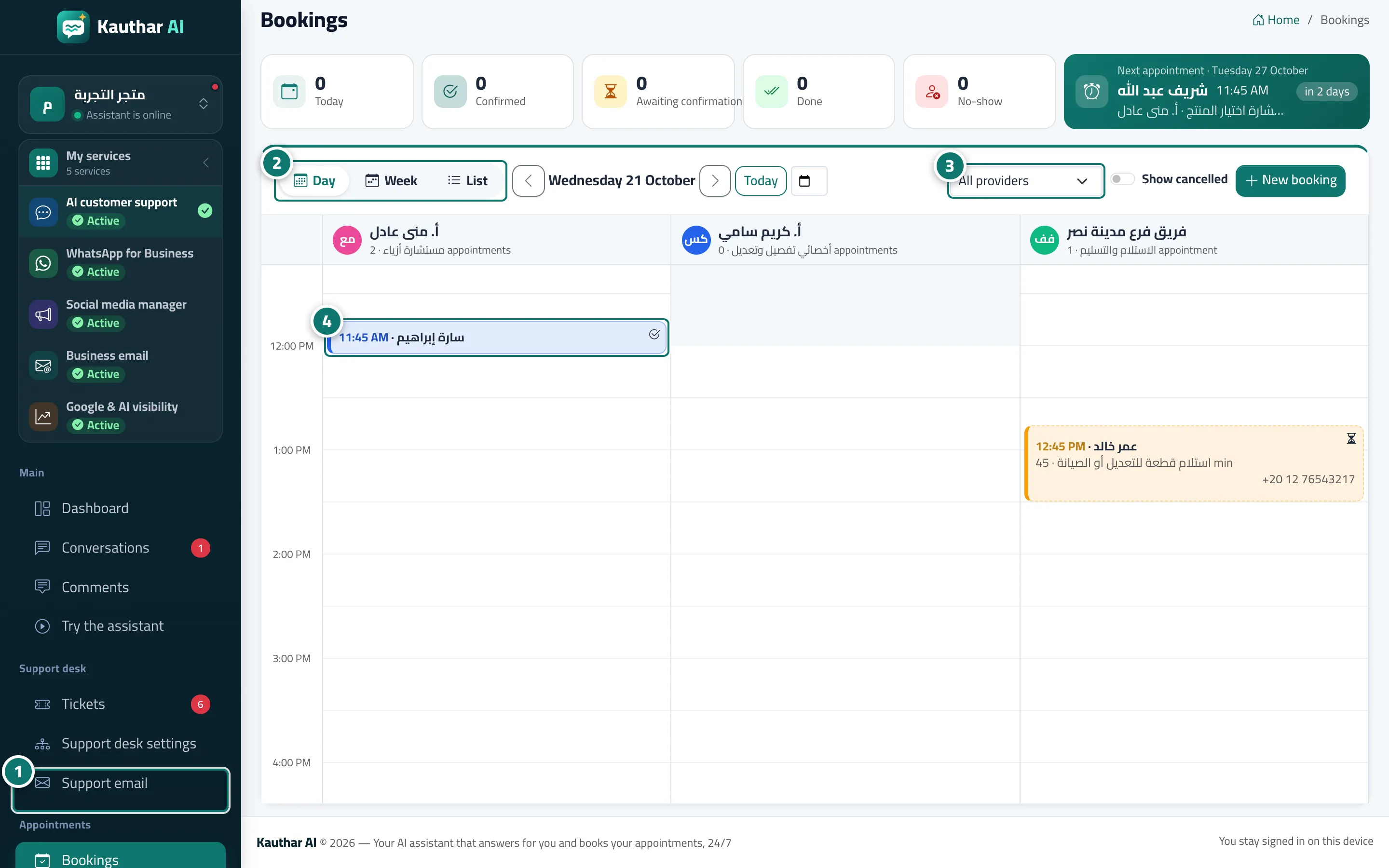
- Open «Bookings»; the page opens on today's schedule. Number 1 on the picture
- Switch between «Day», «Week» and «List». Number 2 on the picture
- Pick a provider from «All providers» to see only their schedule. Number 3 on the picture
- Click any appointment to see its details in the side panel. Number 4 on the picture