
Bookings · Services, their length and price
How do I add a service my customers can book?
Define your services — a check-up, a fitting, a consultation — with a set length, a break after it and a display price.
Who this is for: Owner & manager
Where: Sidebar → Appointments → Booking setup → «Services» tab
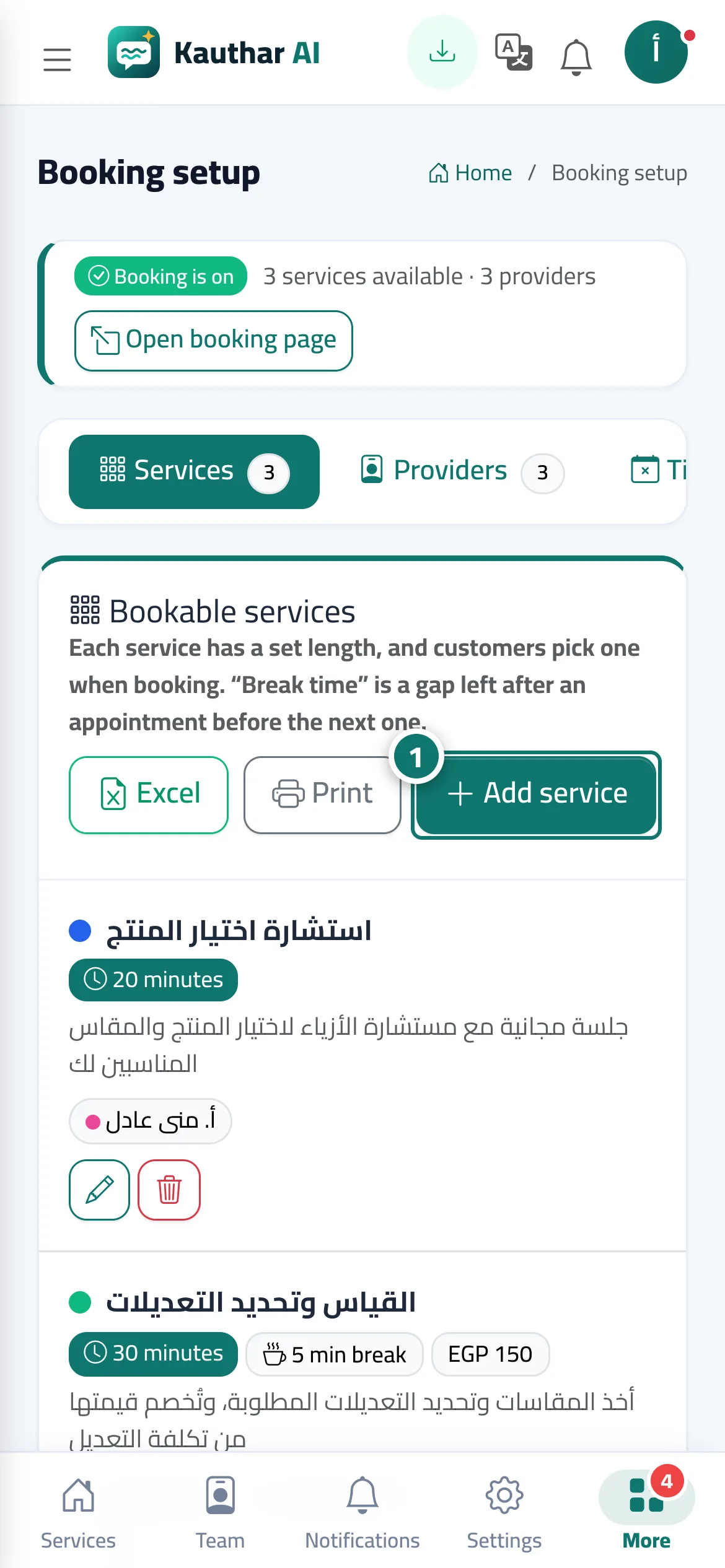
Steps
- Press «Add service». Number 1 on the picture
- Enter the service name, choose its length and break, and add a price and description if you like.
- Choose the «Providers for this service», then press «Save».
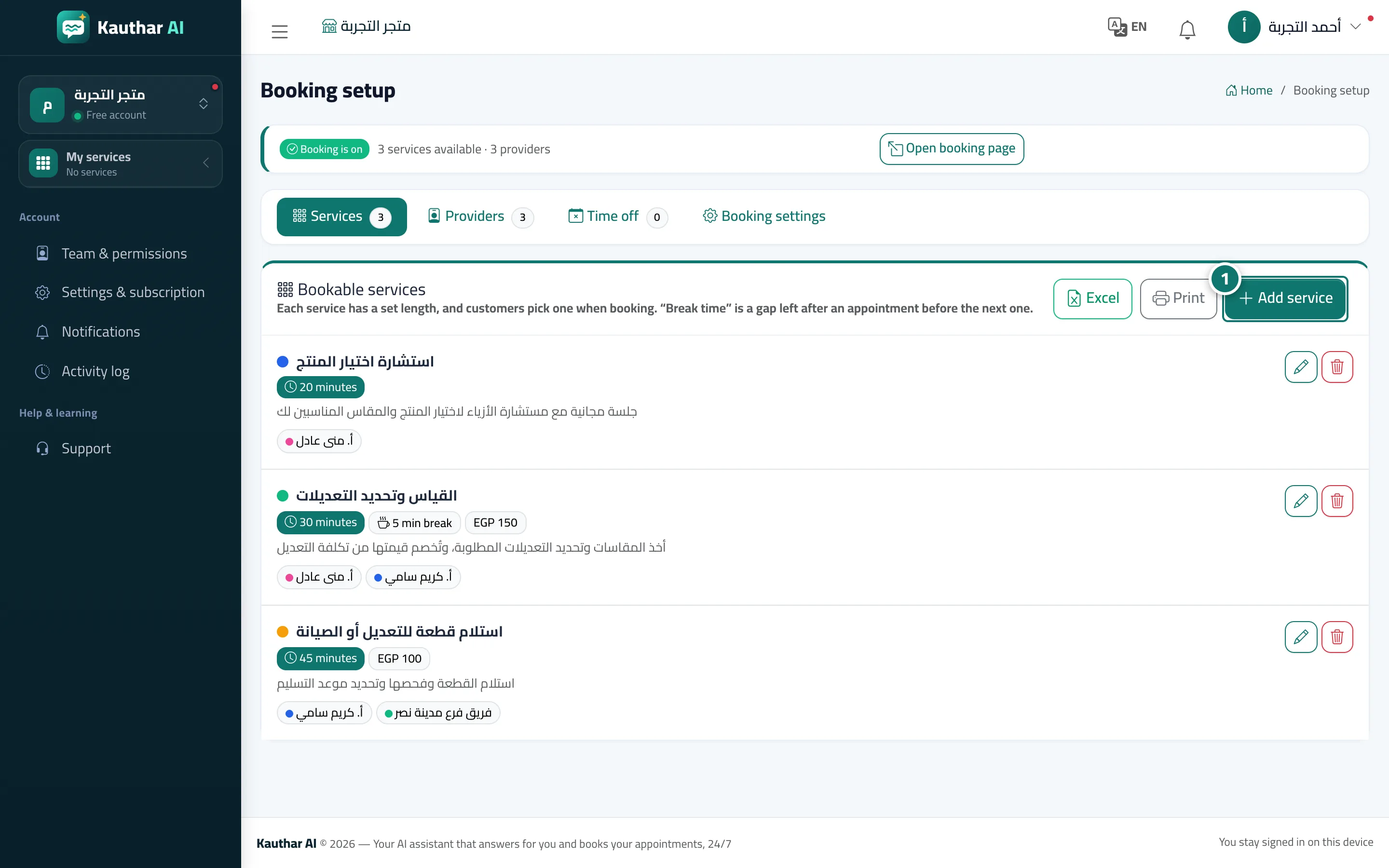
Steps
- Press «Add service». Number 1 on the picture
- Enter the service name, choose its length and break, and add a price and description if you like.
- Choose the «Providers for this service», then press «Save».