
Bookings · Booking reminders and notifications
How does a customer get a reminder before their appointment?
A team notification for every new booking, a reminder before the appointment, and emails to the customer once your support email is connected.
Who this is for: Owner & manager · Team members · Your customers
Where: Sidebar → Appointments → Booking setup → «Booking settings» tab → «Customer reminder» · connect email in Sidebar → Support desk → Support email · notifications in Sidebar → Account → Notifications
Steps
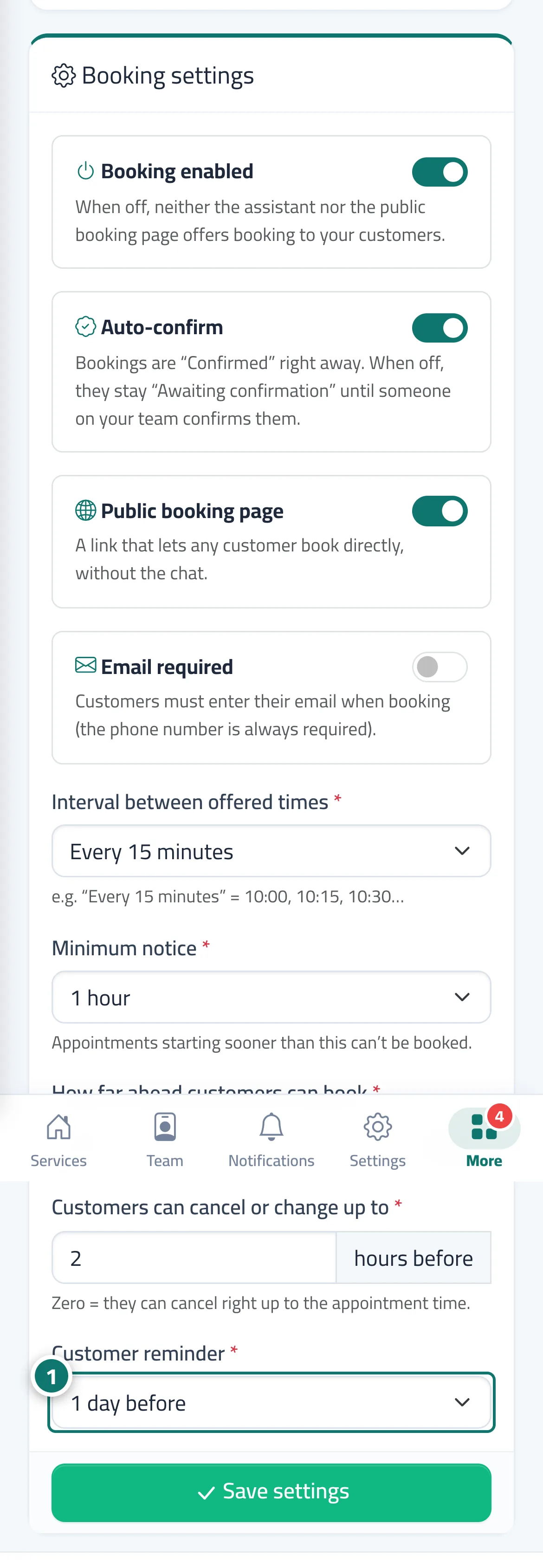
- Choose the reminder time in «Customer reminder», then press «Save settings». Number 1 on the picture
- Connect «Support email» so emails reach your customers.
- Link each provider to their account («Staff account») so they receive notifications for their bookings.
Steps
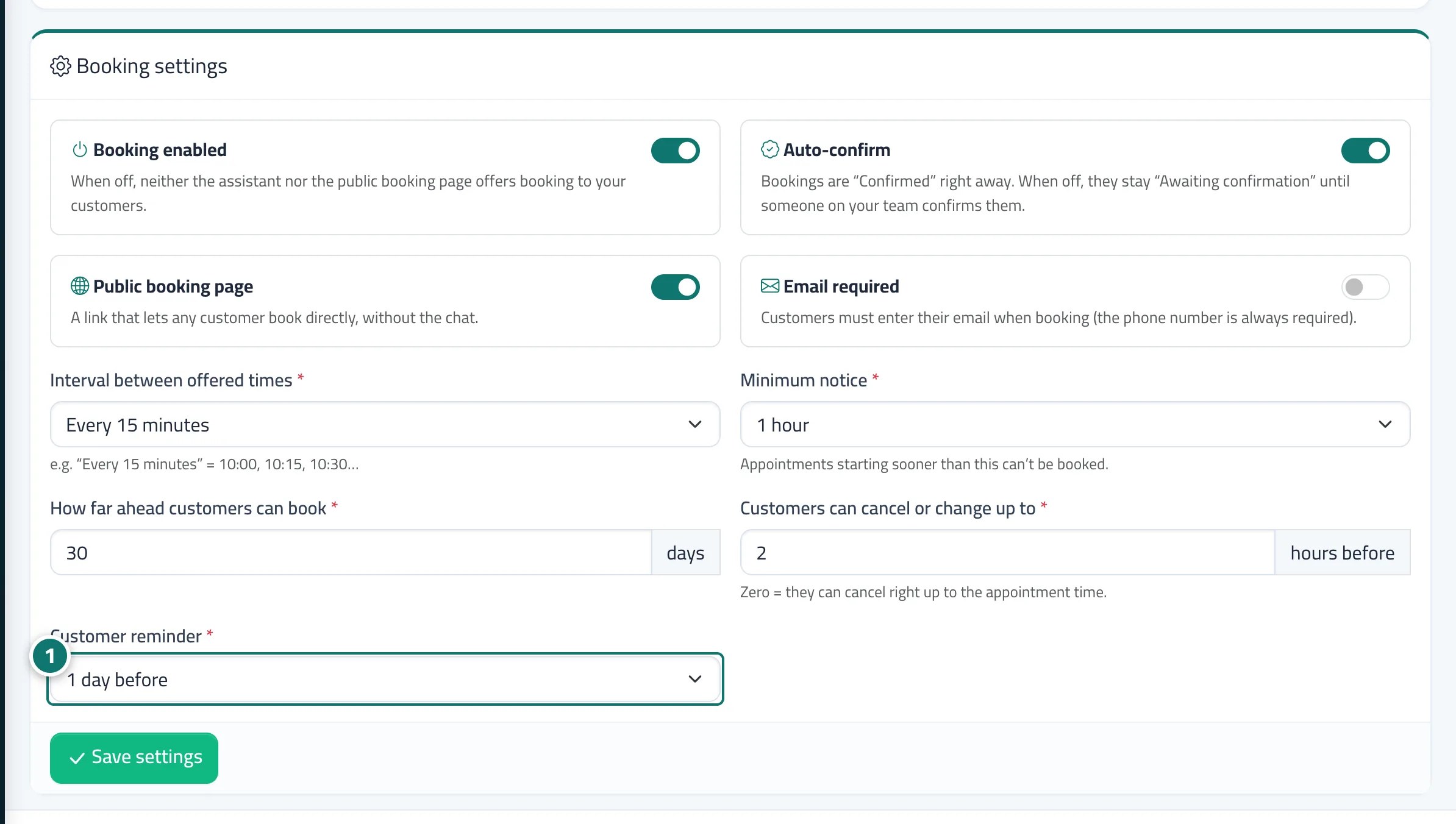
- Choose the reminder time in «Customer reminder», then press «Save settings». Number 1 on the picture
- Connect «Support email» so emails reach your customers.
- Link each provider to their account («Staff account») so they receive notifications for their bookings.