
Bookings · Booking rules
How do I make bookings need my team's confirmation before they're final?
Auto-confirm, minimum notice, how far ahead customers can book, the interval between times, the cancellation window and reminders.
Who this is for: Owner & manager
Where: Sidebar → Appointments → Booking setup → «Booking settings» tab
Steps
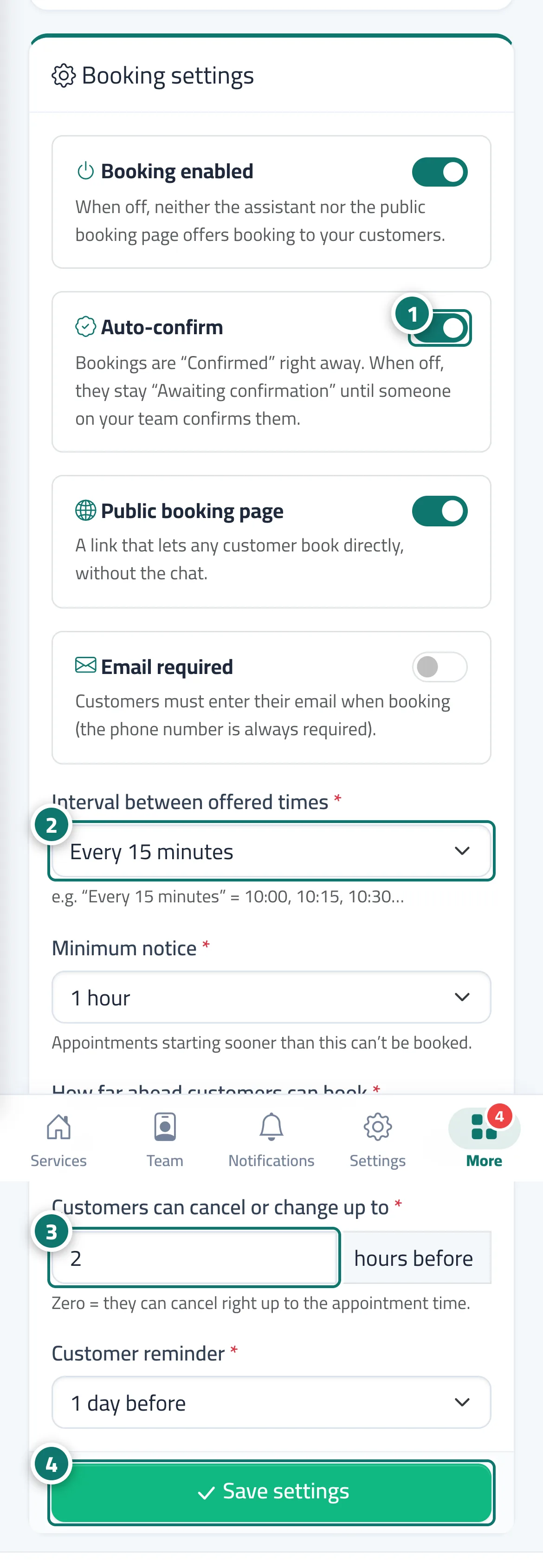
- Turn the four switches on or off: «Booking enabled», «Auto-confirm», «Public booking page», «Email required». Number 1 on the picture
- Choose the «Interval between offered times», «Minimum notice» and «How far ahead customers can book». Number 2 on the picture
- Set, in hours, how long before the appointment «Customers can cancel or change up to», and the «Customer reminder». Number 3 on the picture
- Press «Save settings». Number 4 on the picture
Steps
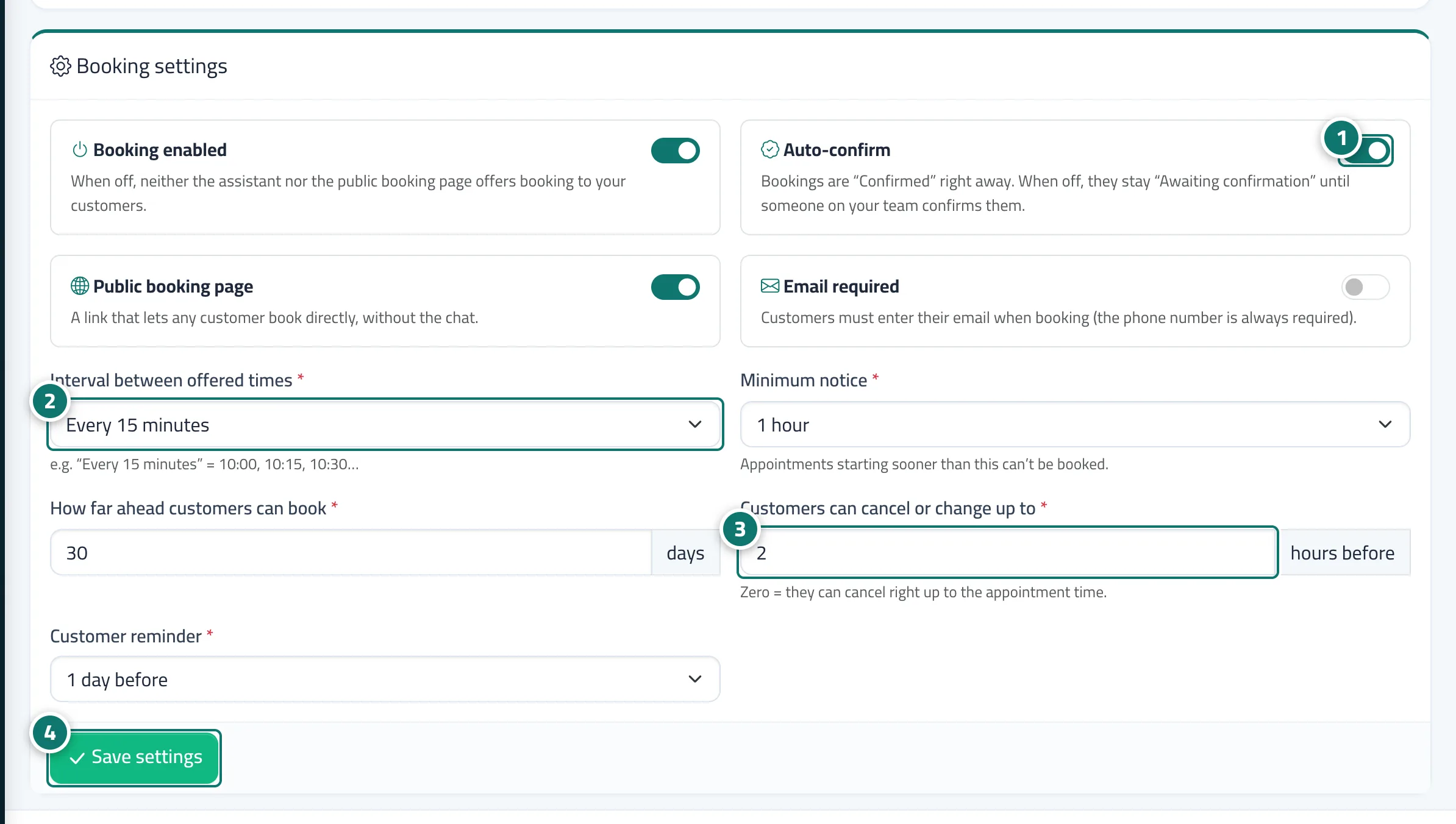
- Turn the four switches on or off: «Booking enabled», «Auto-confirm», «Public booking page», «Email required». Number 1 on the picture
- Choose the «Interval between offered times», «Minimum notice» and «How far ahead customers can book». Number 2 on the picture
- Set, in hours, how long before the appointment «Customers can cancel or change up to», and the «Customer reminder». Number 3 on the picture
- Press «Save settings». Number 4 on the picture