
Bookings · Today's appointments on the dashboard
Where do I see today's appointments as soon as I sign in?
When you open the dashboard you see today's appointments and pending bookings, and can confirm or record attendance right there.
Who this is for: Owner & manager · Team members
Where: Sidebar → Main → Dashboard → «Bookings» section
Steps
- Open the «Dashboard».
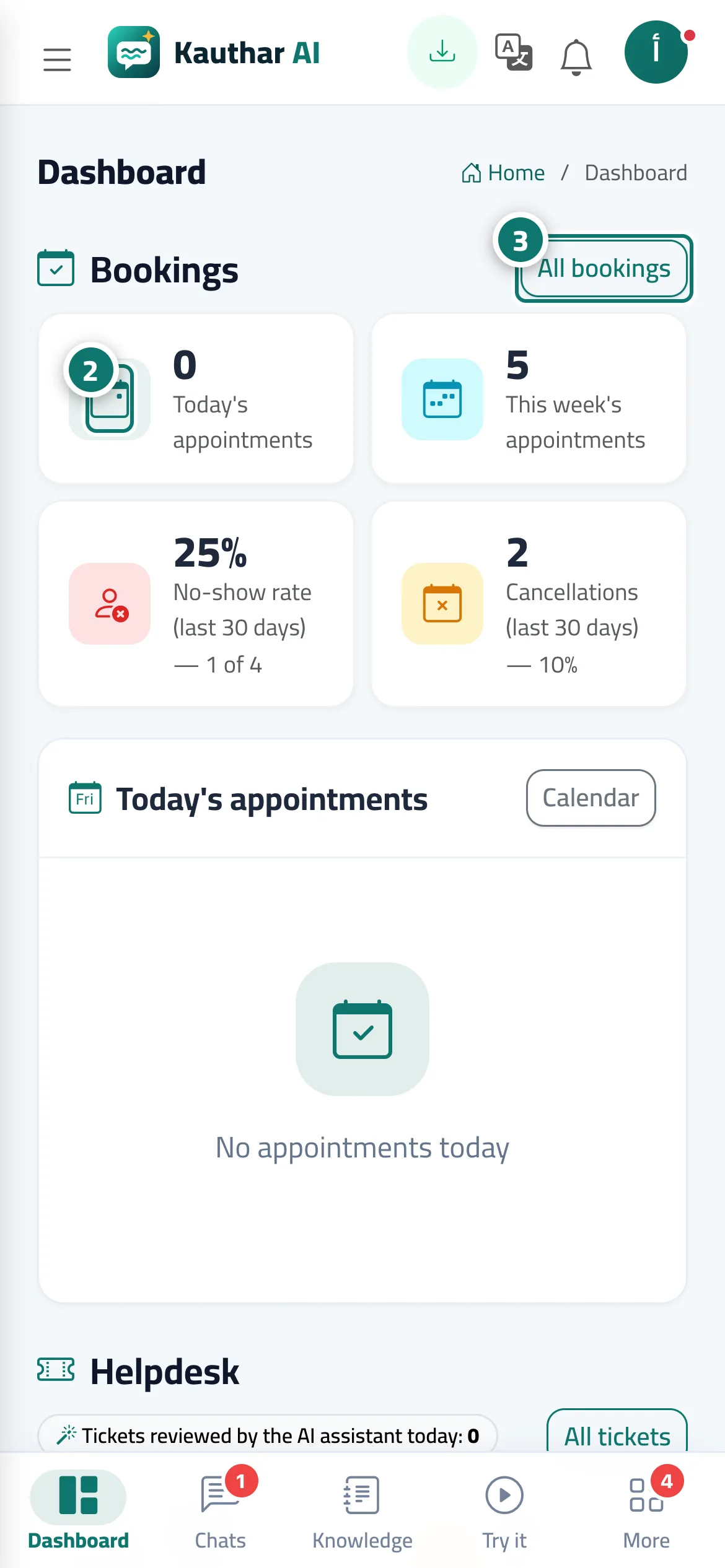
- Check the indicators in the «Bookings» section, and click any of them to go to the bookings or their reports. Number 2 on the picture
- Use the buttons next to each appointment in «Today's appointments», or press «All bookings» to open the full schedule. Number 3 on the picture
Steps
- Open the «Dashboard».
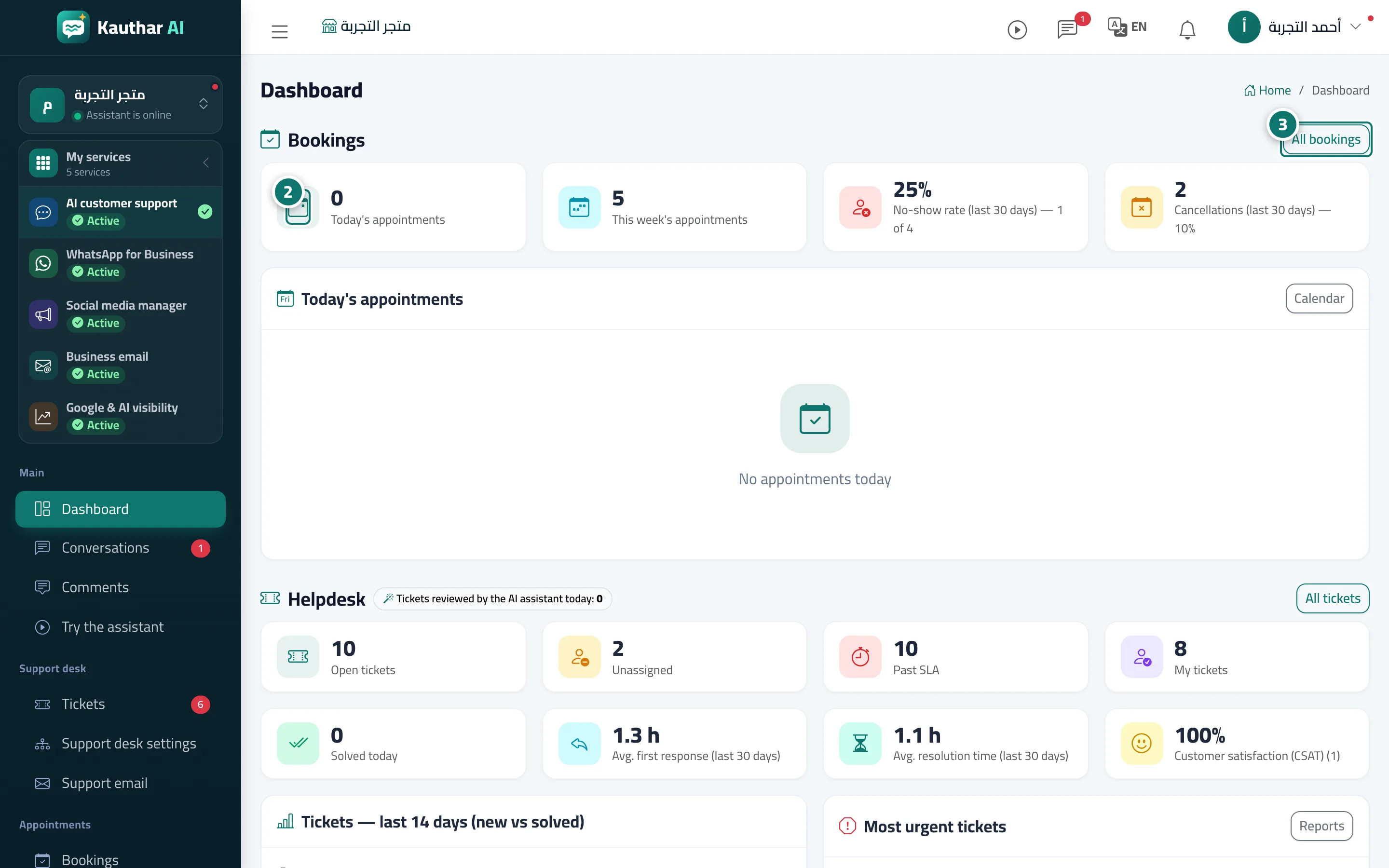
- Check the indicators in the «Bookings» section, and click any of them to go to the bookings or their reports. Number 2 on the picture
- Use the buttons next to each appointment in «Today's appointments», or press «All bookings» to open the full schedule. Number 3 on the picture