
Bookings · Booking for a customer who calls or walks in
How do I book an appointment for a customer who phoned me?
Customer phoned or came in person? Book them in 4 steps while seeing only the times that are actually free.
Who this is for: Owner & manager · Team members
Where: Sidebar → Appointments → Bookings → «New booking»
Steps
- Press «New booking».
- Choose the service, then the provider or «Any available provider».
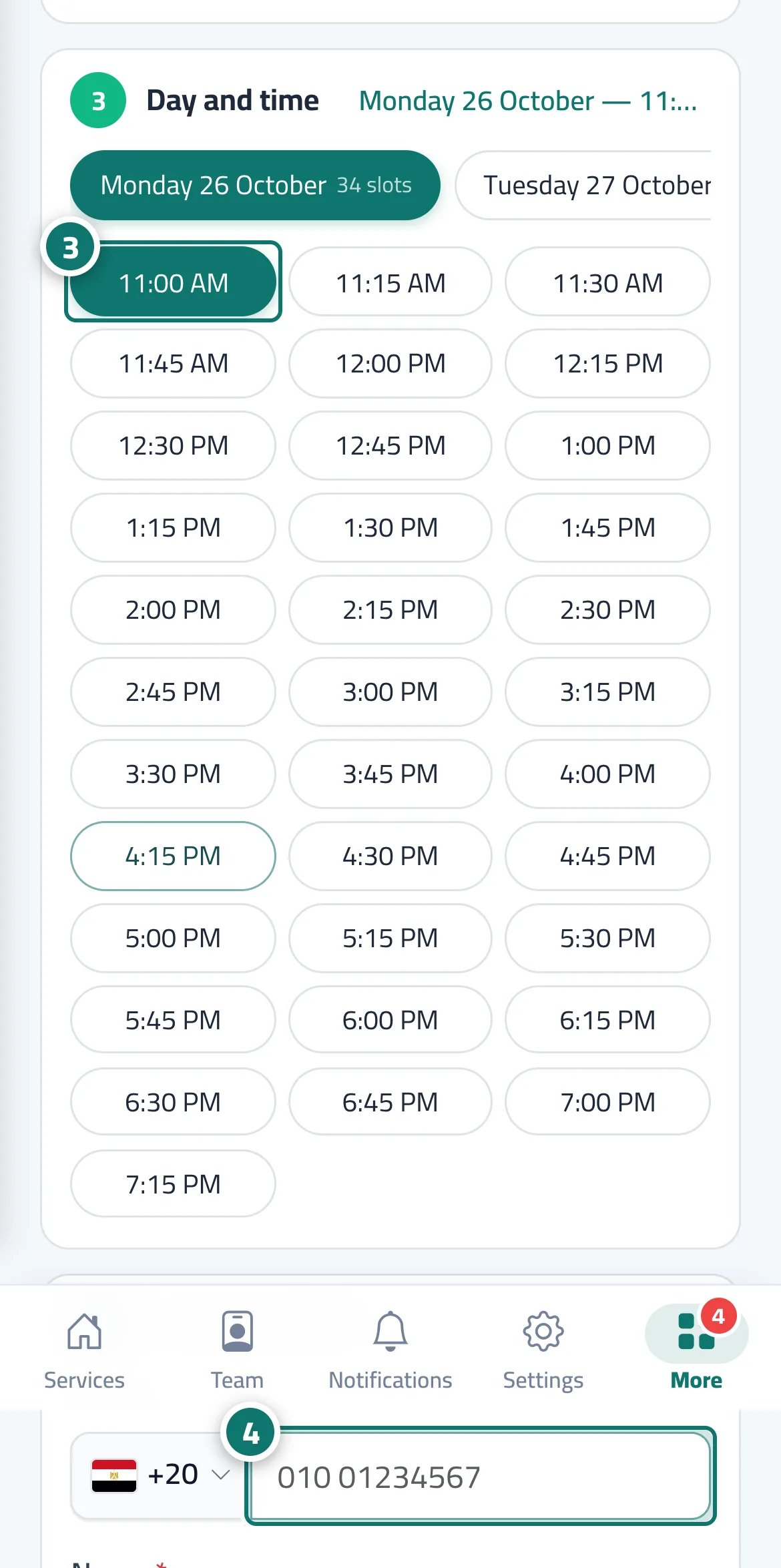
- Choose the day, then the time. Number 3 on the picture
- Enter the customer's phone number and name, choose the «Booking source», then press «Confirm booking». Number 4 on the picture
Steps
- Press «New booking».
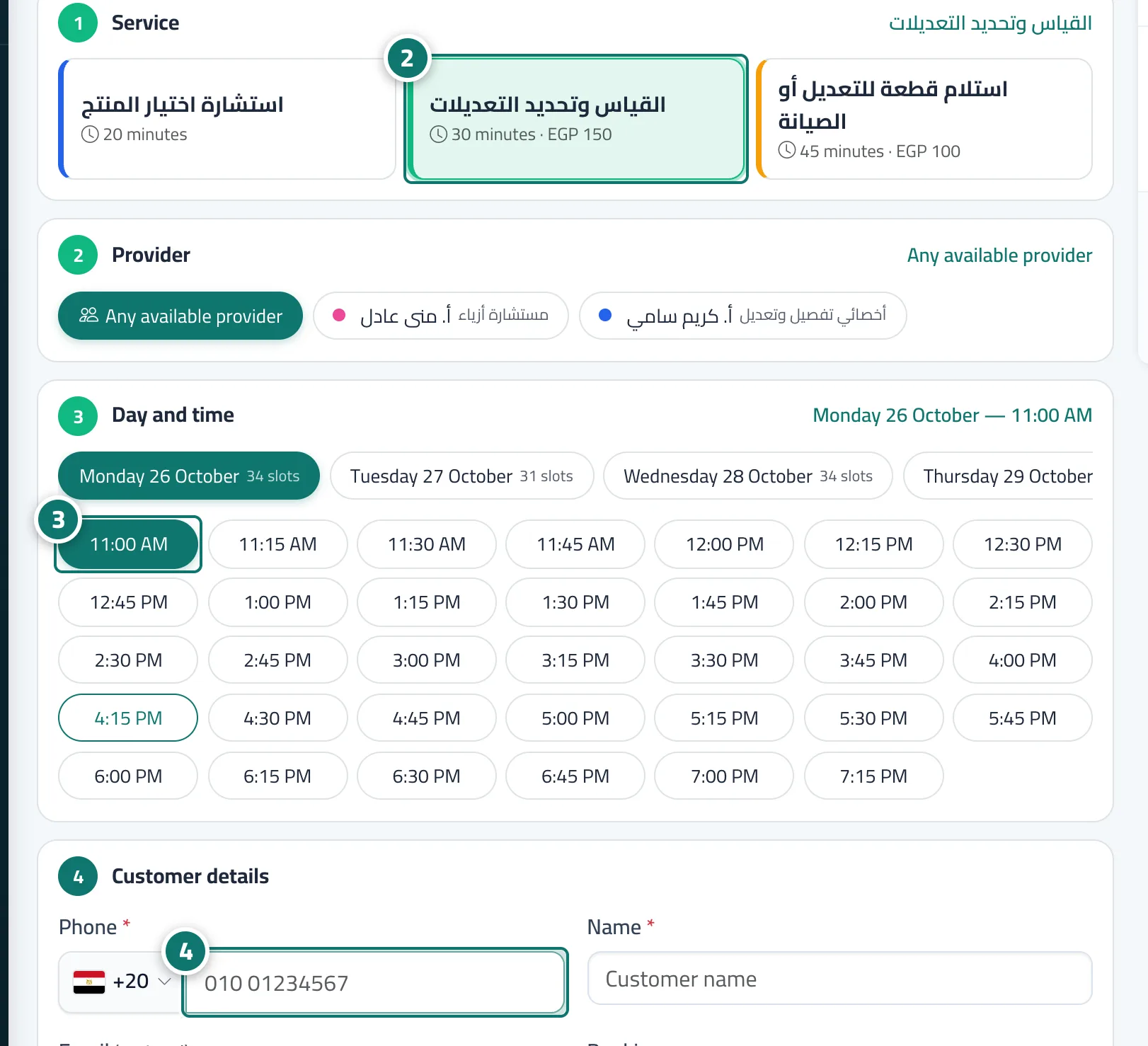
- Choose the service, then the provider or «Any available provider». Number 2 on the picture
- Choose the day, then the time. Number 3 on the picture
- Enter the customer's phone number and name, choose the «Booking source», then press «Confirm booking». Number 4 on the picture