
Channels · WhatsApp, Messenger and Instagram
How do I get Kauthar to answer my customers on WhatsApp, Messenger and Instagram?
Kauthar answers your customers inside WhatsApp (one number or more), Messenger and Instagram, and on comments on your posts — connected in one click from the Channels page.
Who this is for: Owner & manager · Team members
Where: Sidebar → Channels & customers → Channels → the “WhatsApp” and “Facebook Messenger & Instagram” cards
Steps
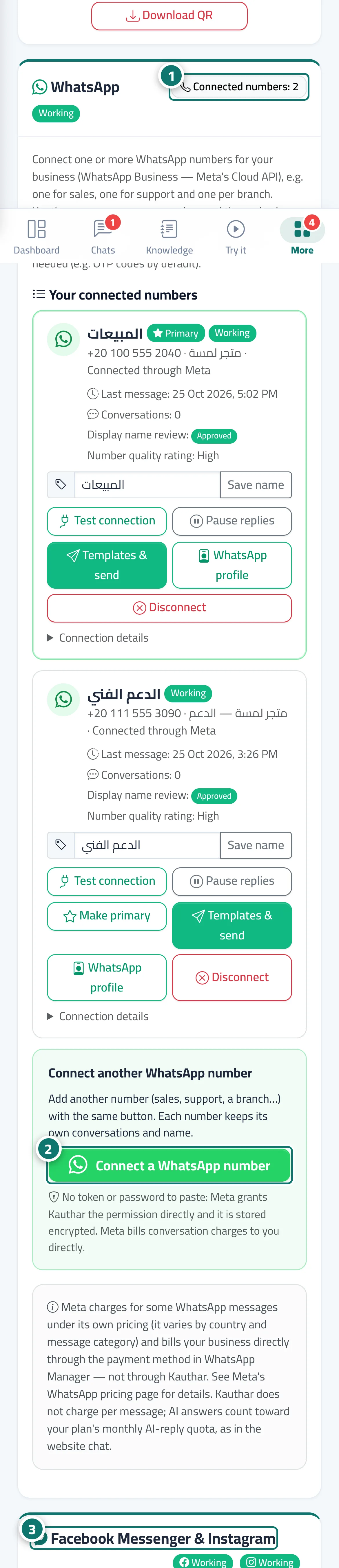
- Open Channels and scroll to the “WhatsApp” card; next to its title you see how many numbers are connected and the connection status. Number 1 on the picture
- To connect a number press “Connect a WhatsApp number” and finish in Meta's window. Number 2 on the picture
- Scroll to the “Facebook Messenger & Instagram” card and press “Connect with Facebook” to choose your Page and its linked Instagram account. Number 3 on the picture
Steps
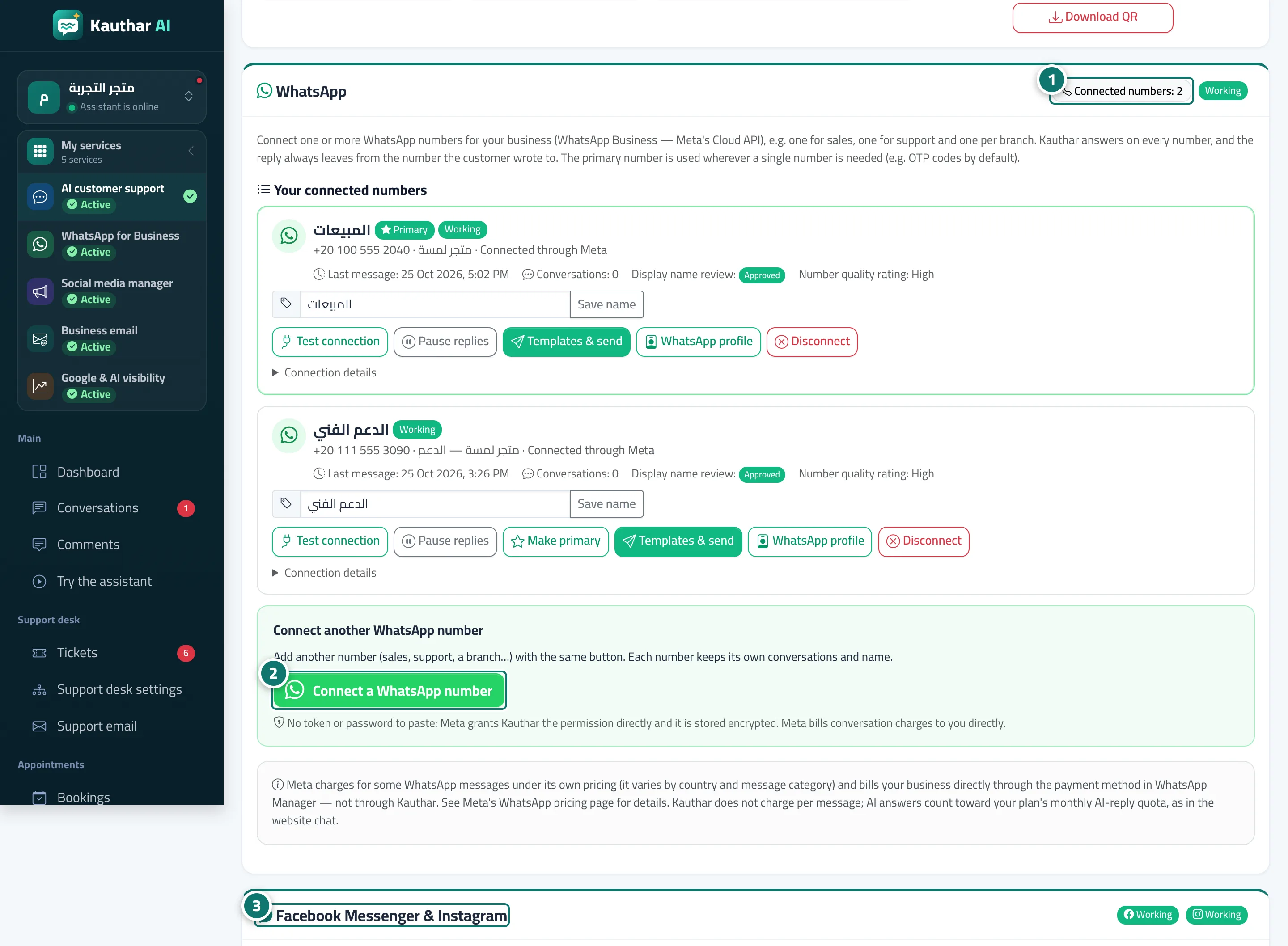
- Open Channels and scroll to the “WhatsApp” card; next to its title you see how many numbers are connected and the connection status. Number 1 on the picture
- To connect a number press “Connect a WhatsApp number” and finish in Meta's window. Number 2 on the picture
- Scroll to the “Facebook Messenger & Instagram” card and press “Connect with Facebook” to choose your Page and its linked Instagram account. Number 3 on the picture