
Channels · WhatsApp Business profile
How do I change the picture of my business's WhatsApp number?
Edit what your customers see when they open your chat on WhatsApp — picture, about text, business category, description, address, email and websites — for each number, from inside Kauthar.
Who this is for: Owner & manager · Team members
Where: Sidebar → Channels & customers → Channels → the number's card → «WhatsApp profile»
Steps
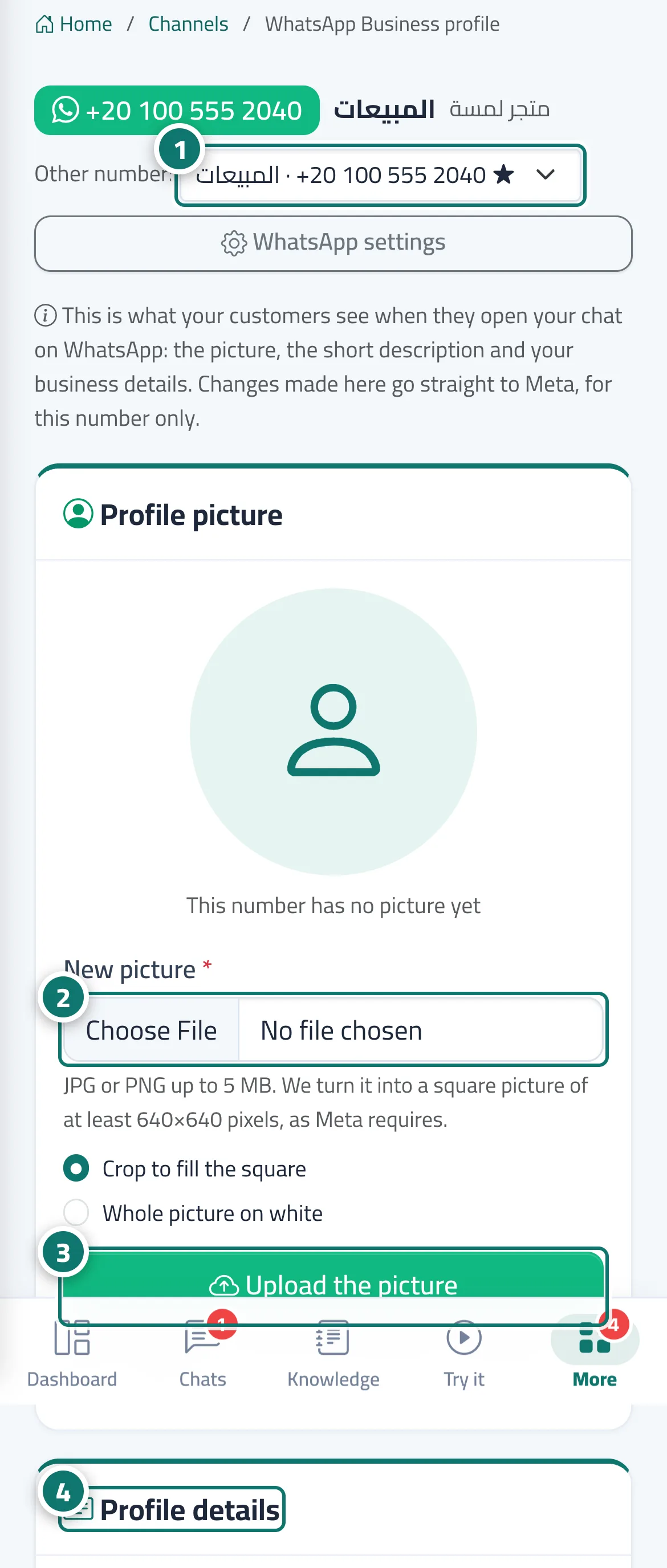
- On the number's card in «Channels», click «WhatsApp profile»; the other-number menu lets you switch to another number's profile. Number 1 on the picture
- In «Profile picture», choose a new picture and how it fills the square. Number 2 on the picture
- Click «Upload the picture» (or «Use my business logo» to use your business's logo). Number 3 on the picture
- In «Profile details», edit the about text, category, description, address, email and websites, then click «Save to WhatsApp». Number 4 on the picture
Steps
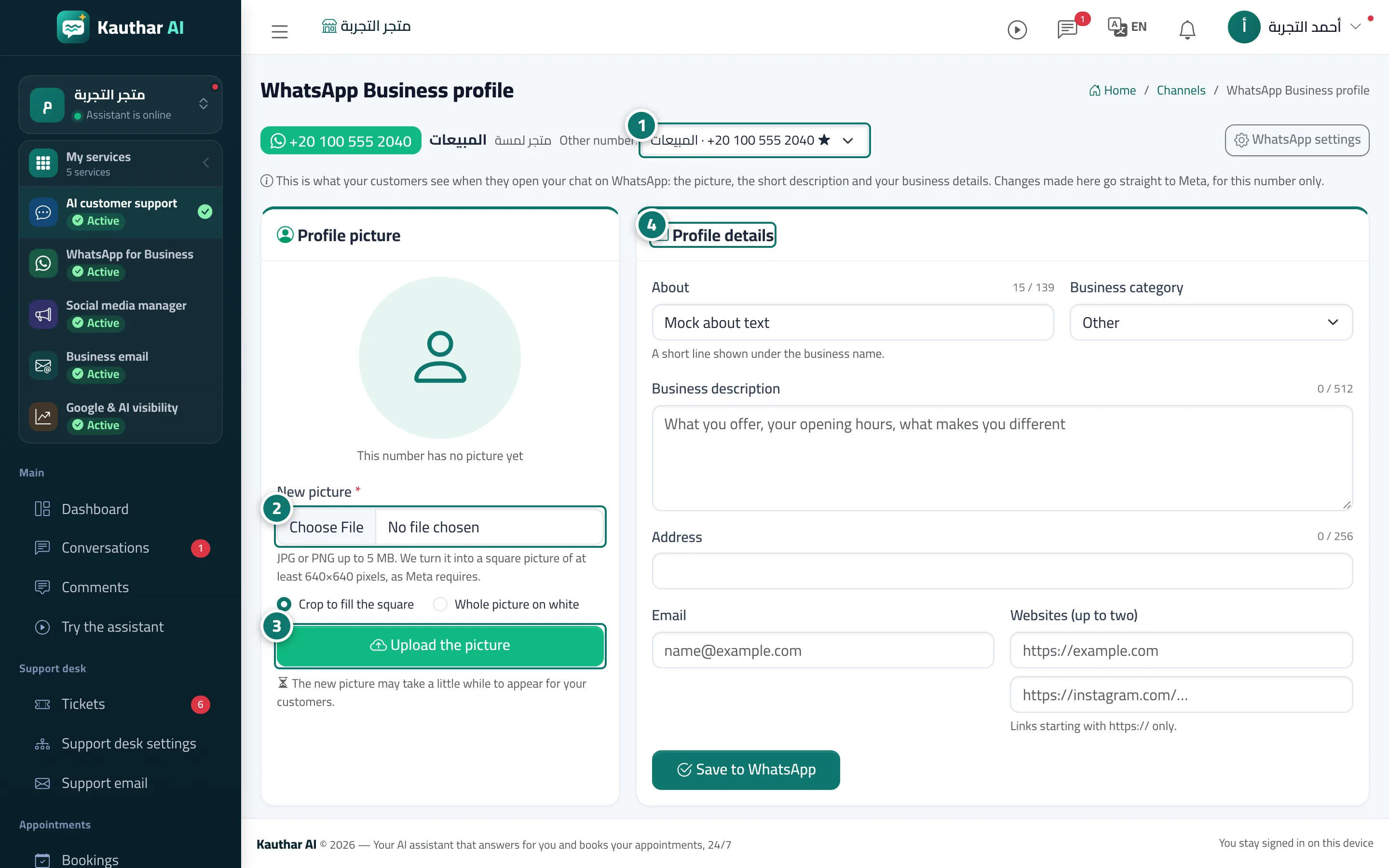
- On the number's card in «Channels», click «WhatsApp profile»; the other-number menu lets you switch to another number's profile. Number 1 on the picture
- In «Profile picture», choose a new picture and how it fills the square. Number 2 on the picture
- Click «Upload the picture» (or «Use my business logo» to use your business's logo). Number 3 on the picture
- In «Profile details», edit the about text, category, description, address, email and websites, then click «Save to WhatsApp». Number 4 on the picture