
Conversations & helpdesk · Response times (SLA) based on working hours
How do I set ticket response times by priority?
Set the maximum time to first reply and to resolution for each priority, counted during your working hours only — not nights or days off.
Who this is for: Owner & manager
Where: Sidebar → Support desk → Support desk settings → Response times
Steps
- Open «Support desk settings» → the «Response times» tab.
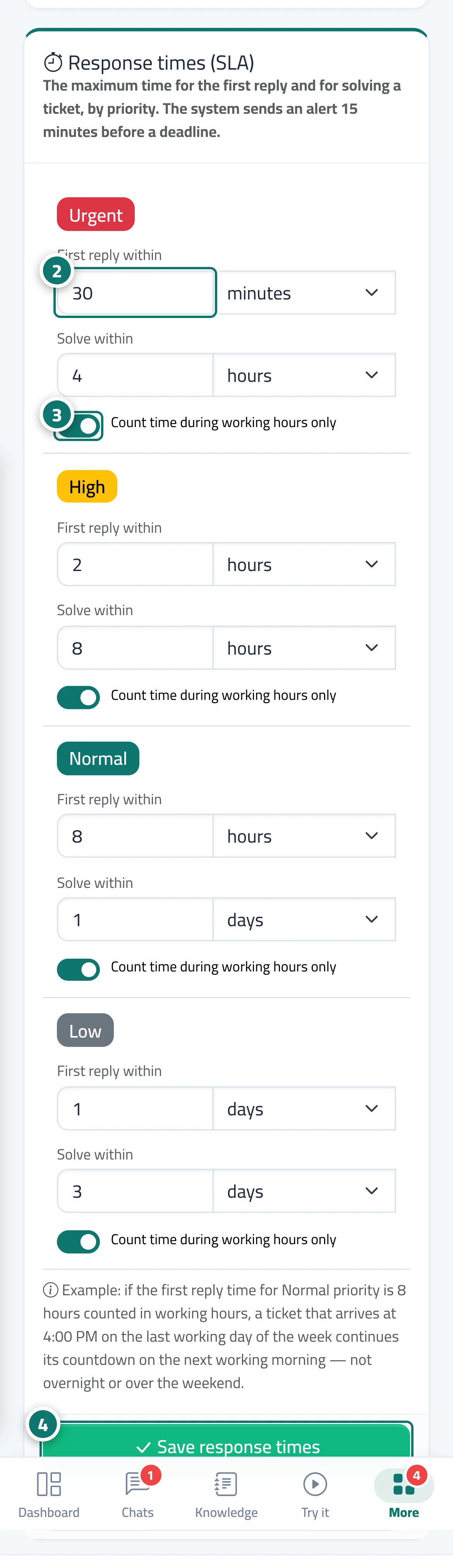
- For each priority, enter a number and choose the unit (minute / hour / day) for «First reply within» and «Solve within». Number 2 on the picture
- Turn on «Count time during working hours only» for the priorities you want. Number 3 on the picture
- Press «Save response times». To go back to the original settings, press «Restore defaults». Number 4 on the picture
Steps
- Open «Support desk settings» → the «Response times» tab.
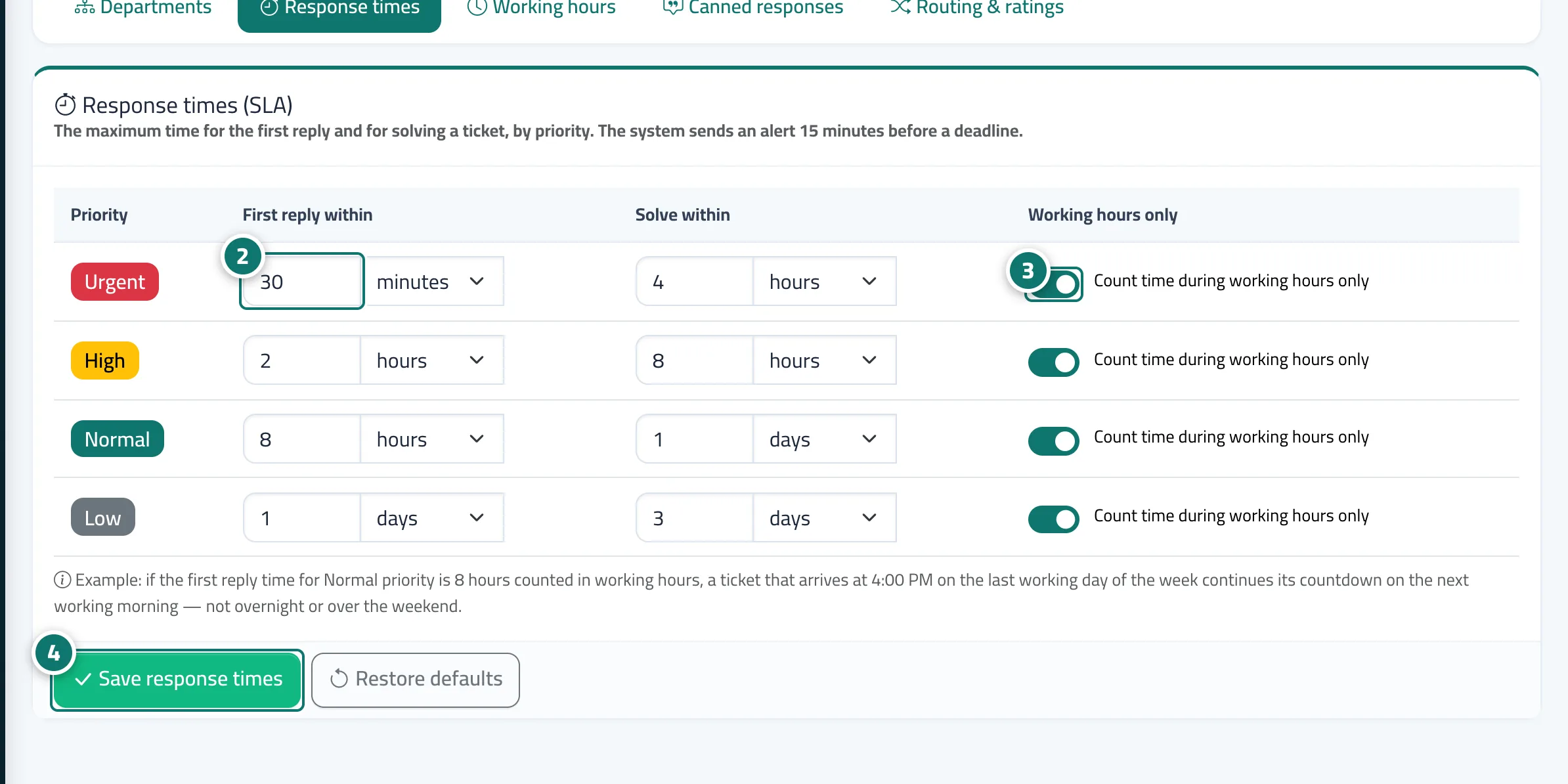
- For each priority, enter a number and choose the unit (minute / hour / day) for «First reply within» and «Solve within». Number 2 on the picture
- Turn on «Count time during working hours only» for the priorities you want. Number 3 on the picture
- Press «Save response times». To go back to the original settings, press «Restore defaults». Number 4 on the picture