
Conversations & helpdesk · Live conversations
How do I follow my customers' conversations with the AI assistant?
Follow your customers' conversations with the AI assistant as they happen, and see at once who needs a person from your team.
Who this is for: Owner & manager · Team members
Where: Sidebar → Main → Conversations
Steps
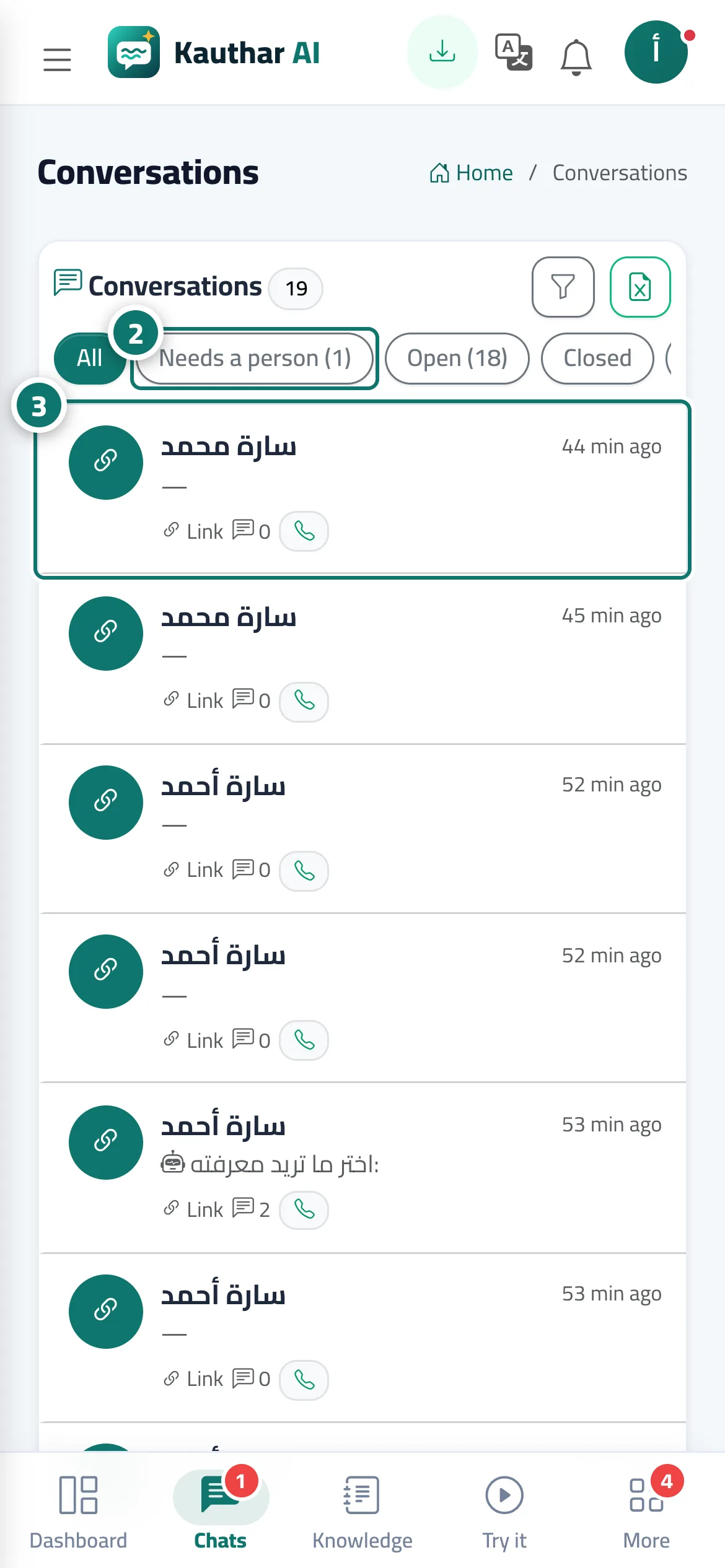
- Open “Conversations”; the number next to it in the sidebar is how many conversations need an agent.
- Choose “Needs an agent” to show the conversations waiting for a reply from your support team. Number 2 on the picture
- Pick a conversation to see all its messages and the customer's details: phone, the page they were browsing, start date, number of messages, conversation language and rating. Number 3 on the picture
- From “More” you can: “Print conversation” · “Close” · “Reopen” · “Delete”.
Steps
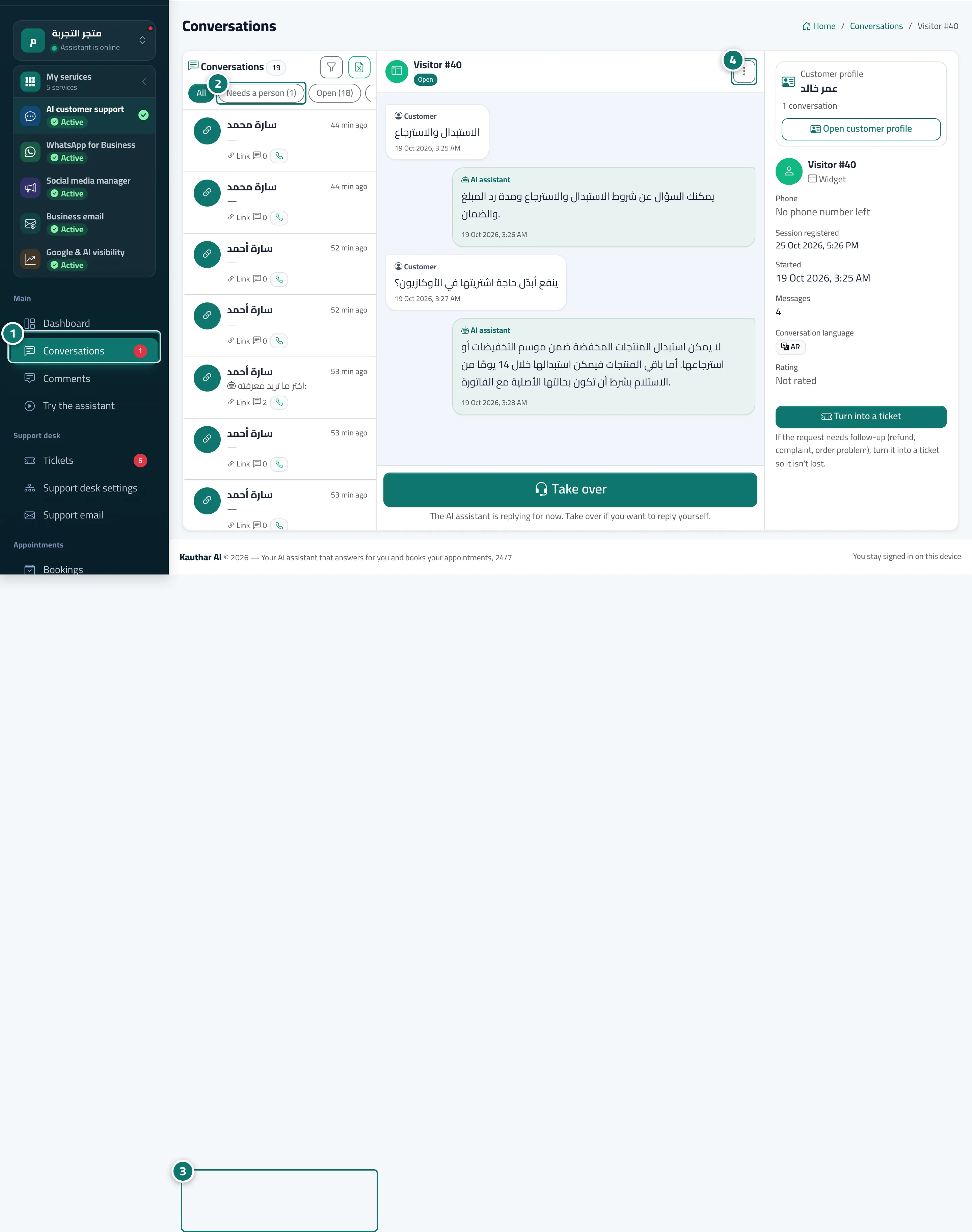
- Open “Conversations”; the number next to it in the sidebar is how many conversations need an agent. Number 1 on the picture
- Choose “Needs an agent” to show the conversations waiting for a reply from your support team. Number 2 on the picture
- Pick a conversation to see all its messages and the customer's details: phone, the page they were browsing, start date, number of messages, conversation language and rating. Number 3 on the picture
- From “More” you can: “Print conversation” · “Close” · “Reopen” · “Delete”. Number 4 on the picture