
Conversations & helpdesk · Round-robin ticket assignment
How are new tickets shared among agents automatically?
Each new ticket is automatically assigned to the next agent in line within its department, so the work is shared evenly.
Who this is for: Owner & manager
Where: Sidebar → Support desk → Support desk settings → Routing & ratings
Steps
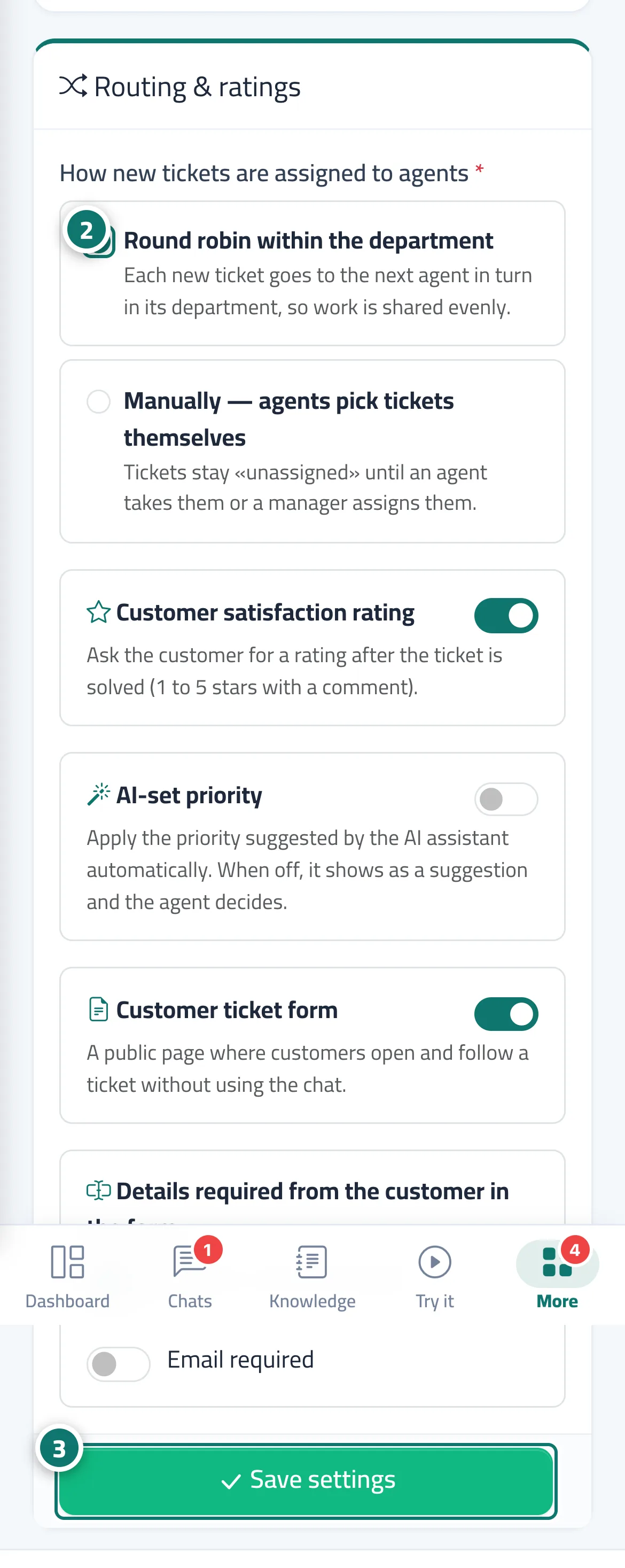
- Open «Support desk settings» → the «Routing & ratings» tab.
- Under «How new tickets are assigned to agents», choose «Round robin within the department» or «Manually — agents pick tickets themselves». Number 2 on the picture
- Press «Save settings». Number 3 on the picture
Steps
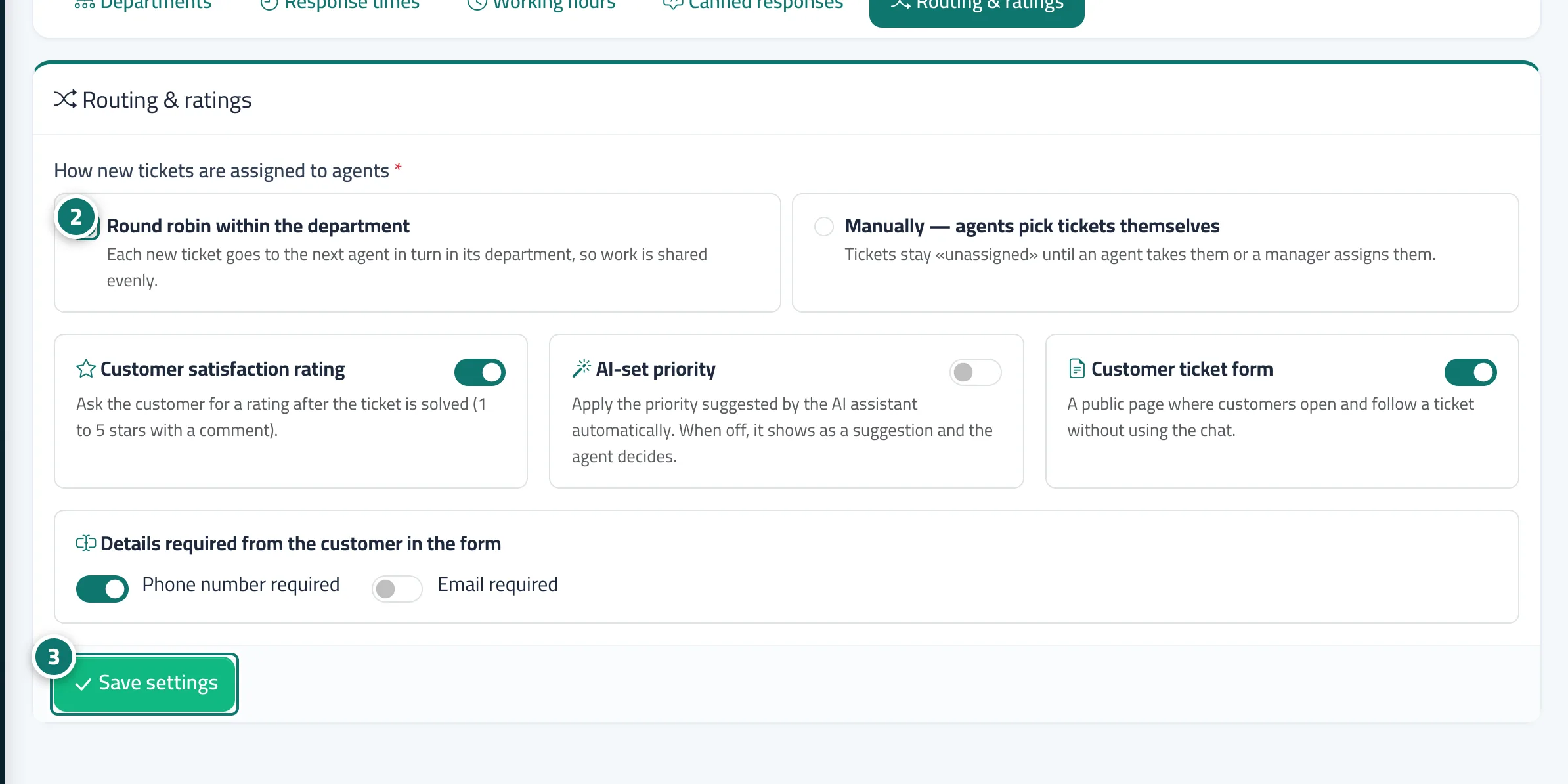
- Open «Support desk settings» → the «Routing & ratings» tab.
- Under «How new tickets are assigned to agents», choose «Round robin within the department» or «Manually — agents pick tickets themselves». Number 2 on the picture
- Press «Save settings». Number 3 on the picture