
Conversations & helpdesk · Purchase follow-up: «Decided?» until they buy, then their opinion
How does Kauthar follow up customers who asked for a price and did not buy?
Kauthar follows up every customer who asked about a product, a price or a booking and did not buy: «Decided?» with buttons after one hour, then after 1, 3 and 7 days, stopping when they buy, say «not interested» or a team member takes over; after a purchase it asks for their opinion.
Who this is for: Owner & manager · Team members
Where: Sidebar → Channels & customers → Interested customers
Steps
- Follow-up is off by default: press «Settings» (or «Turn on follow-up» on the dashboard card), switch it on and review the timing, the maximum number of messages and quiet hours.
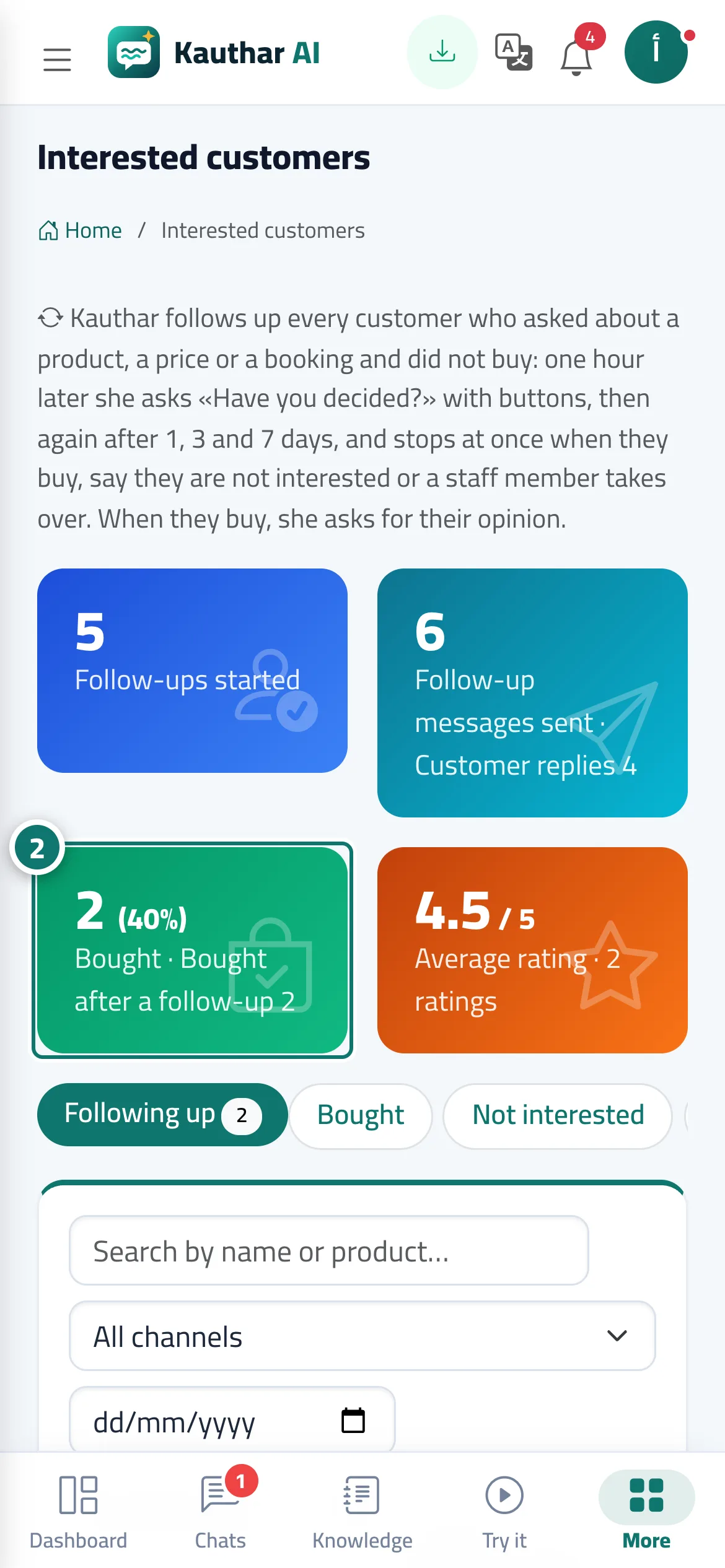
- Track results in the KPIs at the top: follow-ups started, customer replies, purchases and the average rating. Number 2 on the picture
- Use the tabs to see active follow-ups, buyers, not interested and ratings; press «Conversation» to open one, or mark «Bought» by hand.
Steps
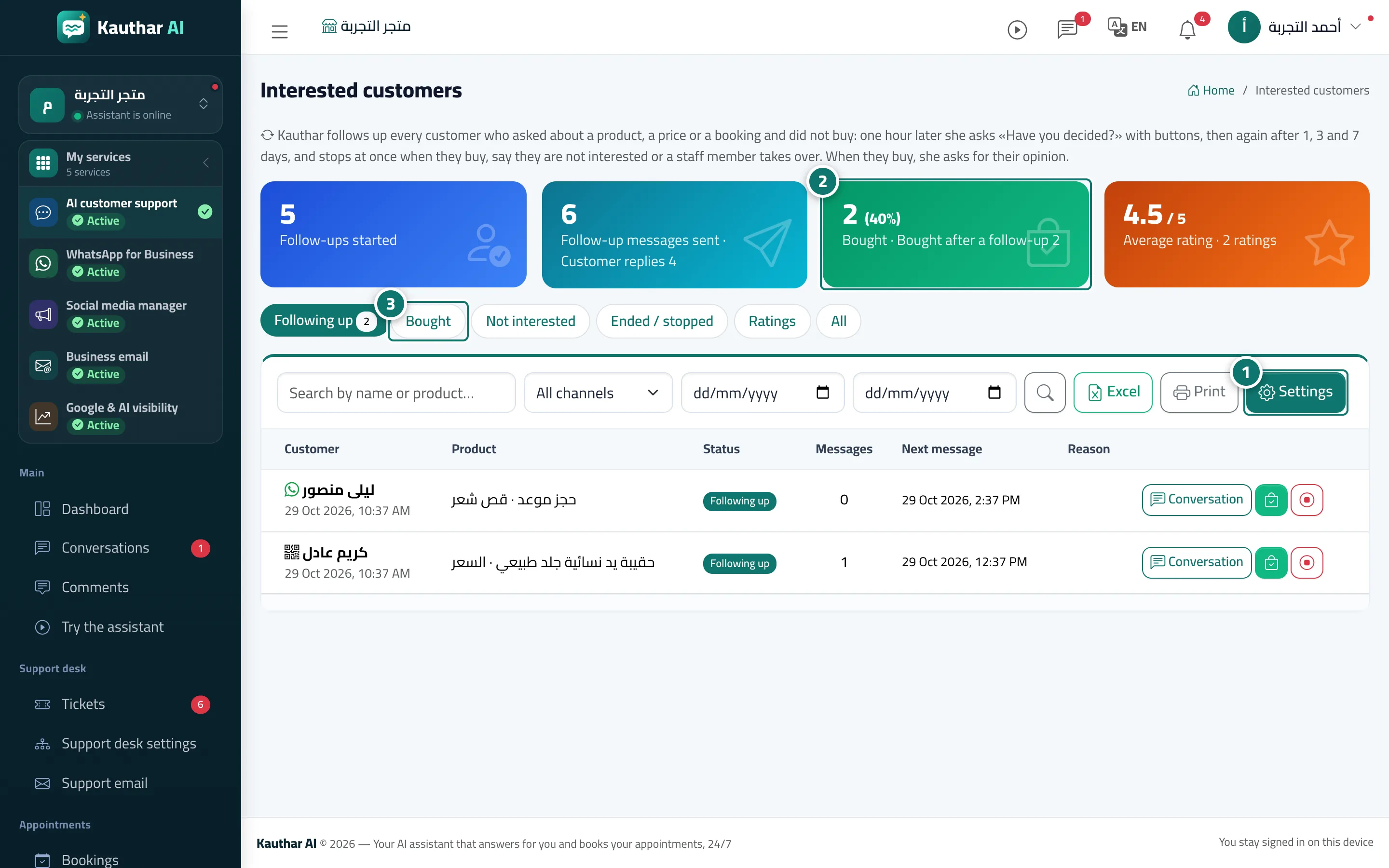
- Follow-up is off by default: press «Settings» (or «Turn on follow-up» on the dashboard card), switch it on and review the timing, the maximum number of messages and quiet hours. Number 1 on the picture
- Track results in the KPIs at the top: follow-ups started, customer replies, purchases and the average rating. Number 2 on the picture
- Use the tabs to see active follow-ups, buyers, not interested and ratings; press «Conversation» to open one, or mark «Bought» by hand. Number 3 on the picture