
Conversations & helpdesk · Customers: one profile per customer
Where do I find the numbers of customers who contacted me?
Every customer who contacted you on any channel has one profile tied to their phone number: their conversations, bookings, tickets and orders in one place, with one-tap WhatsApp and call buttons.
Who this is for: Owner & manager · Team members
Where: Sidebar → Channels & customers → Customers
Steps
- Open «Customers» from the sidebar.
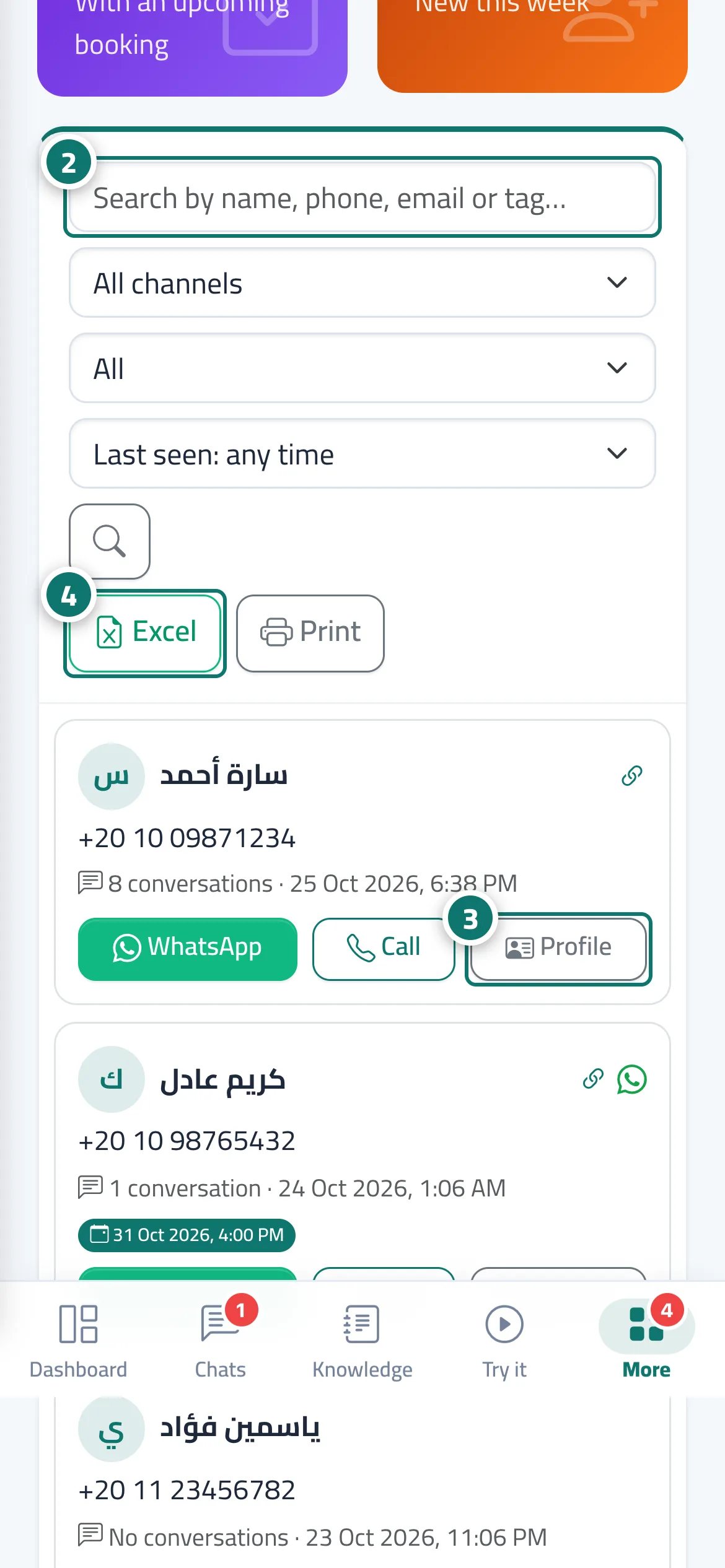
- Search by name, phone number, email or tag, or filter by «All channels», «Filter» (with an upcoming booking · with bookings · with a phone number · used more than one channel) and «Last seen», then click the search button. Number 2 on the picture
- Click «Profile» to open the customer's full profile, or the WhatsApp or call button next to their number to contact them directly. Number 3 on the picture
- Export the list with the current filters using «Excel», or «Print» (A4 paper). Number 4 on the picture
Steps
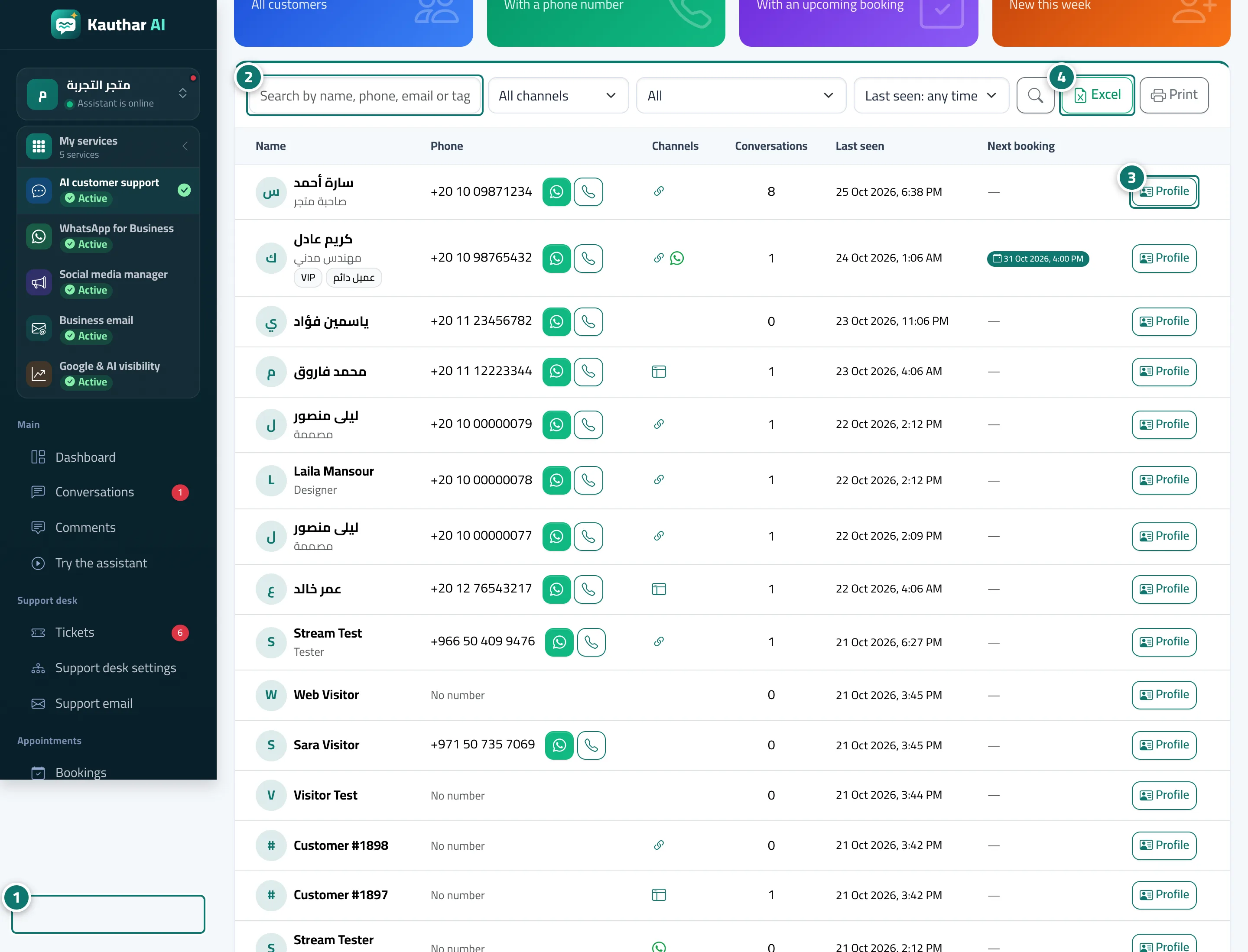
- Open «Customers» from the sidebar. Number 1 on the picture
- Search by name, phone number, email or tag, or filter by «All channels», «Filter» (with an upcoming booking · with bookings · with a phone number · used more than one channel) and «Last seen», then click the search button. Number 2 on the picture
- Click «Profile» to open the customer's full profile, or the WhatsApp or call button next to their number to contact them directly. Number 3 on the picture
- Export the list with the current filters using «Excel», or «Print» (A4 paper). Number 4 on the picture