
Conversations & helpdesk · Automatic ticket classification and summaries
How do I see the customer's mood on a ticket (satisfied or angry)?
The AI assistant reads every new ticket: a summary, a category, the customer's mood, and a suggested priority and department.
Who this is for: Owner & manager · Team members
Where: Sidebar → Support desk → Tickets → (the ticket)
Steps
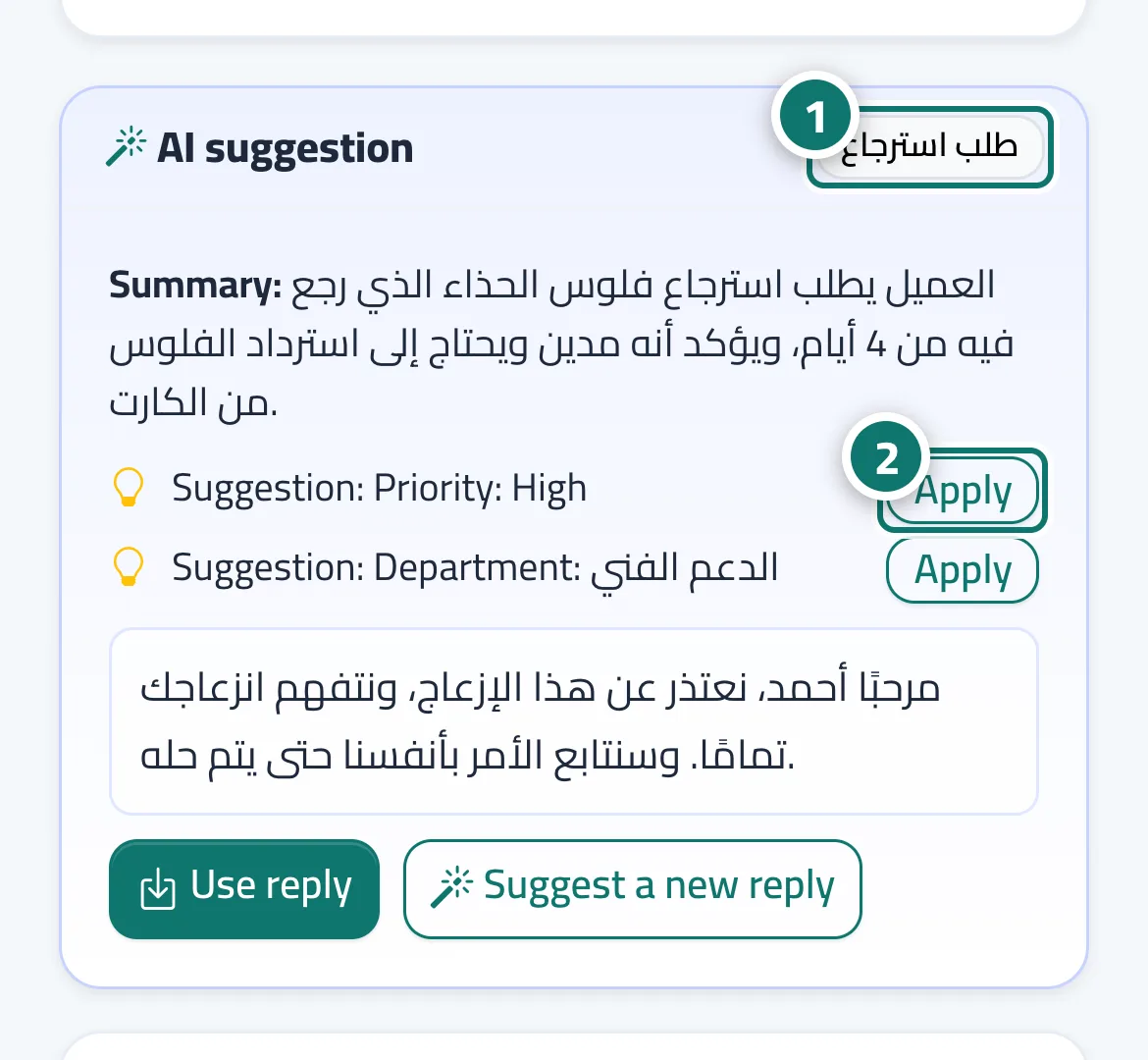
- Open any new ticket and check the «Summary» and the customer's mood next to the badges. Number 1 on the picture
- If «Suggestion: Priority: High» or «Suggestion: Department: …» appears, press «Apply». Number 2 on the picture
- To apply the suggested priority automatically: «Support desk settings» → «Routing & ratings» → turn on «AI-set priority» → «Save settings».
Steps
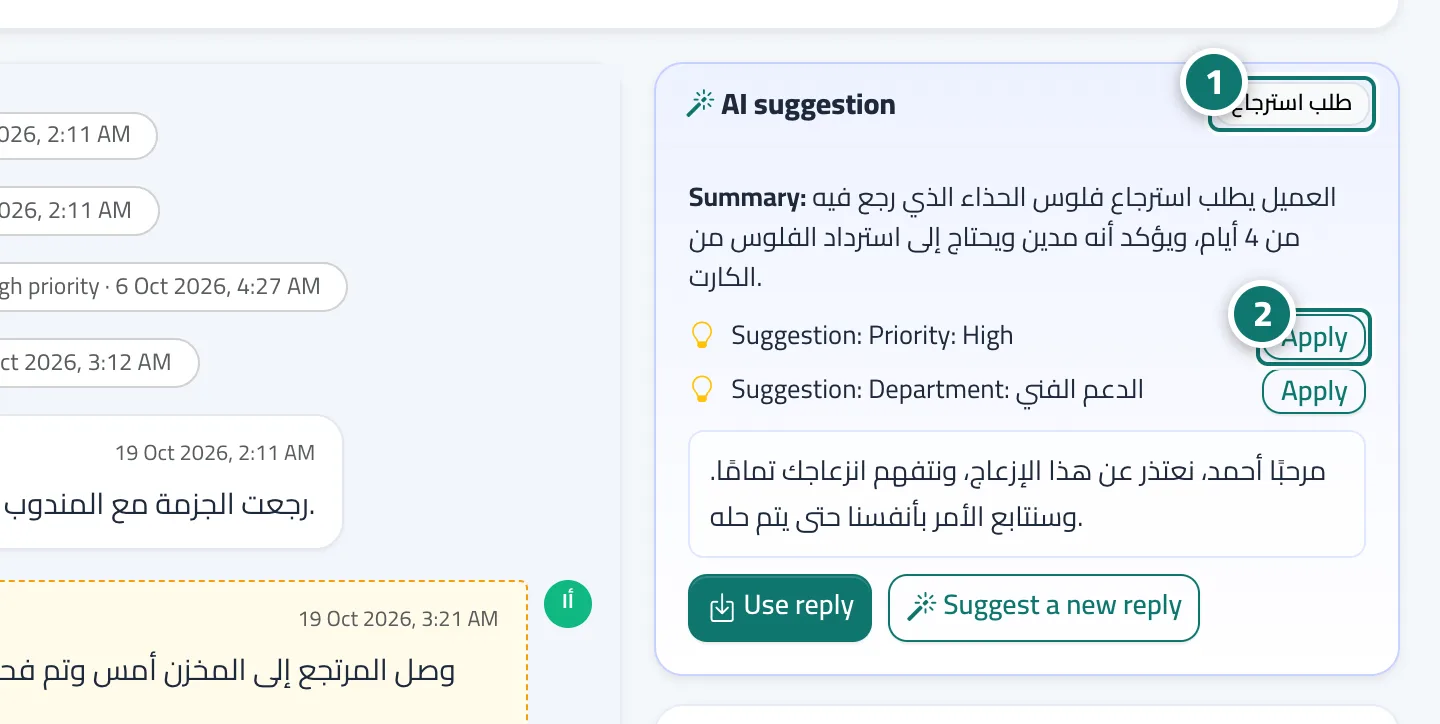
- Open any new ticket and check the «Summary» and the customer's mood next to the badges. Number 1 on the picture
- If «Suggestion: Priority: High» or «Suggestion: Department: …» appears, press «Apply». Number 2 on the picture
- To apply the suggested priority automatically: «Support desk settings» → «Routing & ratings» → turn on «AI-set priority» → «Save settings».