
Getting started · The free account: no time limit, then only the services you need
Is signing up for Kauthar free?
Signing up for Kauthar creates a free account that never expires or locks; you then pick the service you need from “My services” and start its free trial or subscribe straight away.
Who this is for: Owner & manager
Where: “My services” (the first page after sign-up)
Steps
- Create your account from “Create your free account” (phone number, then the verification code, then your details).
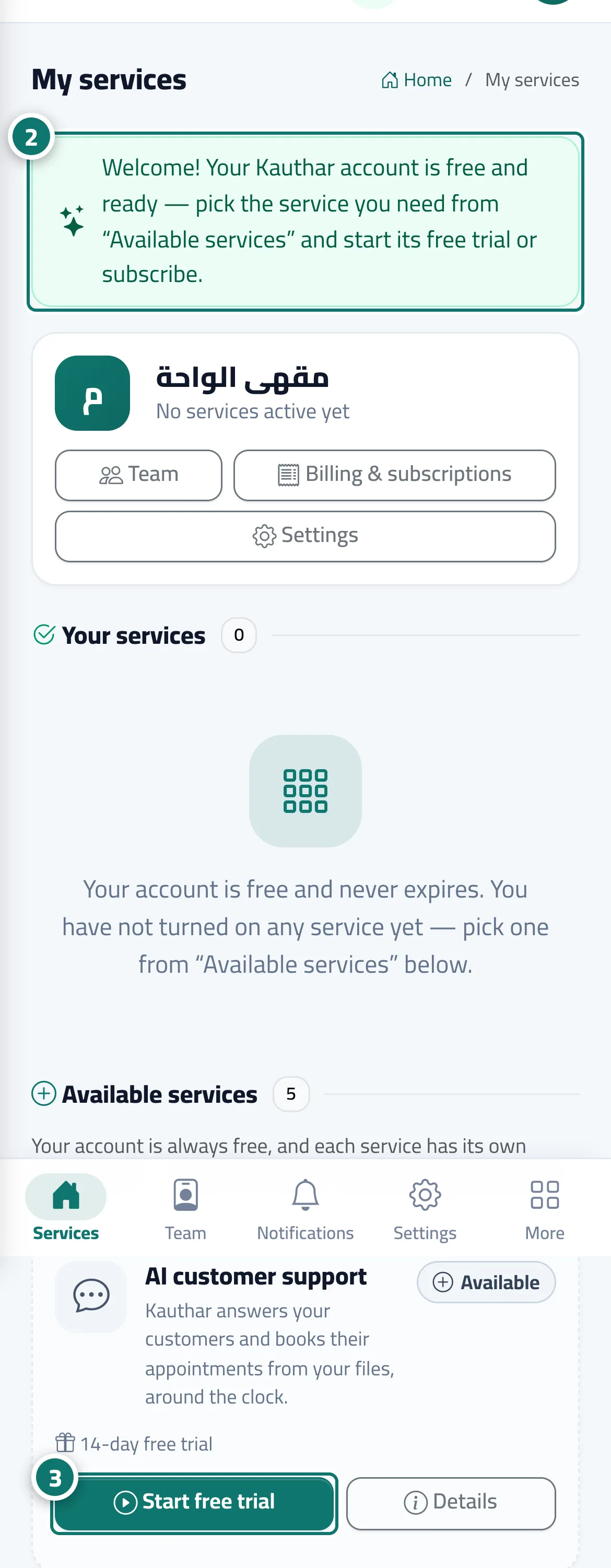
- “My services” opens with the welcome message; read the “Available services” cards and choose the service you need. Number 2 on the picture
- Click “Start free trial” on the service card, or “Details” to see its plans and subscribe directly. Number 3 on the picture
Steps
- Create your account from “Create your free account” (phone number, then the verification code, then your details).
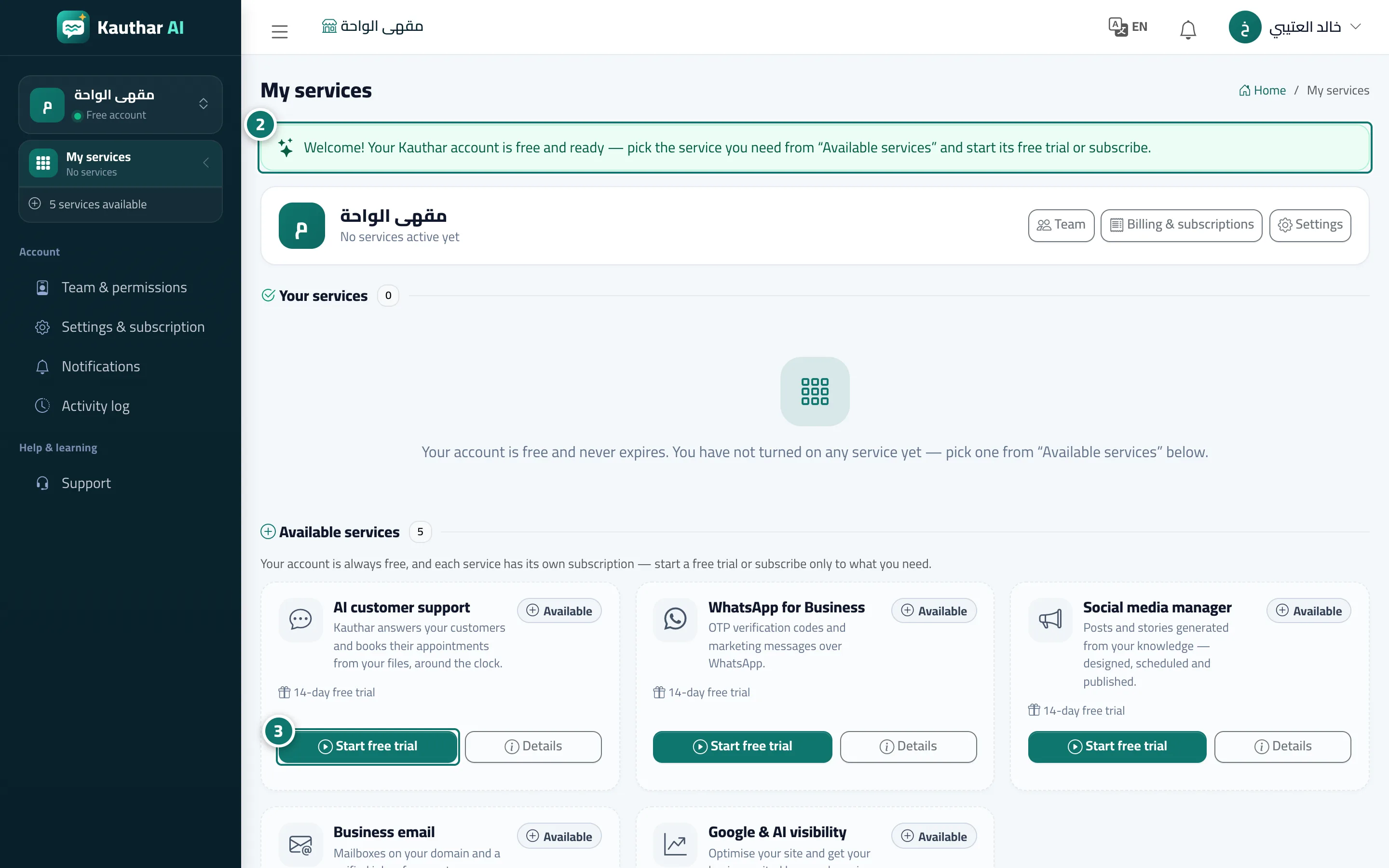
- “My services” opens with the welcome message; read the “Available services” cards and choose the service you need. Number 2 on the picture
- Click “Start free trial” on the service card, or “Details” to see its plans and subscribe directly. Number 3 on the picture