
Business email · Answering mail with Kauthar's suggestion and assigning threads
How does Kauthar suggest a reply to an email?
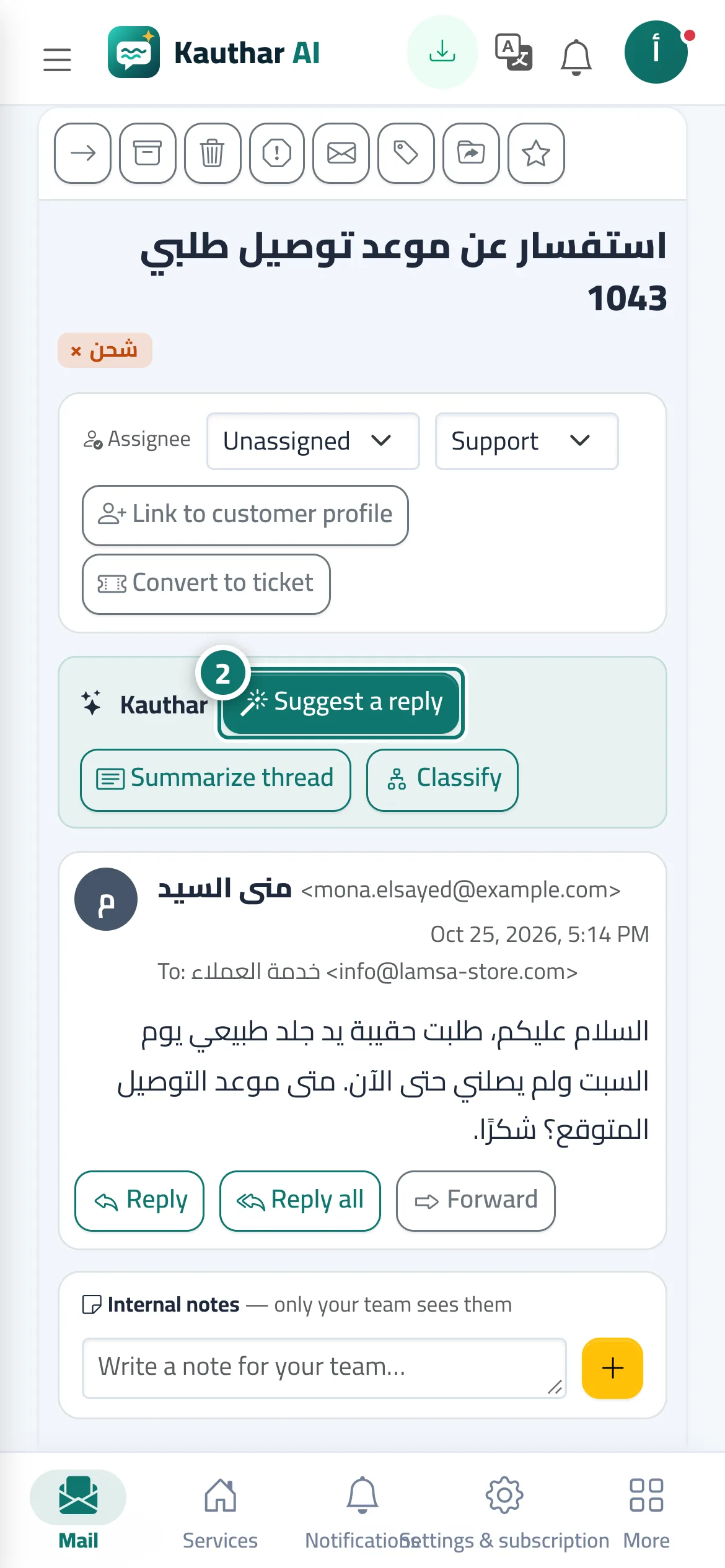
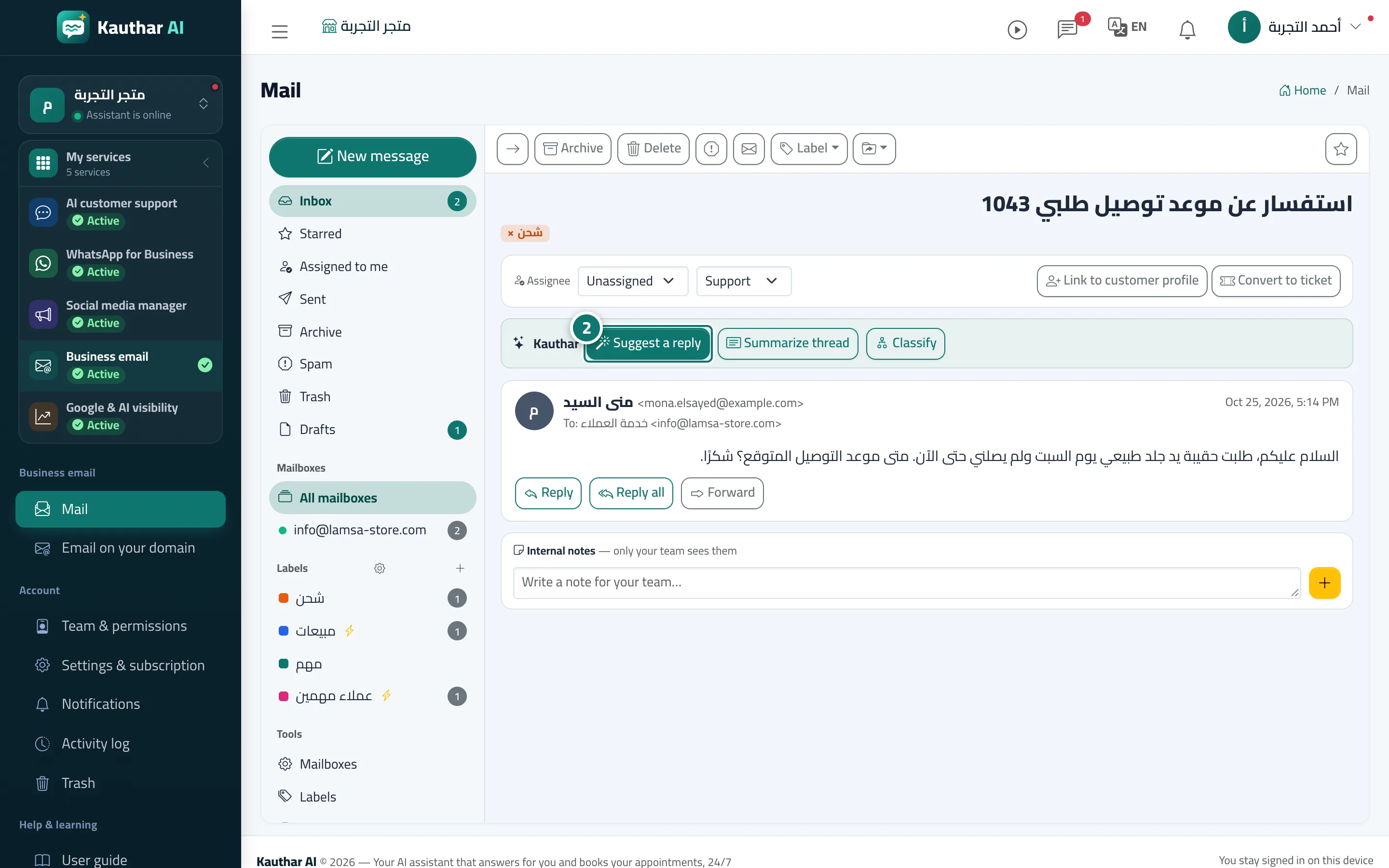
Inside a thread: “Suggest a reply” writes a reply from your business information, alongside “Summarize thread” and “Classify”, plus assigning the thread to a colleague, an internal note and turning it into a support ticket.
Who this is for: Owner & manager · Team members
Where: Mail → open a thread
Steps
- Open the thread from the “Mail” list.
- Click “Suggest a reply”, review the “Suggested reply” and click “Use in a reply”, then edit and send. Number 2 on the picture
- From “Assignee”, assign the thread to a colleague, or turn it into a ticket if it needs follow-up.
Steps
- Open the thread from the “Mail” list.
- Click “Suggest a reply”, review the “Suggested reply” and click “Use in a reply”, then edit and send. Number 2 on the picture
- From “Assignee”, assign the thread to a colleague, or turn it into a ticket if it needs follow-up.