
Business email · Daily mail digest
How do I get a daily digest of my business e-mail?
Every day at the time you choose (09:00 by default) Kauthar reads your business e-mail and sends you a digest: what arrived, what the team or Kauthar answered, what is still waiting for you and since when, with one line per important message and the next step.
Who this is for: Owner & manager
Where: Sidebar → Business email → Mail → «Daily mail digest»
Steps
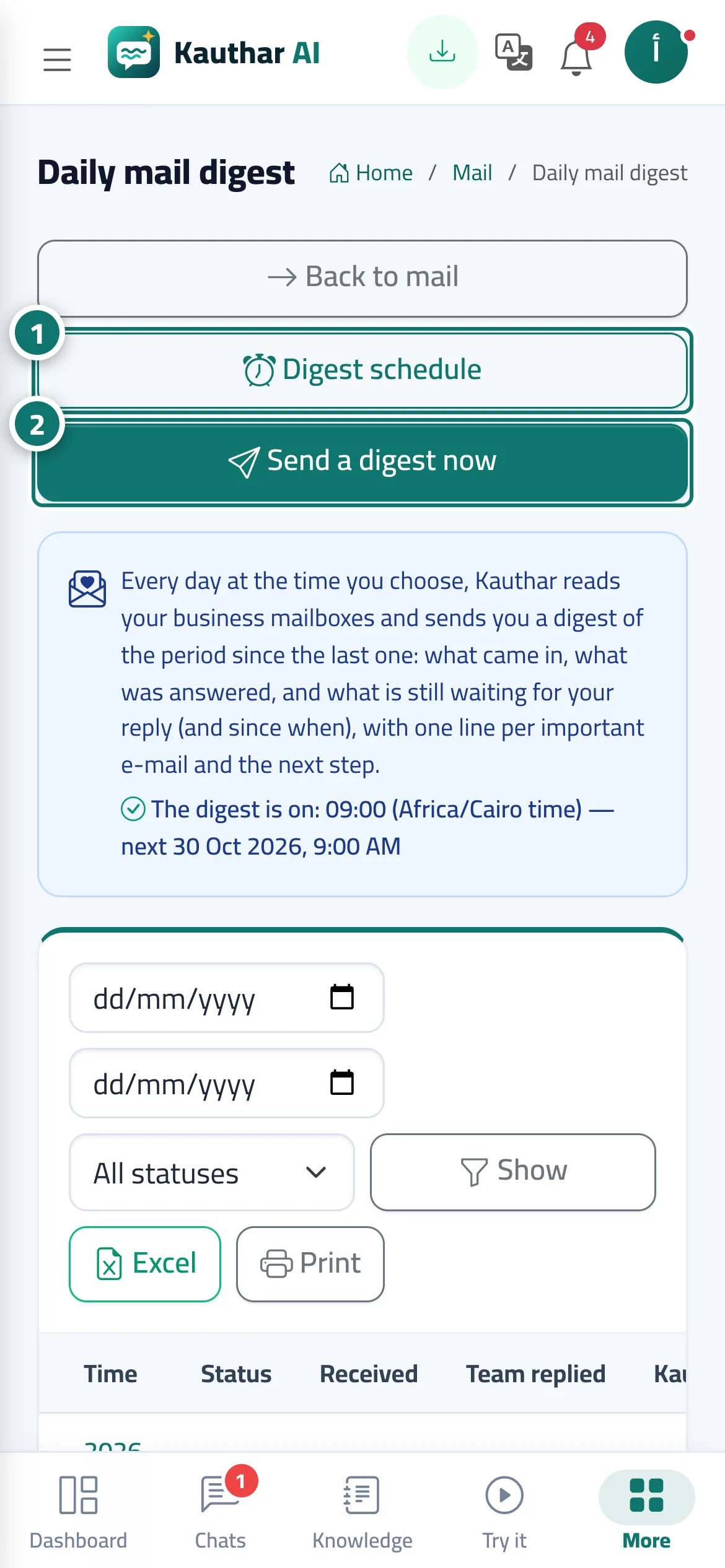
- Press «Digest schedule» to choose how many times a day, the times, the recipients and the delivery methods. Number 1 on the picture
- Press «Send a digest now» for an immediate digest since the last one. Number 2 on the picture
- Press «View» on any digest in the history to read it with «Open the message» and «Write a reply» links.
Steps
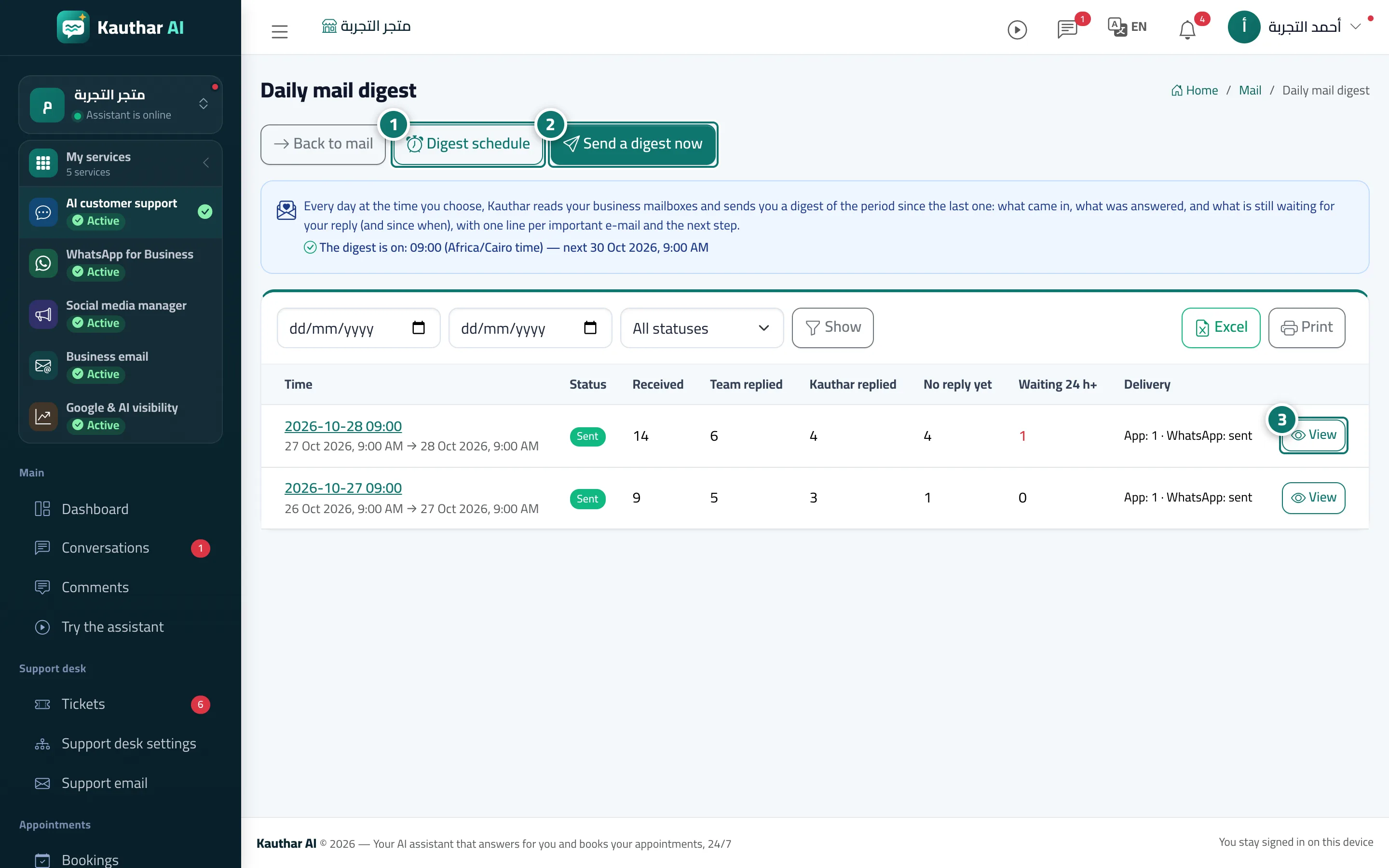
- Press «Digest schedule» to choose how many times a day, the times, the recipients and the delivery methods. Number 1 on the picture
- Press «Send a digest now» for an immediate digest since the last one. Number 2 on the picture
- Press «View» on any digest in the history to read it with «Open the message» and «Write a reply» links. Number 3 on the picture