
E-mail professionnel · Daily mail digest
How do I get a daily digest of my business e-mail?
Every day at the time you choose (09:00 by default) Kauthar reads your business e-mail and sends you a digest: what arrived, what the team or Kauthar answered, what is still waiting for you and since when, with one line per important message and the next step.
Pour qui : Propriétaire et responsable
Où : Sidebar → Business email → Mail → «Daily mail digest»
Étapes
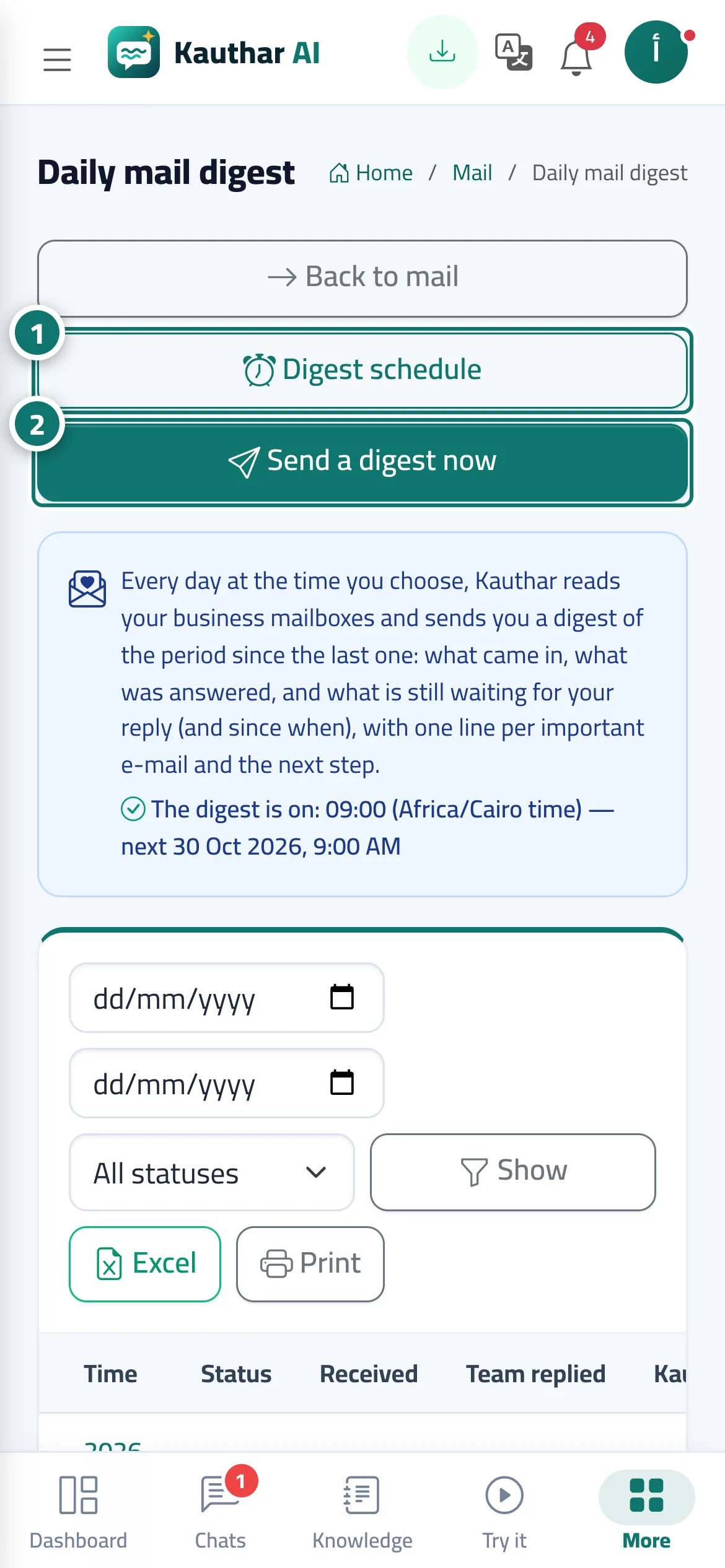
- Press «Digest schedule» to choose how many times a day, the times, the recipients and the delivery methods. Numéro 1 sur l’image
- Press «Send a digest now» for an immediate digest since the last one. Numéro 2 sur l’image
- Press «View» on any digest in the history to read it with «Open the message» and «Write a reply» links.
Étapes
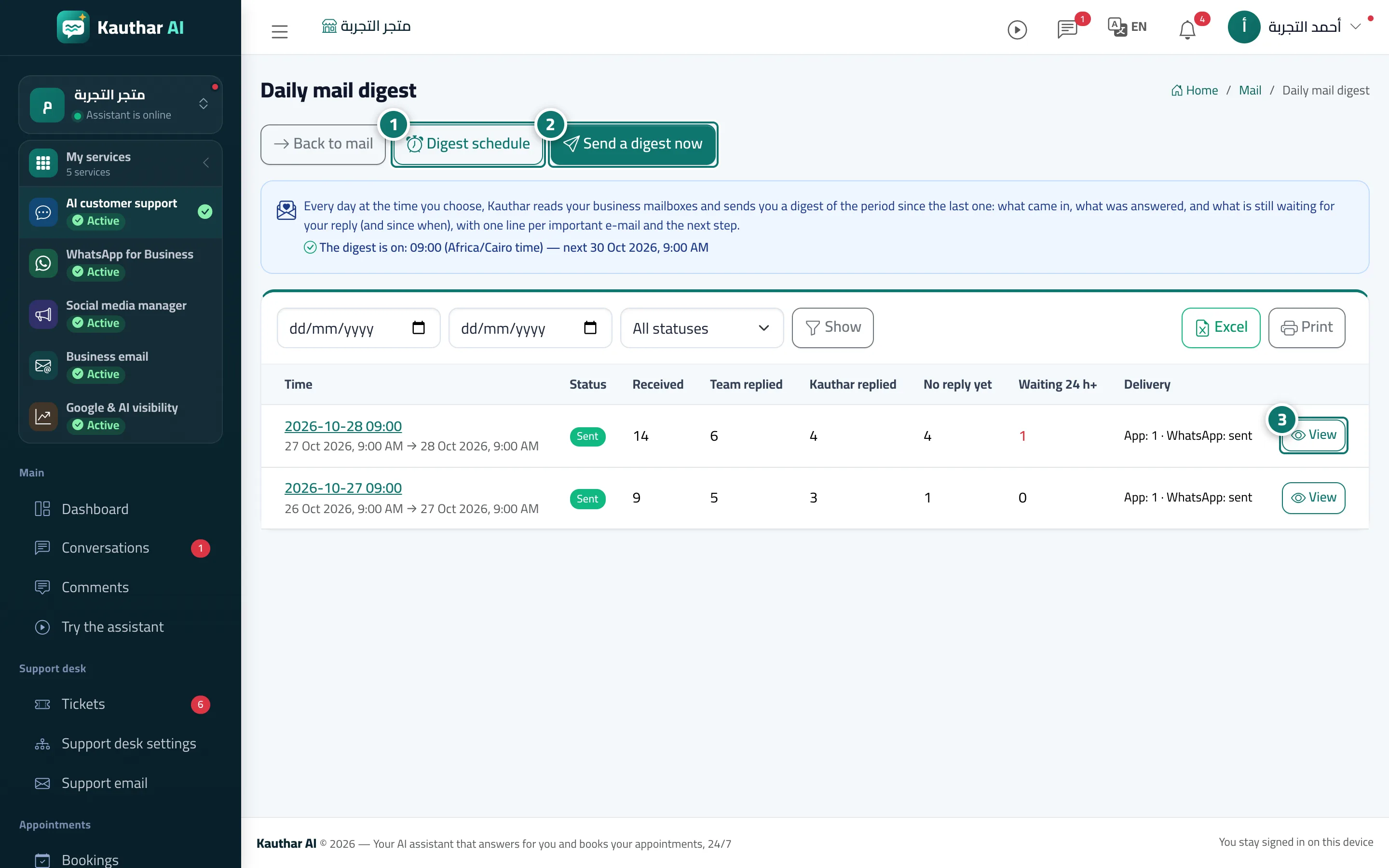
- Press «Digest schedule» to choose how many times a day, the times, the recipients and the delivery methods. Numéro 1 sur l’image
- Press «Send a digest now» for an immediate digest since the last one. Numéro 2 sur l’image
- Press «View» on any digest in the history to read it with «Open the message» and «Write a reply» links. Numéro 3 sur l’image