
E-mail professionnel · Select several emails and act on them
How do I select several emails at once?
Select one or more conversations (or all of them) in «Mail», then mark them read or unread, archive, delete, move to spam, star or label them — in one click.
Pour qui : Propriétaire et responsable · Membres de l'équipe
Où : Sidebar → Business email → «Mail» → the checkboxes in the list
Étapes
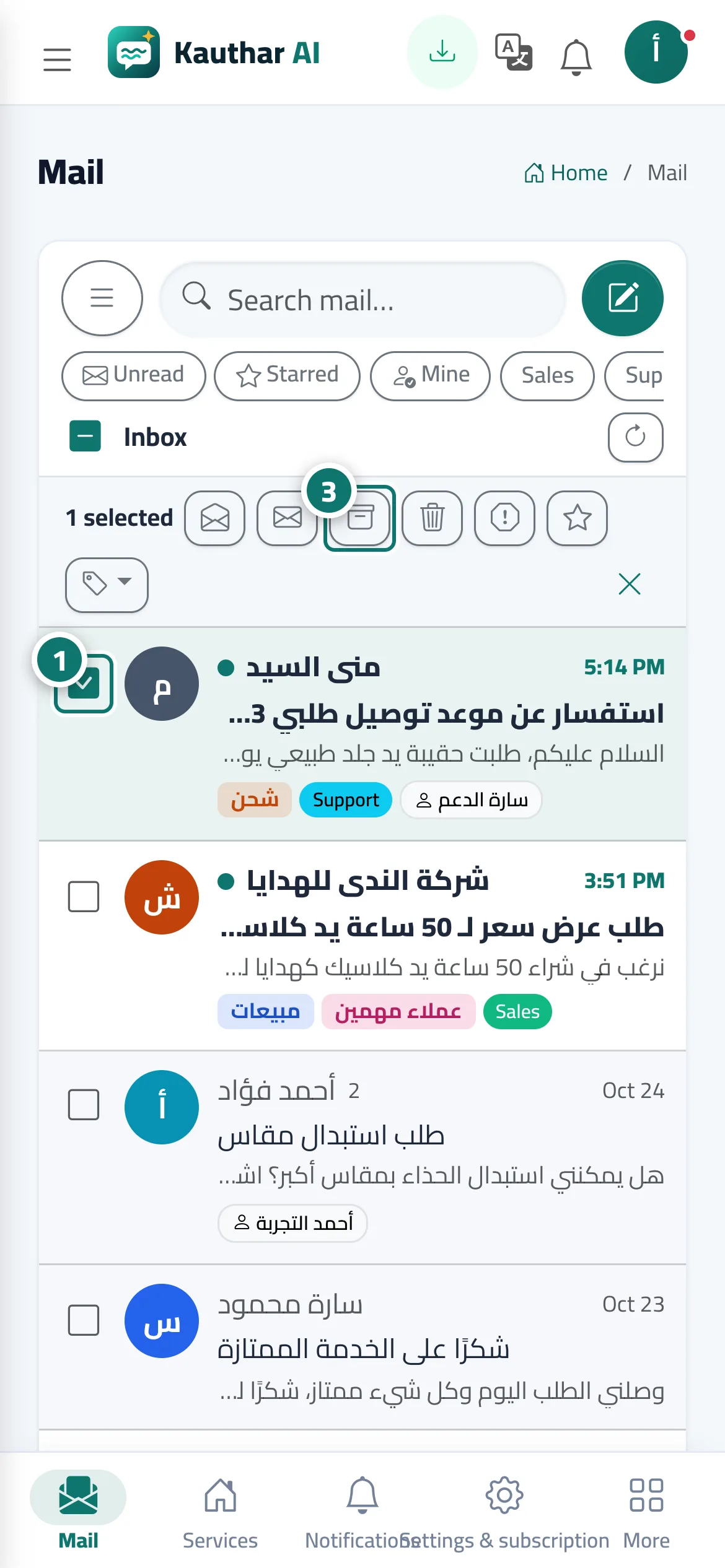
- Click the checkbox next to a conversation, and repeat for every conversation you want. Numéro 1 sur l’image
- Or click «Select all» at the top of the list to select every conversation shown (click it again to clear).
- In the «Actions on selected» bar choose the action: «Archive», «Delete», «Spam», «Star» or mark as read / unread. Numéro 3 sur l’image
- To label them, open the «Label» button and pick a label; then «Clear selection» when you are done.
Étapes
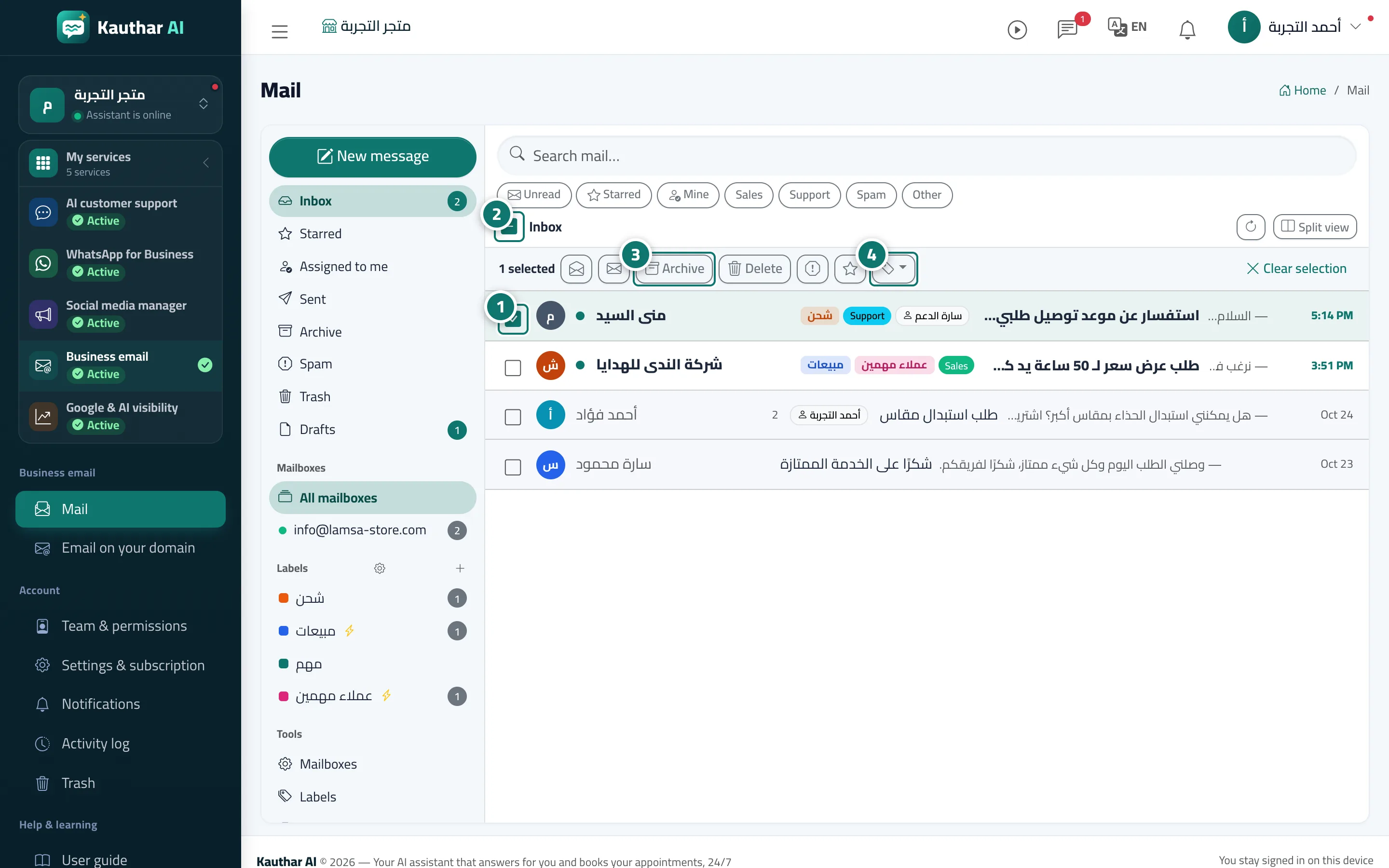
- Click the checkbox next to a conversation, and repeat for every conversation you want. Numéro 1 sur l’image
- Or click «Select all» at the top of the list to select every conversation shown (click it again to clear). Numéro 2 sur l’image
- In the «Actions on selected» bar choose the action: «Archive», «Delete», «Spam», «Star» or mark as read / unread. Numéro 3 sur l’image
- To label them, open the «Label» button and pick a label; then «Clear selection» when you are done. Numéro 4 sur l’image