
Social media · Campaign: one post per product in one go
How do I prepare one post per product in one go?
Pick several products and set the type to “Campaign” — Kauthar writes a separate post for each product in the background, and you’ll find them as drafts in the calendar to approve.
Who this is for: Owner & manager · Team members
Where: Sidebar → Social media publishing → Post studio → “New post” → “More options” → “Type”
Steps
- Under “What is the post about?”, tick the products you want in the campaign.
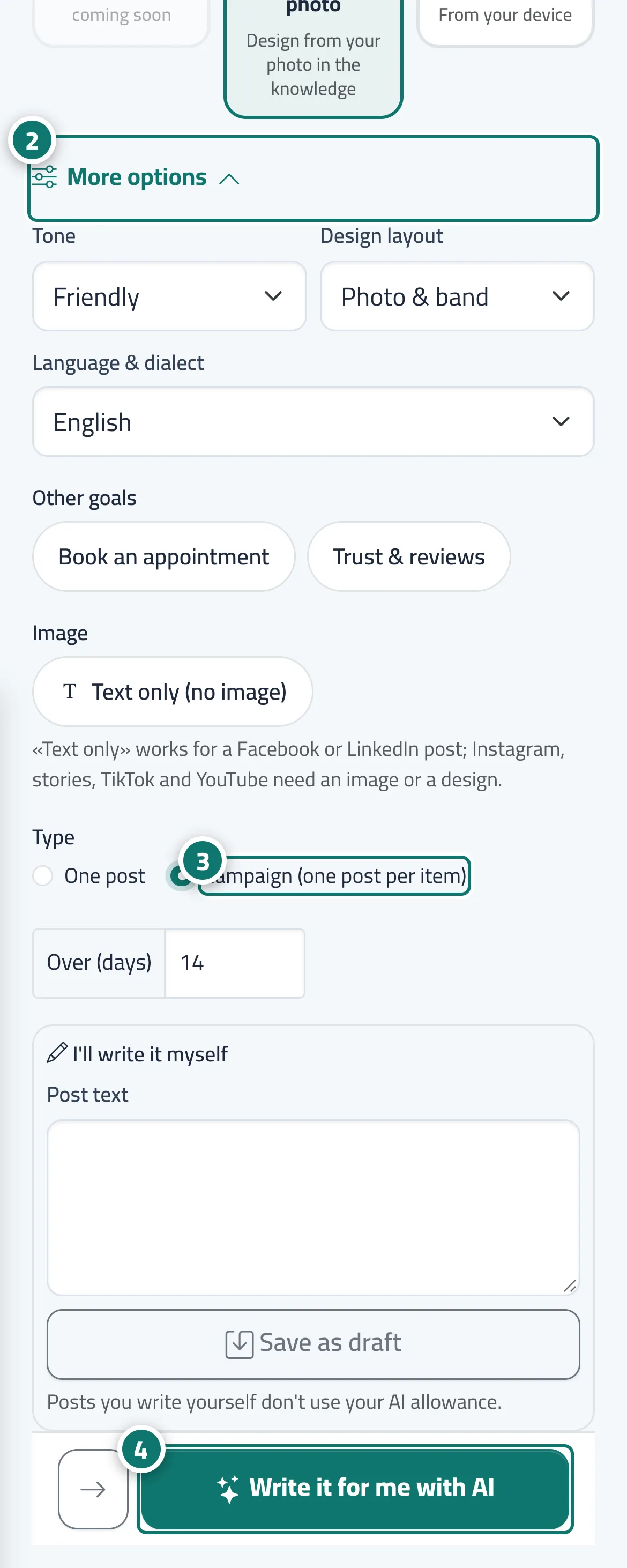
- Under “Where will it go?”, open “More options”. Number 2 on the picture
- Choose “Campaign (one post per item)”. Number 3 on the picture
- Press “Write it for me with AI”, then review the drafts in the “Calendar” and approve them. Number 4 on the picture
Steps
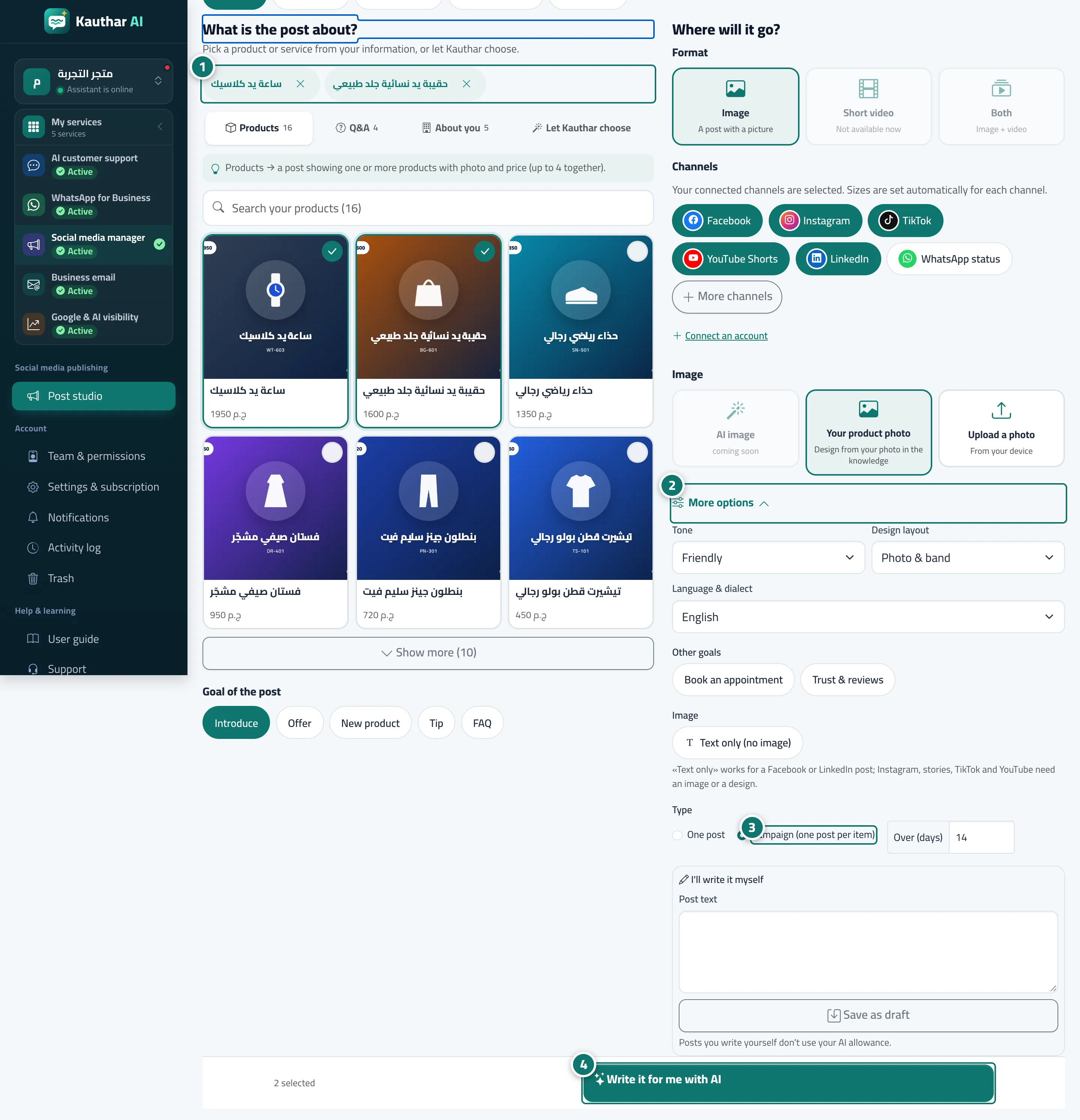
- Under “What is the post about?”, tick the products you want in the campaign. Number 1 on the picture
- Under “Where will it go?”, open “More options”. Number 2 on the picture
- Choose “Campaign (one post per item)”. Number 3 on the picture
- Press “Write it for me with AI”, then review the drafts in the “Calendar” and approve them. Number 4 on the picture