
Social media · Approve & schedule: publish now or at a time in one tap
How do I publish a post right now?
Press “Approve & schedule” and pick a ready-made time in one tap (tonight, tomorrow, or the best time), another time, or “Approve & publish now” — publishing runs in the background.
Who this is for: Owner & manager · Team members
Where: Sidebar → Social media publishing → Post studio → tap a post → “Approve & schedule”
Steps
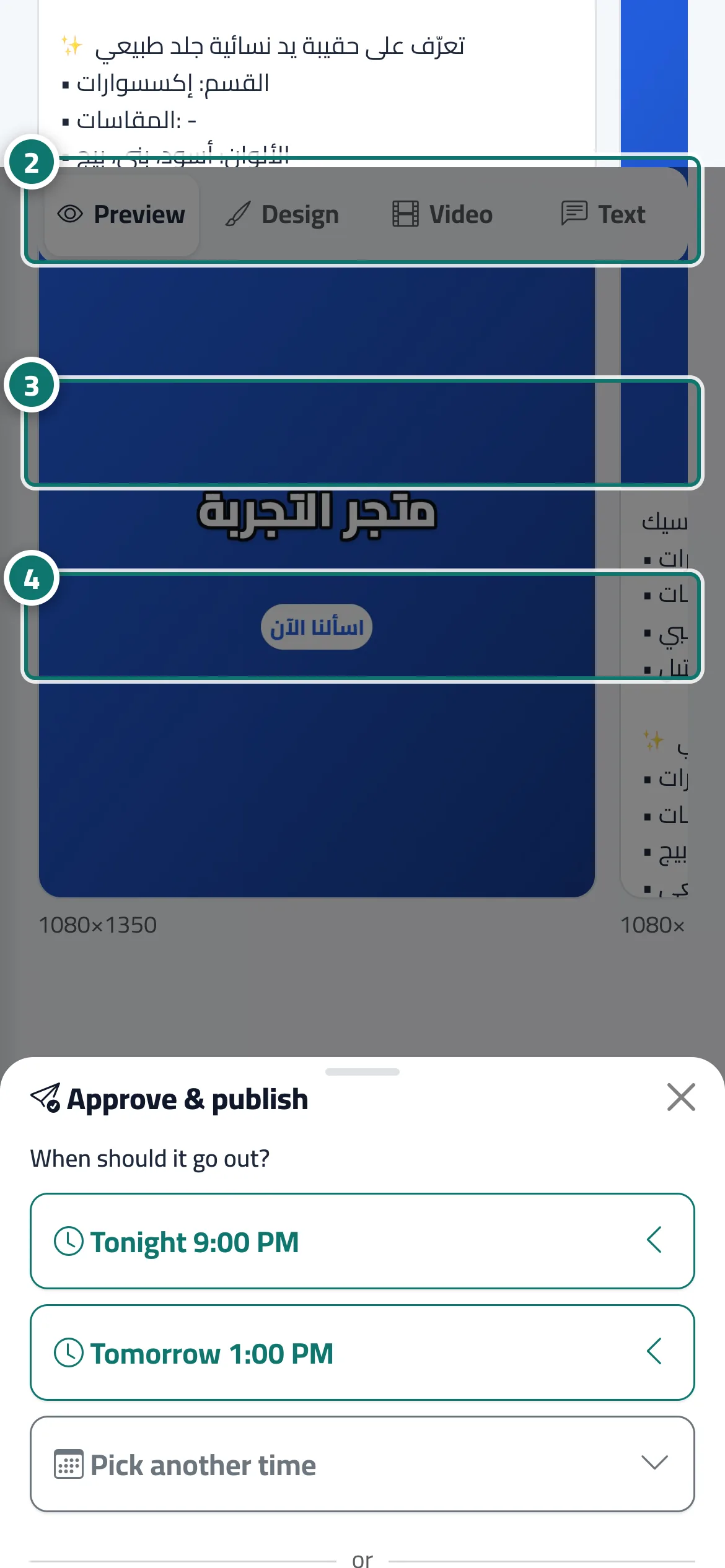
- On the post page, press “Approve & schedule”.
- Tap one of the ready-made times under “When should it go out?” — it is scheduled straight away. Number 2 on the picture
- Or press “Pick another time”, set the “Publishing time” and press “Approve & schedule”. Number 3 on the picture
- Or press “Approve & publish now” and confirm to publish immediately. Number 4 on the picture
Steps
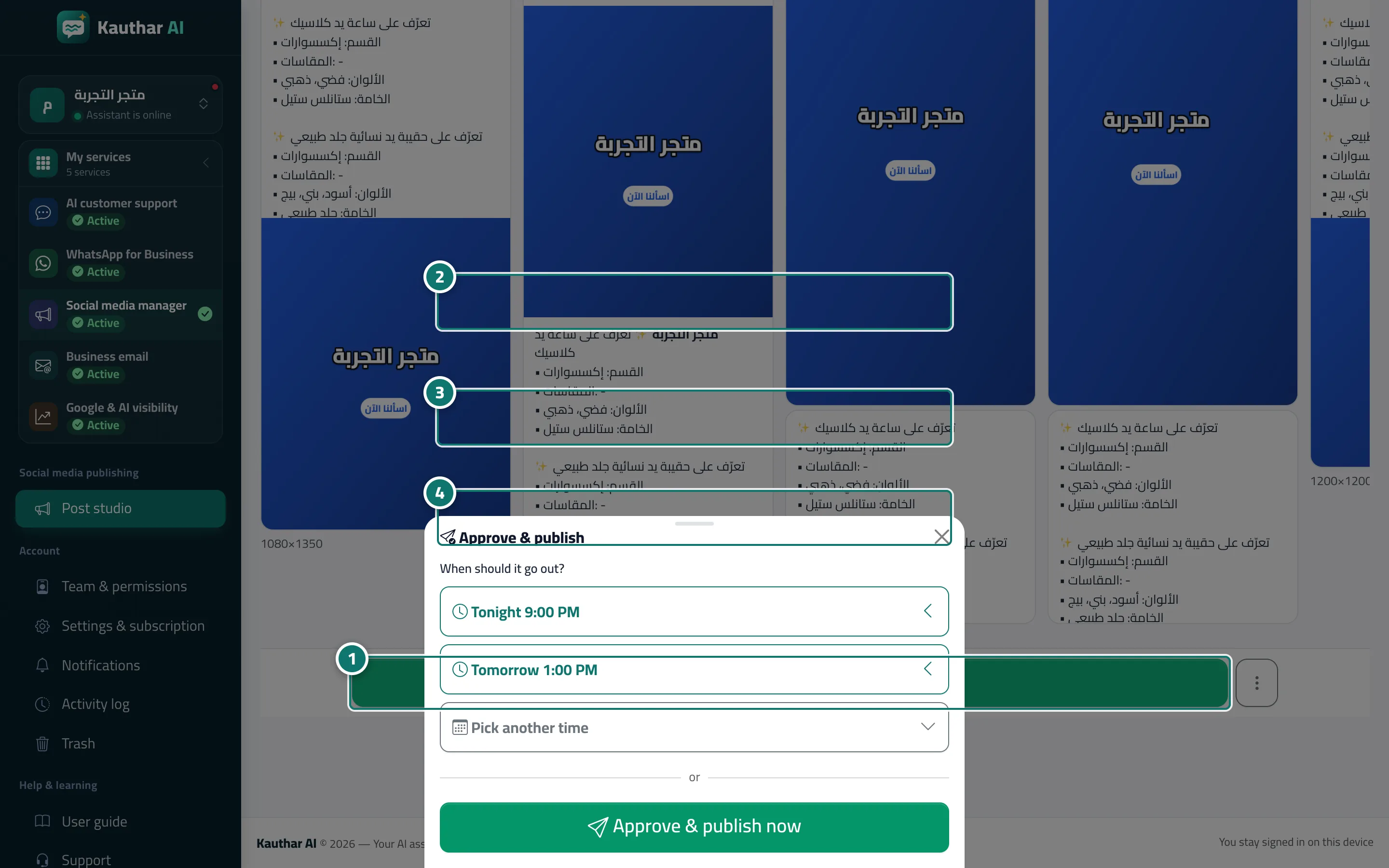
- On the post page, press “Approve & schedule”. Number 1 on the picture
- Tap one of the ready-made times under “When should it go out?” — it is scheduled straight away. Number 2 on the picture
- Or press “Pick another time”, set the “Publishing time” and press “Approve & schedule”. Number 3 on the picture
- Or press “Approve & publish now” and confirm to publish immediately. Number 4 on the picture