
Social media · Post performance
How do I see how my posts are doing?
Numbers for every published post from each platform: reactions, comments and shares on Facebook, likes and reach on Instagram, views on YouTube — with an instant refresh and export.
Who this is for: Owner & manager · Team members
Where: Sidebar → Social media publishing → Post studio → “Performance”
Steps
- Open the “Performance” tab.
- Check each platform’s numbers in the numbers column.
- Press “Refresh numbers” next to a post to fetch its latest numbers now.
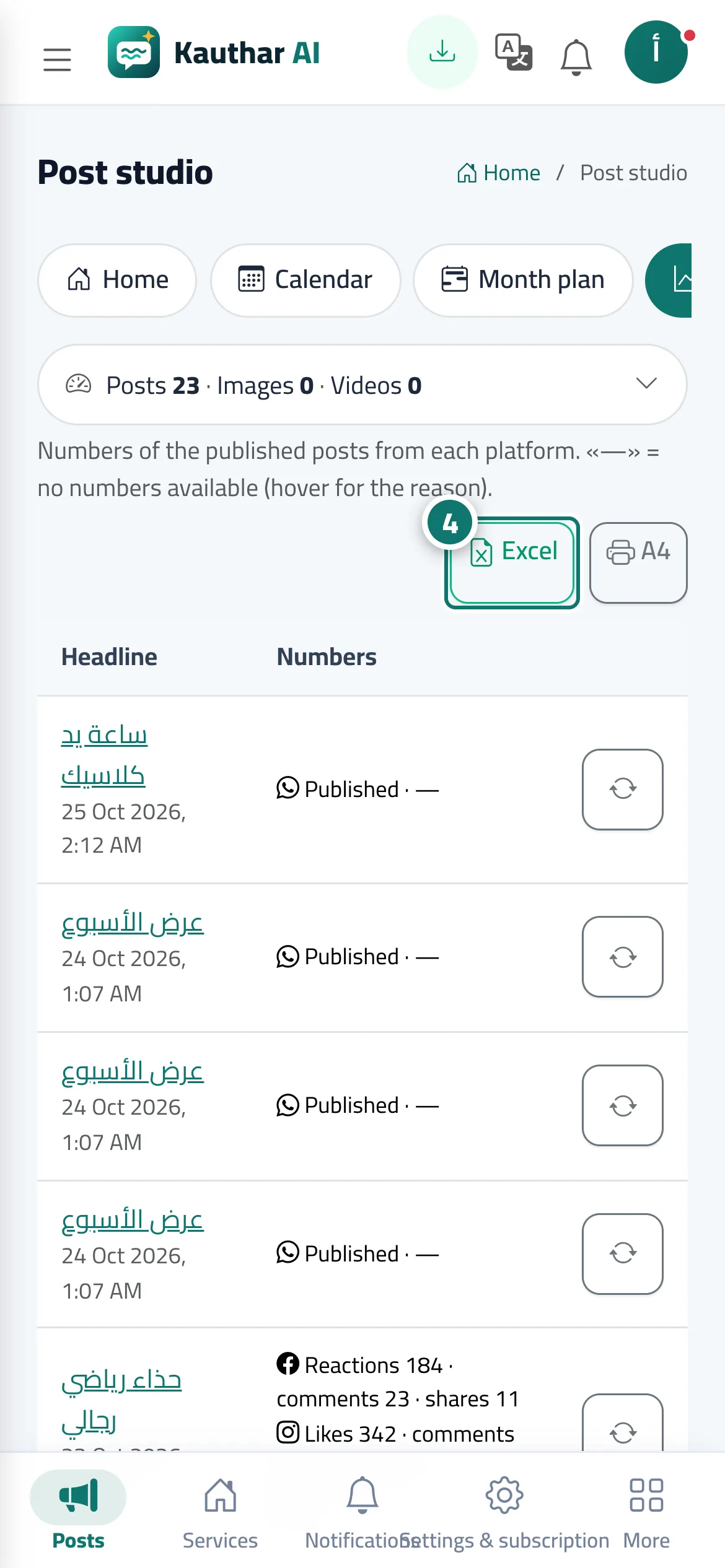
- Export the table to Excel or print it on A4. Number 4 on the picture
Steps
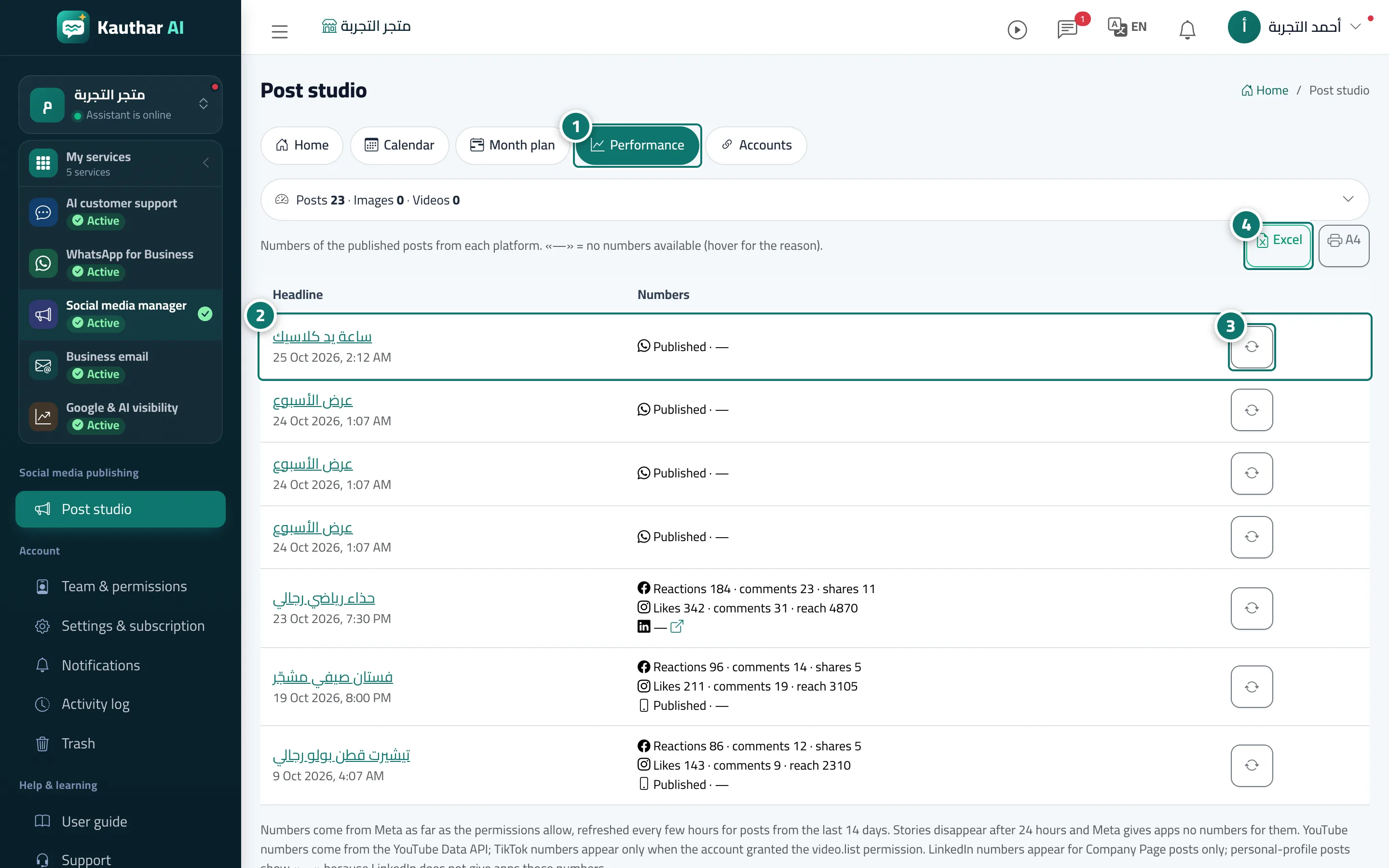
- Open the “Performance” tab. Number 1 on the picture
- Check each platform’s numbers in the numbers column. Number 2 on the picture
- Press “Refresh numbers” next to a post to fetch its latest numbers now. Number 3 on the picture
- Export the table to Excel or print it on A4. Number 4 on the picture