
WhatsApp Business & OTP · Activate WhatsApp Business (OTP and marketing)
How do I turn on WhatsApp Business (OTP codes) in my account?
WhatsApp Business is a separate product inside Kauthar: OTP verification codes on WhatsApp, paid per message with no subscription, and marketing campaigns with their own monthly plan. It turns on with a single click.
Who this is for: Owner & manager
Where: Sidebar → WhatsApp Business (OTP + marketing)
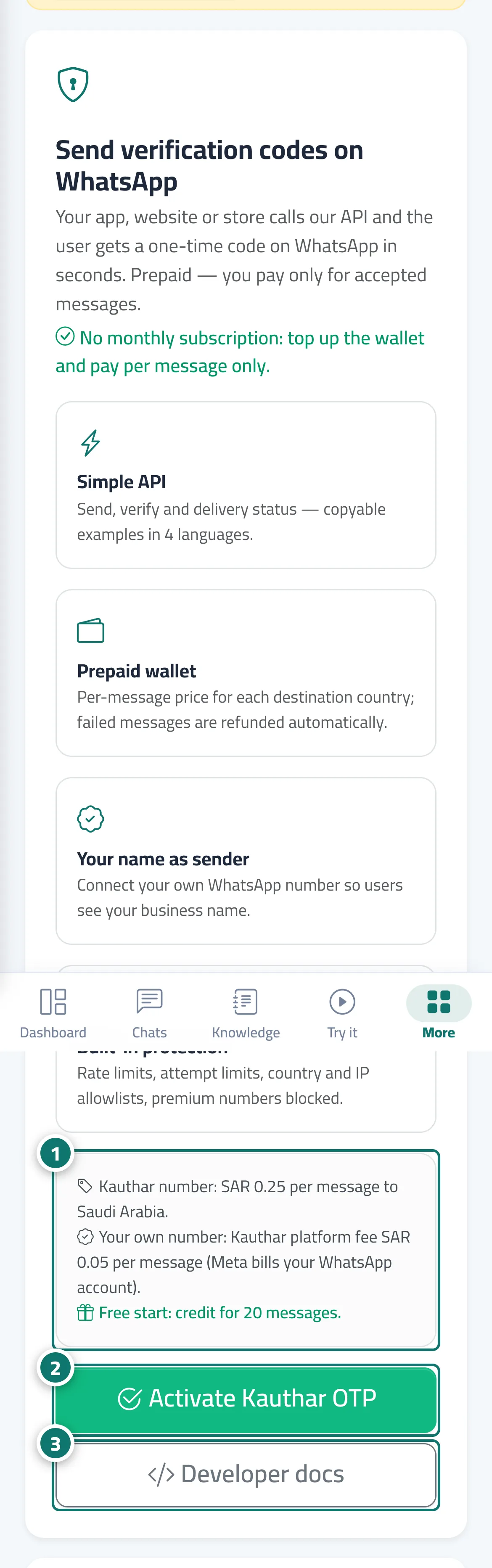
Steps
- Read what the product includes, the message price for your country and the free starting credit. Number 1 on the picture
- Click "Activate Kauthar OTP". Number 2 on the picture
- To preview the API integration before activating, click "Developer docs". Number 3 on the picture
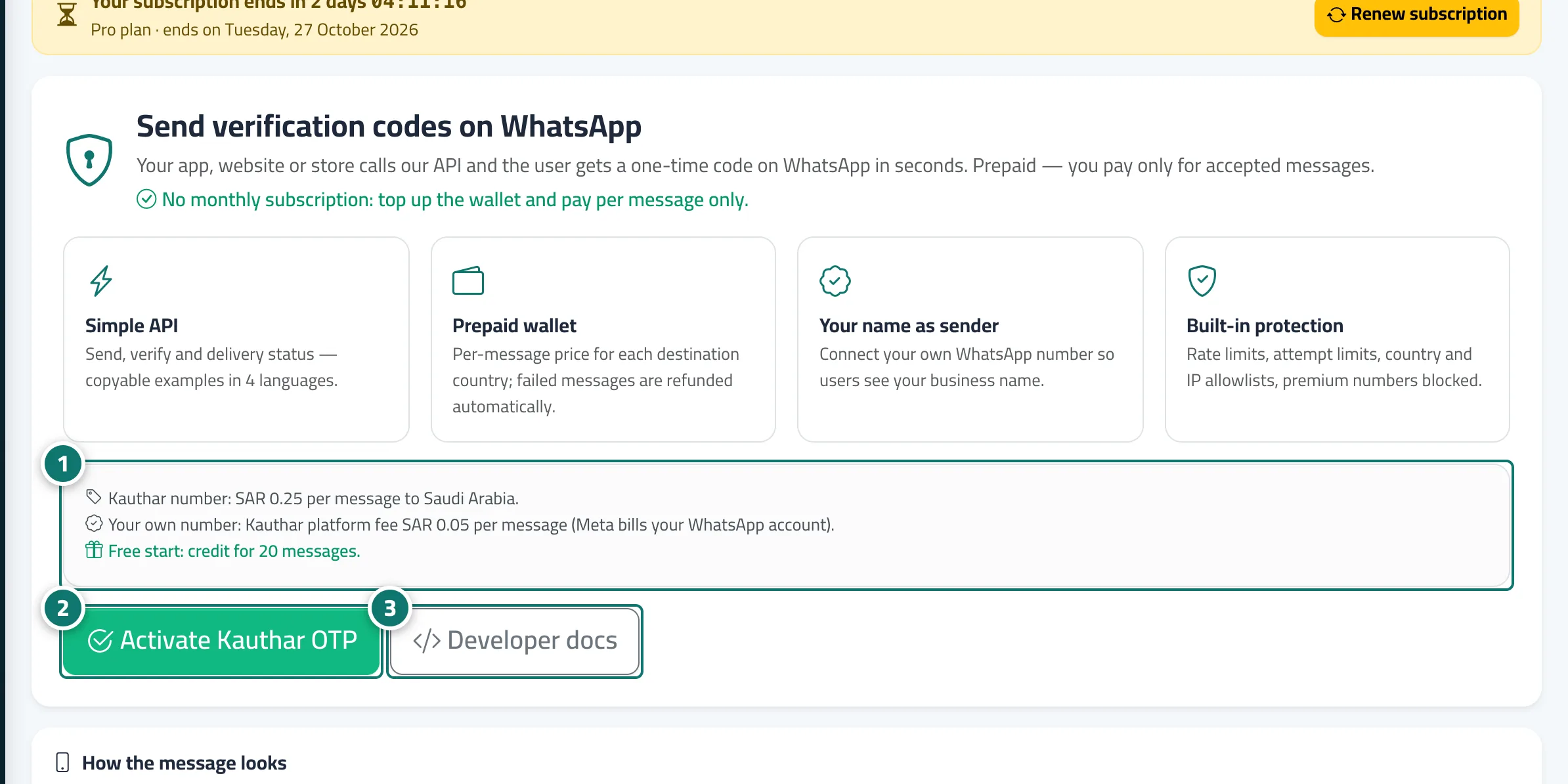
Steps
- Read what the product includes, the message price for your country and the free starting credit. Number 1 on the picture
- Click "Activate Kauthar OTP". Number 2 on the picture
- To preview the API integration before activating, click "Developer docs". Number 3 on the picture