
WhatsApp Business & OTP · OTP codes overview
How do I track the verification codes my app has sent?
Wallet balance, codes sent today and this month, delivery and verification rates, a 14-day chart and the status of your sending numbers on one screen.
Who this is for: Owner & manager · Team members
Where: Sidebar → WhatsApp Business → OTP verification codes → Overview
Steps
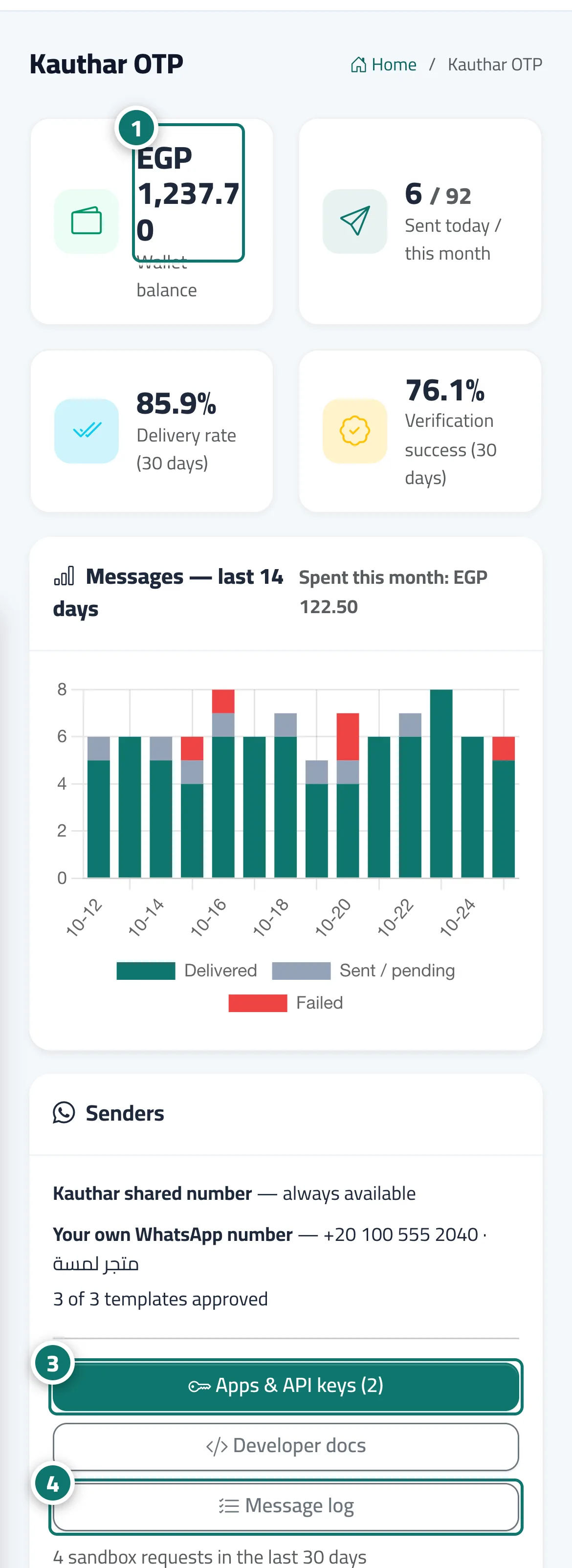
- Check the balance and the codes sent today and this month. Number 1 on the picture
- Follow the delivery rate and verification success for the last 30 days and the 14-day chart.
- Under "Senders", make sure your own number and its templates are ready. Number 3 on the picture
- Open "Apps & API keys" or "Message log" from the buttons. Number 4 on the picture
Steps
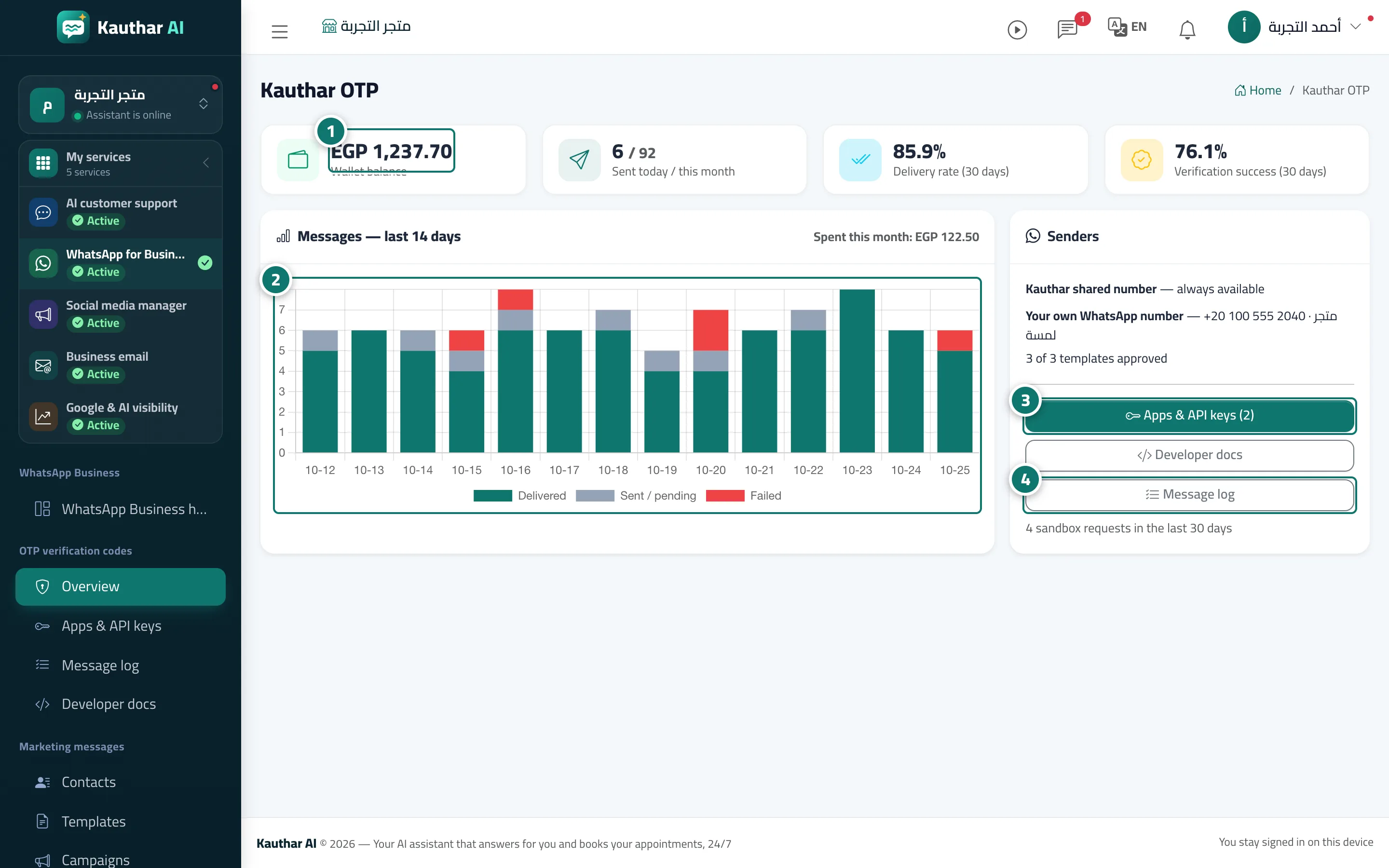
- Check the balance and the codes sent today and this month. Number 1 on the picture
- Follow the delivery rate and verification success for the last 30 days and the 14-day chart. Number 2 on the picture
- Under "Senders", make sure your own number and its templates are ready. Number 3 on the picture
- Open "Apps & API keys" or "Message log" from the buttons. Number 4 on the picture