
WhatsApp Business & OTP · Verification message log
How do I know whether a verification code reached a specific customer?
Every verification code sent: time, number (partly hidden), app, status, verification result and cost, with search, filters, print and Excel.
Who this is for: Owner & manager · Team members
Where: Sidebar → WhatsApp Business → OTP verification codes → Message log
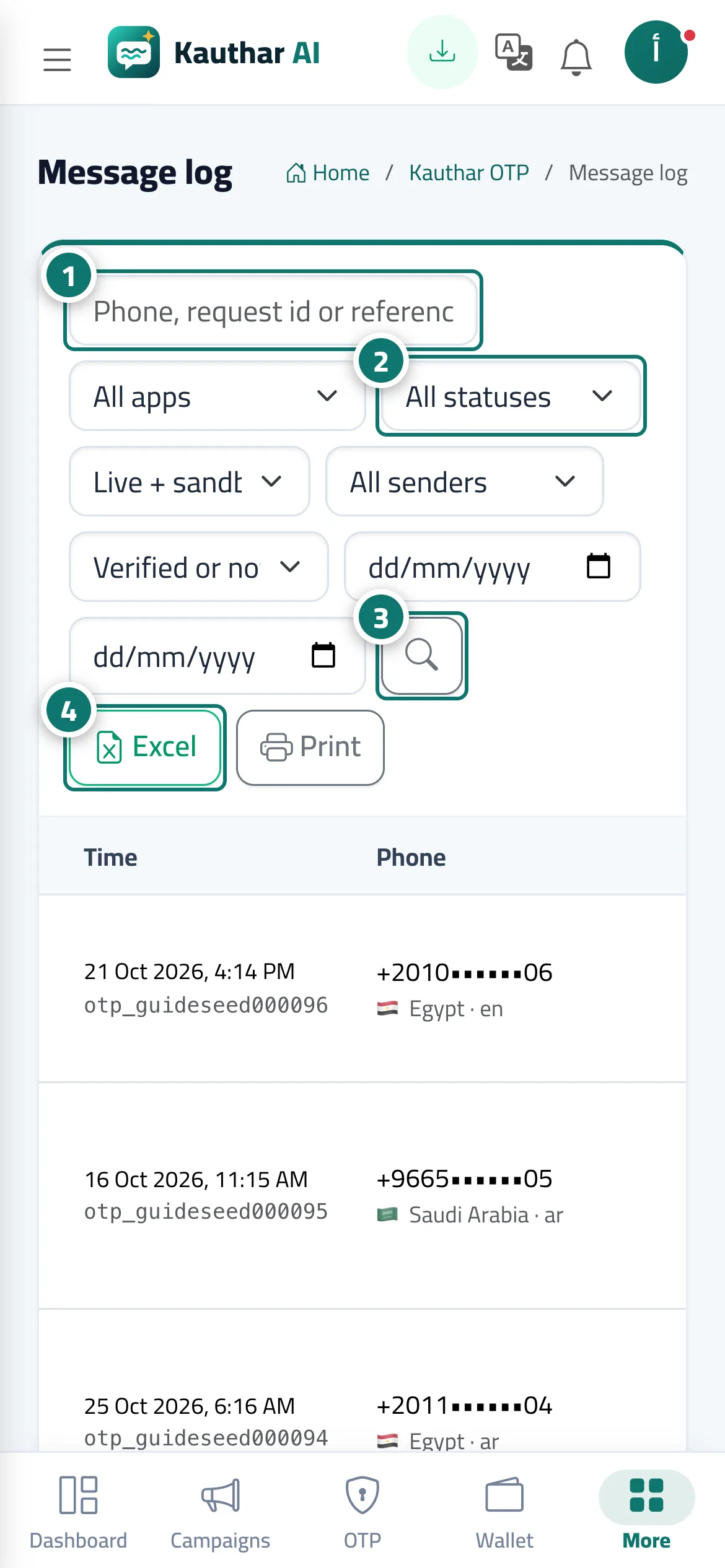
Steps
- Enter the phone number, request ID or reference in the search box. Number 1 on the picture
- Choose the app, status, mode, sending number and verification result to filter. Number 2 on the picture
- Click the search button. Number 3 on the picture
- Click "Excel" or "Print" to export the results. Number 4 on the picture
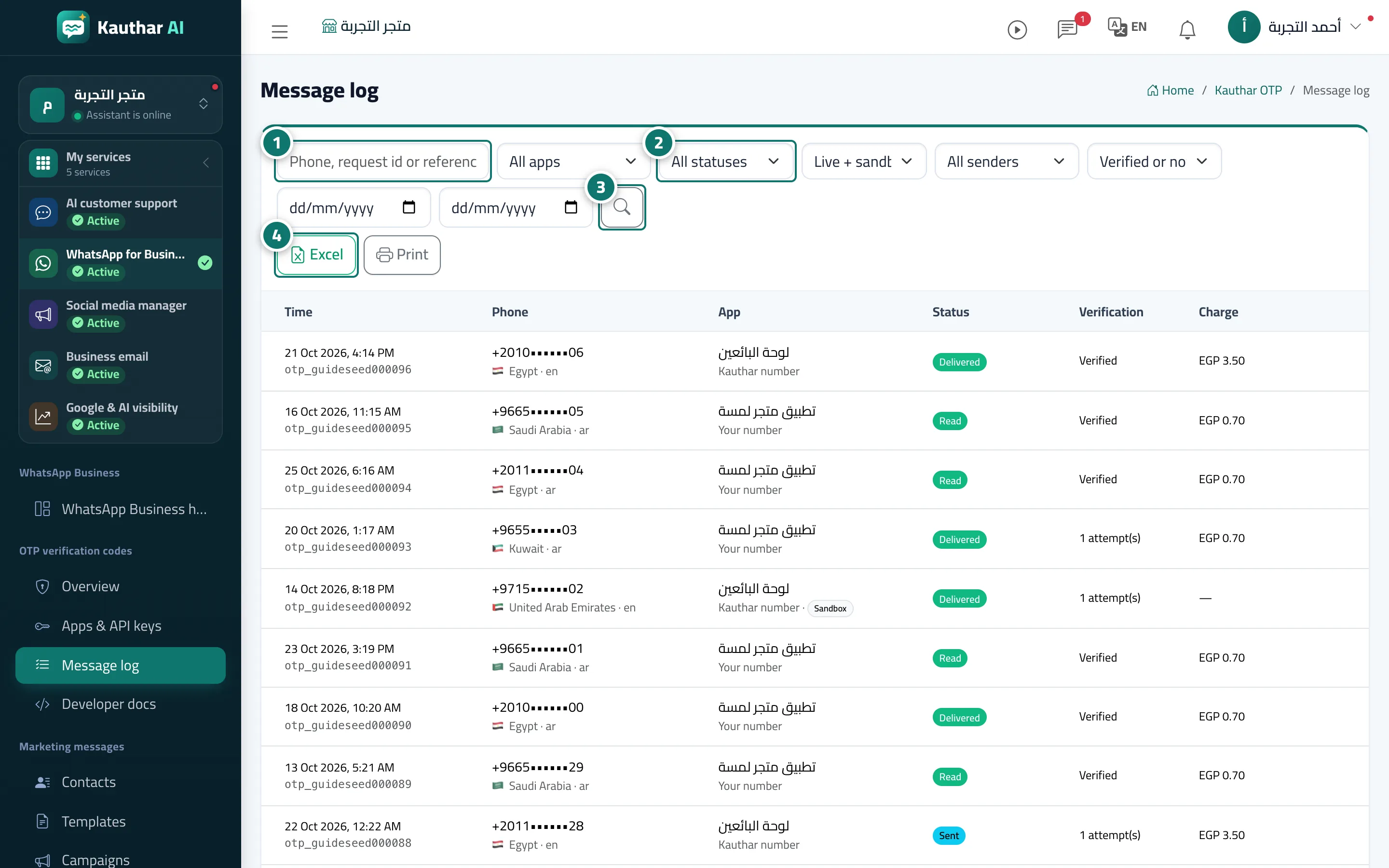
Steps
- Enter the phone number, request ID or reference in the search box. Number 1 on the picture
- Choose the app, status, mode, sending number and verification result to filter. Number 2 on the picture
- Click the search button. Number 3 on the picture
- Click "Excel" or "Print" to export the results. Number 4 on the picture