
WhatsApp Business & OTP · App settings and API keys
How do I get an API key to send verification codes?
On the app page you set the sending number and the fallback to the Kauthar number, protection limits, countries, IP addresses and the delivery callback URL, and you create and revoke live and sandbox keys.
Who this is for: Owner & manager · Team members
Where: Sidebar → WhatsApp Business → OTP verification codes → Apps & API keys → app name

Steps
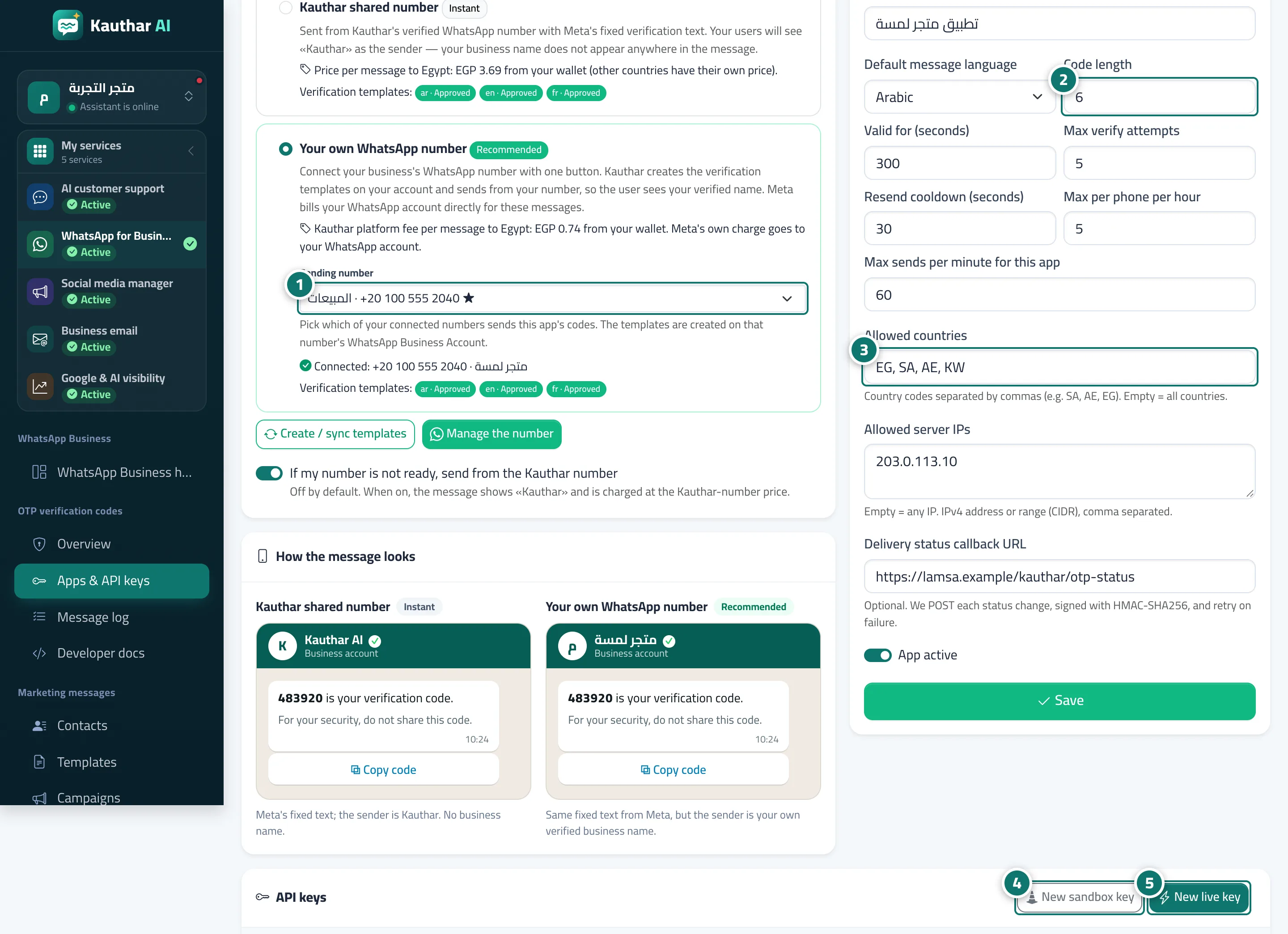
- Under "Who sends the message?" choose the sending number, and turn on the fallback to the Kauthar number if you want it. Number 1 on the picture
- Set "Settings & protection": code length, validity, attempts and limits. Number 2 on the picture
- Enter the allowed countries (such as SA, AE, EG), your server's IP addresses and the delivery callback URL, then "Save". Number 3 on the picture
- Click "New sandbox key" to try the whole flow with no sending and no charge. Number 4 on the picture
- Click "New live key" when you're ready for real sending, and copy it right away. Number 5 on the picture
Steps
- Under "Who sends the message?" choose the sending number, and turn on the fallback to the Kauthar number if you want it. Number 1 on the picture
- Set "Settings & protection": code length, validity, attempts and limits. Number 2 on the picture
- Enter the allowed countries (such as SA, AE, EG), your server's IP addresses and the delivery callback URL, then "Save". Number 3 on the picture
- Click "New sandbox key" to try the whole flow with no sending and no charge. Number 4 on the picture
- Click "New live key" when you're ready for real sending, and copy it right away. Number 5 on the picture