
Assistant et connaissances · Fixed answers
How do I make the assistant reply with a specific answer I wrote myself?
Write the answers to important questions yourself, and the assistant sends them word for word, instantly, to any similar question.
Pour qui : Propriétaire et responsable · Membres de l'équipe
Où : Sidebar → Train your assistant → Fixed answers
Étapes
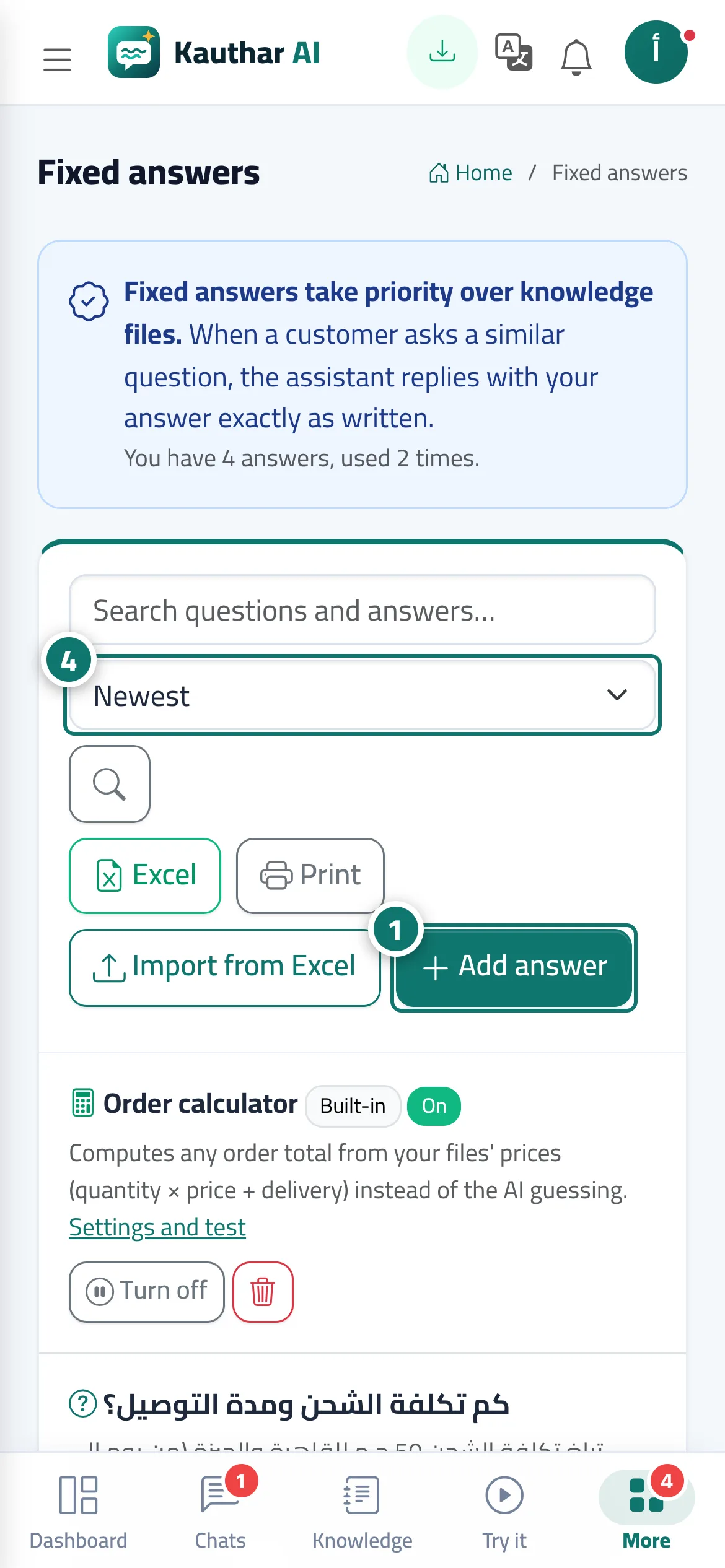
- Open «Fixed answers» and click «Add answer». Numéro 1 sur l’image
- Write the «Question» the way your customers ask it (for example: Do you deliver to other cities?), then the «Answer» with the exact text you want the customer to receive.
- Click «Save»; the assistant starts using it immediately.
- Check the usage counts from time to time and sort the list by «Most used» to see your most important questions. Numéro 4 sur l’image
Étapes
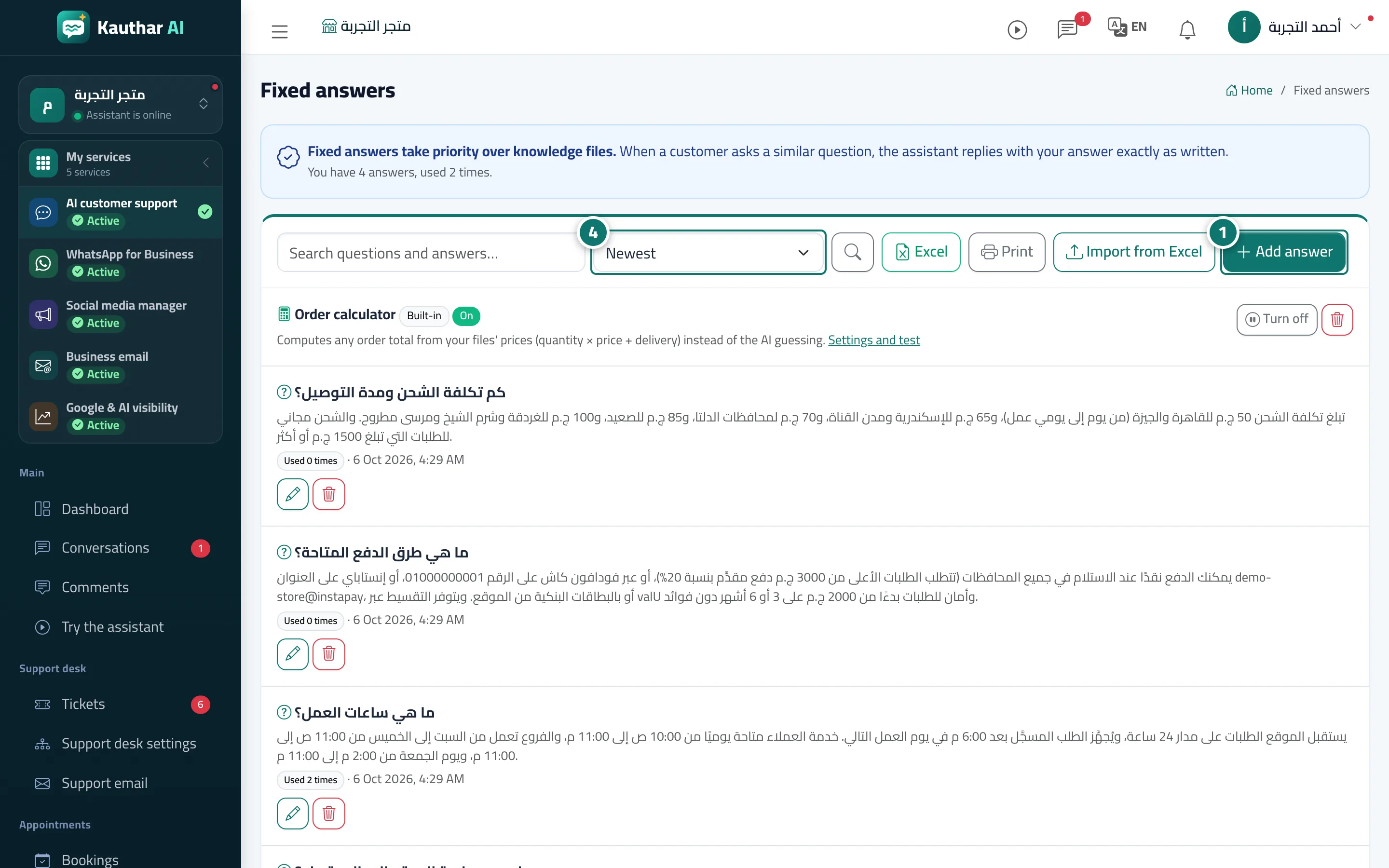
- Open «Fixed answers» and click «Add answer». Numéro 1 sur l’image
- Write the «Question» the way your customers ask it (for example: Do you deliver to other cities?), then the «Answer» with the exact text you want the customer to receive.
- Click «Save»; the assistant starts using it immediately.
- Check the usage counts from time to time and sort the list by «Most used» to see your most important questions. Numéro 4 sur l’image