
Assistant et connaissances · A specialised assistant for each button
How do I make a specific button answer from one file only?
The «Shipping» button answers only from your shipping file and the «Products» button from your price list, so answers are more accurate and faster.
Pour qui : Propriétaire et responsable
Où : Sidebar → Train your assistant → Reply paths → «Edit» on a button of type «AI assistant»
Étapes
- Open «Reply paths» and click «Edit» on the button (or add a new one).
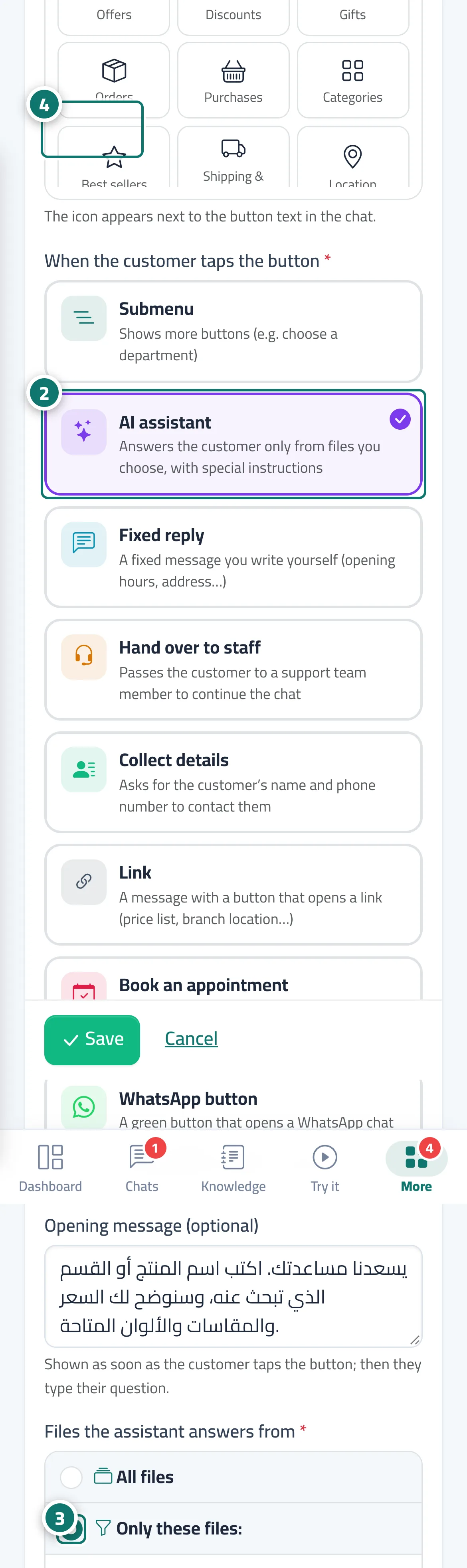
- Under «When the customer taps the button», choose «AI assistant». Numéro 2 sur l’image
- Under «Files the assistant answers from», choose «Only these files:» and tick the right files, then write the «Instructions for this path (optional)». Numéro 3 sur l’image
- Click «Save», then try the button from «Preview chat». Numéro 4 sur l’image
Étapes
- Open «Reply paths» and click «Edit» on the button (or add a new one).
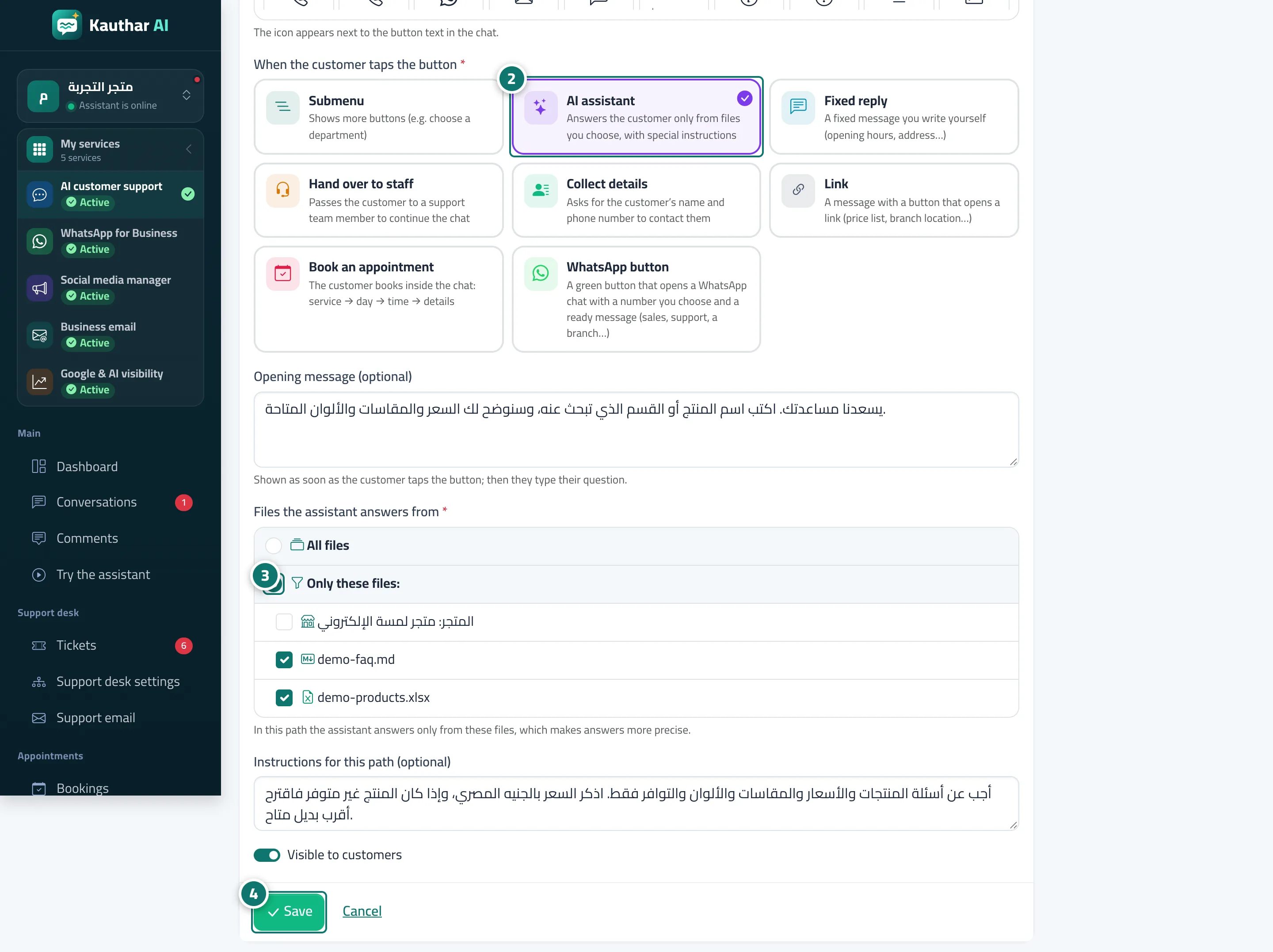
- Under «When the customer taps the button», choose «AI assistant». Numéro 2 sur l’image
- Under «Files the assistant answers from», choose «Only these files:» and tick the right files, then write the «Instructions for this path (optional)». Numéro 3 sur l’image
- Click «Save», then try the button from «Preview chat». Numéro 4 sur l’image