
Rendez-vous · Booking page link and QR code
Where do I find the booking page link to send to my customers?
A booking link in your business's name and a ready-made QR code — put it on your social media profiles or on your shop door.
Pour qui : Propriétaire et responsable
Où : Sidebar → Channels & customers → Channels → «Booking page» card
Étapes
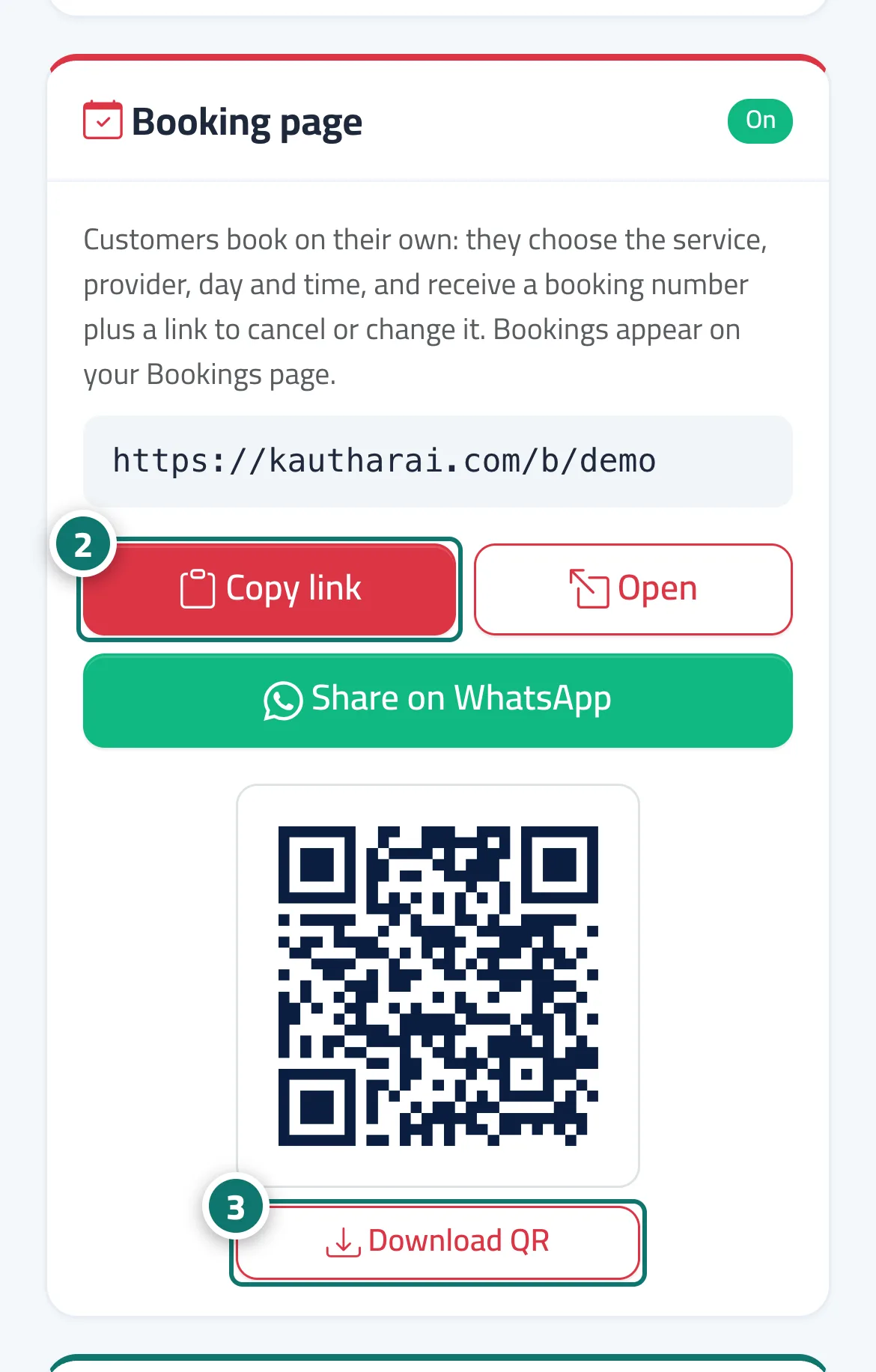
- Open «Channels» and go to the «Booking page» card.
- Press «Copy link» or «Share on WhatsApp». Numéro 2 sur l’image
- Press «Download QR» and print it. Numéro 3 sur l’image
Étapes
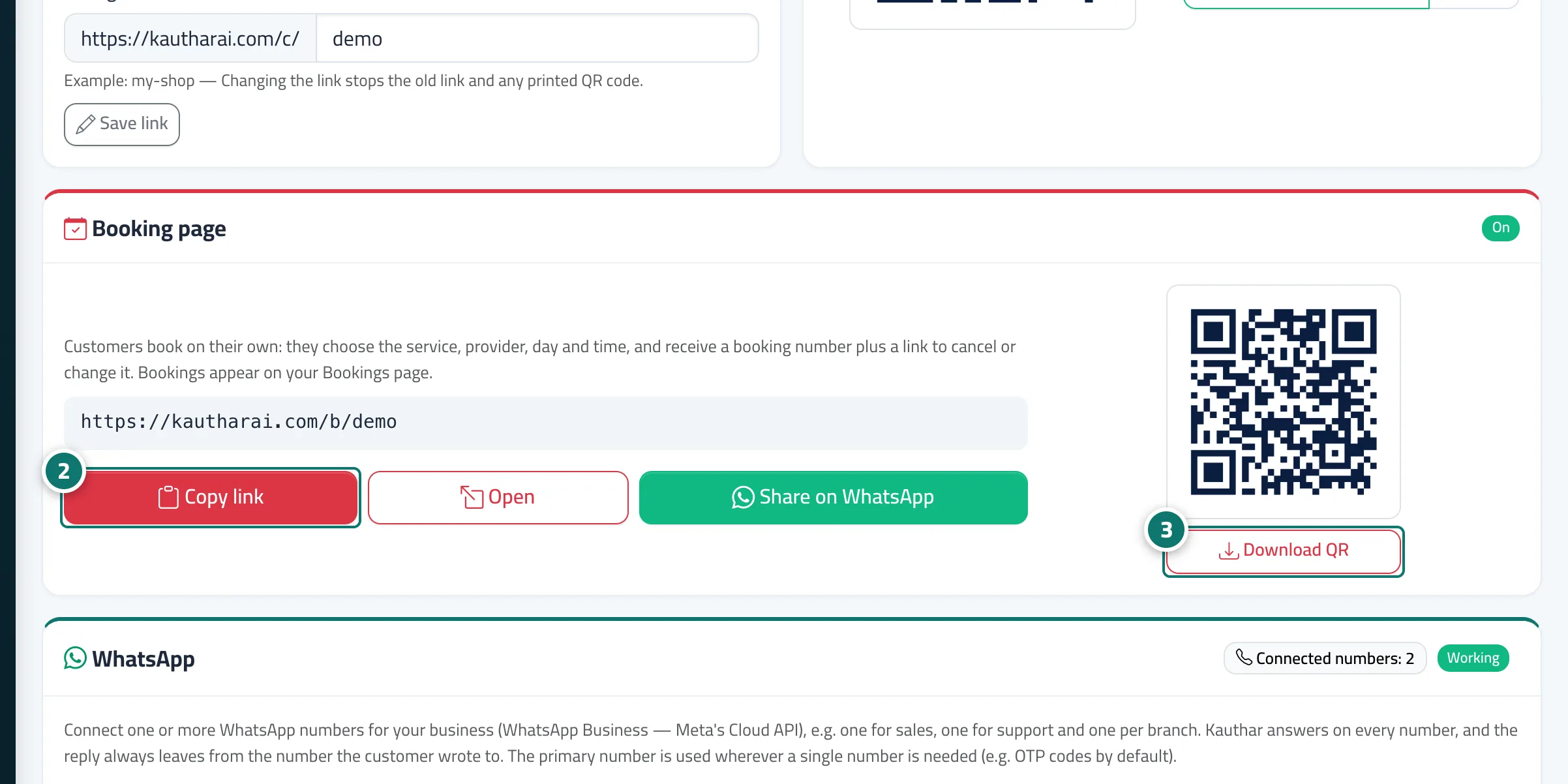
- Open «Channels» and go to the «Booking page» card.
- Press «Copy link» or «Share on WhatsApp». Numéro 2 sur l’image
- Press «Download QR» and print it. Numéro 3 sur l’image