
Rendez-vous · Booking reports
How do I see the no-show rate for each service or provider?
Utilisation, cancellations, no-shows, booking lead time and the value of completed appointments — per service, provider and channel.
Pour qui : Propriétaire et responsable
Où : Sidebar → Channels & customers → Reports → «Booking reports» tab
Étapes
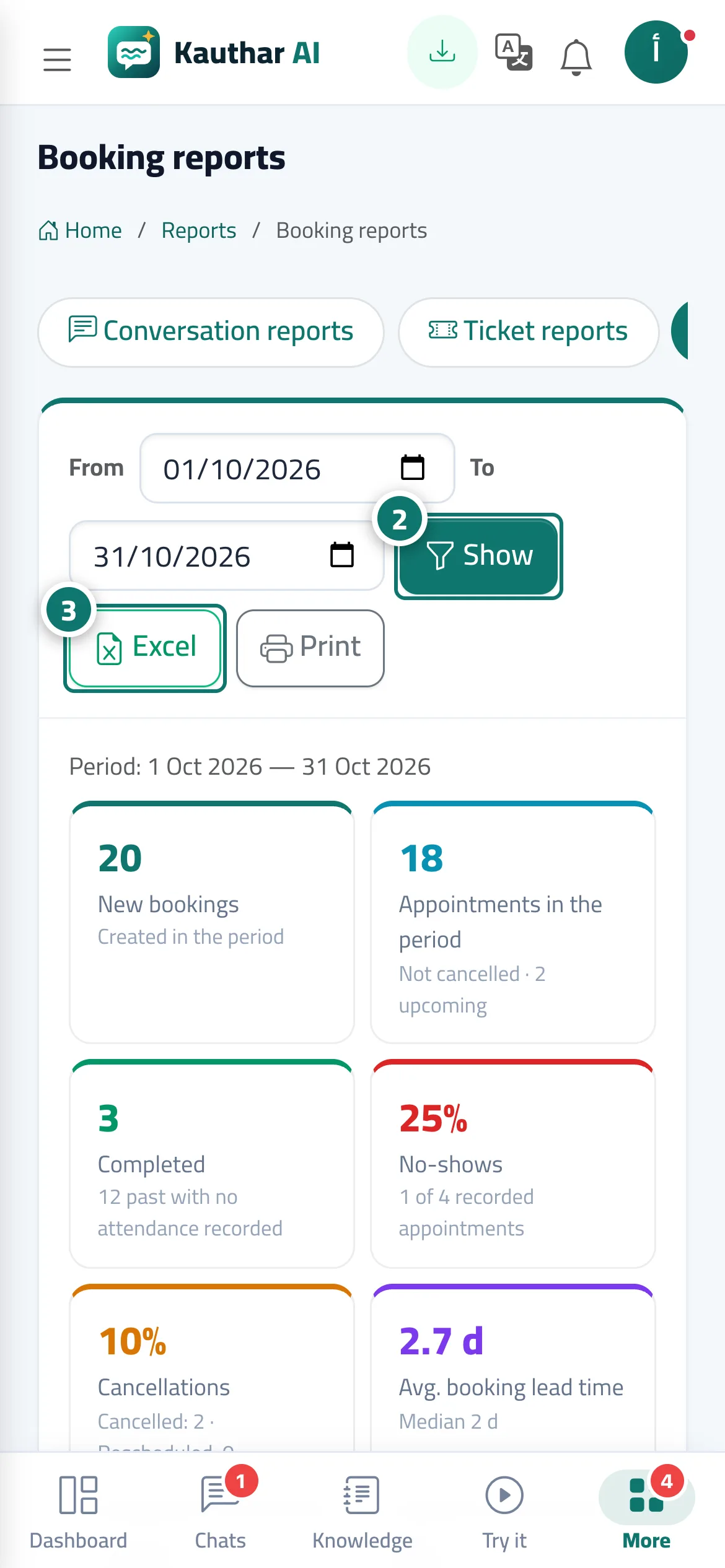
- Open «Reports», then the «Booking reports» tab.
- Choose the period «From» and «To» and press «View». Numéro 2 sur l’image
- Export the report with «Excel» or print it with «Print». Numéro 3 sur l’image
Étapes
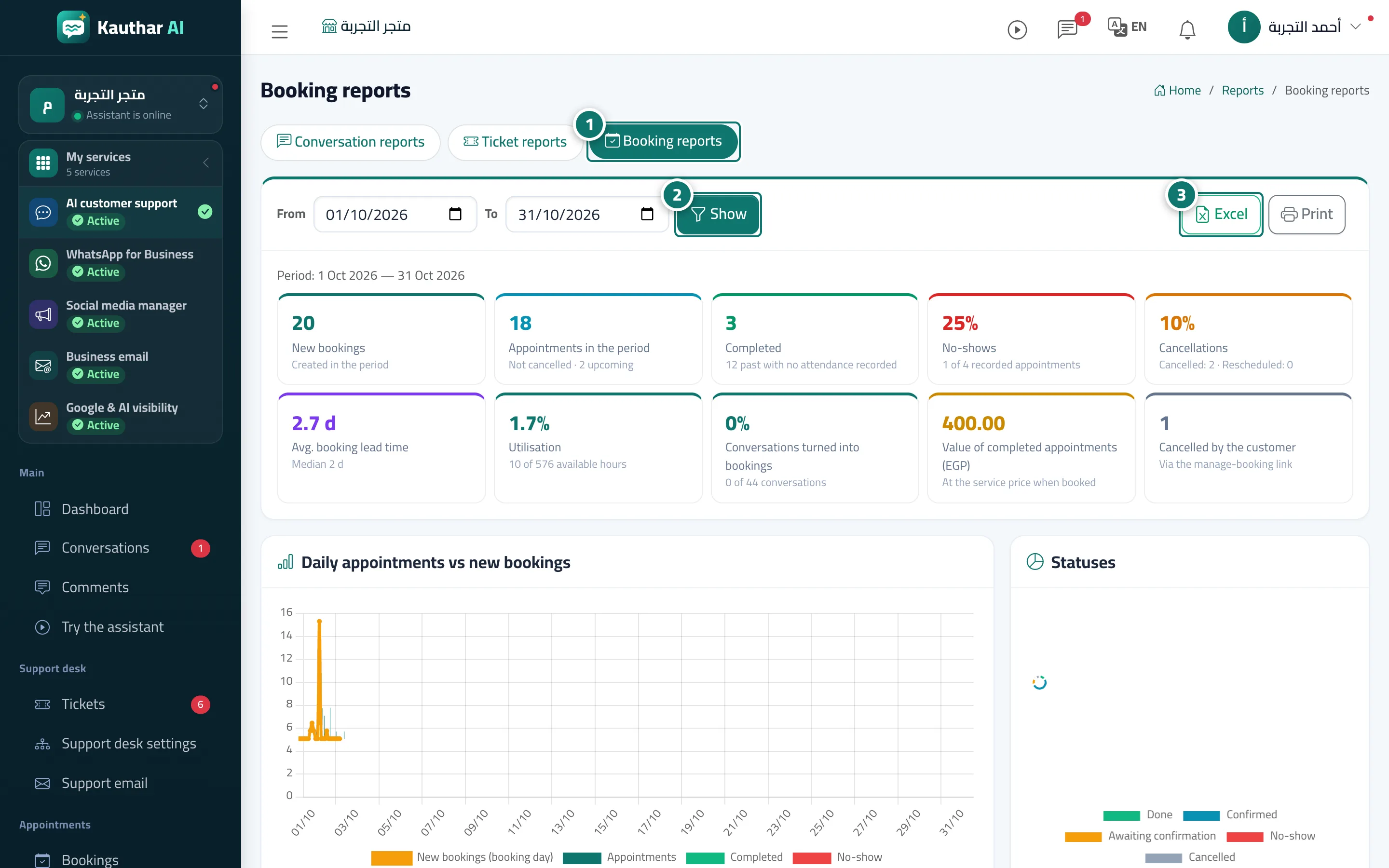
- Open «Reports», then the «Booking reports» tab. Numéro 1 sur l’image
- Choose the period «From» and «To» and press «View». Numéro 2 sur l’image
- Export the report with «Excel» or print it with «Print». Numéro 3 sur l’image