
Canaux · Connect n8n
How do I connect Kauthar AI to n8n?
Start any n8n workflow from Kauthar AI events with the «Kauthar AI Trigger» node: it adds and removes its own endpoint and checks the signature for you.
Pour qui : Propriétaire et responsable · Membres de l'équipe
Où : Webhooks → API keys
Étapes
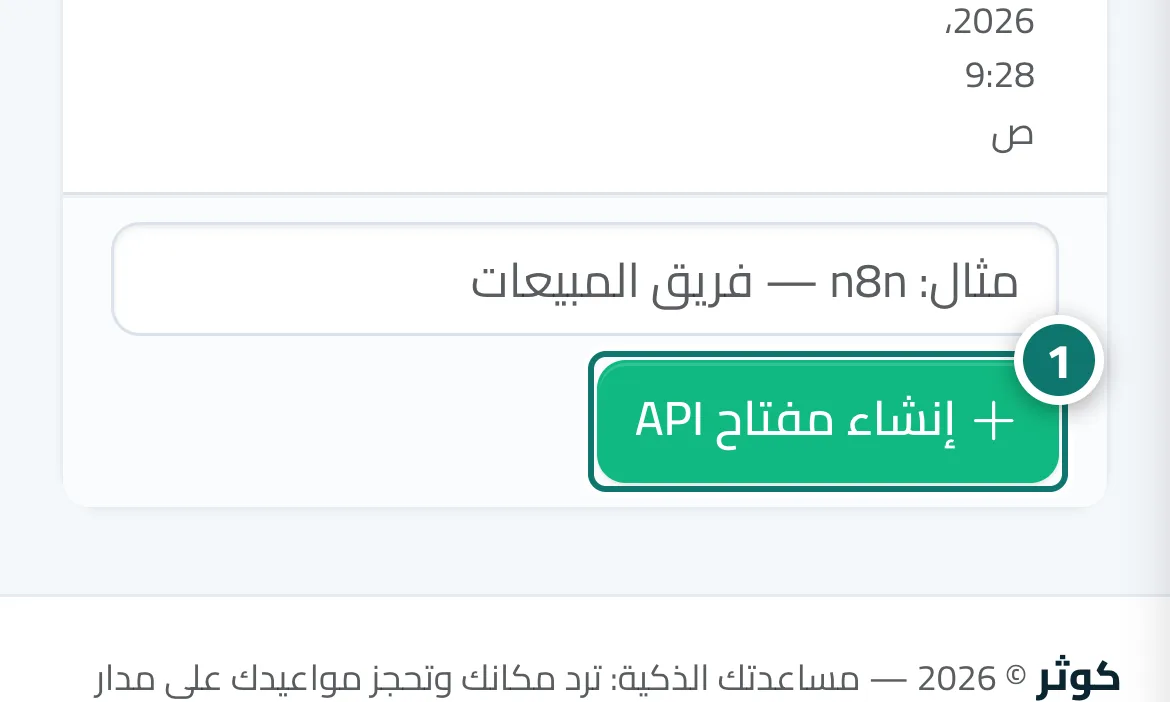
- Open «Webhooks», then the «API keys» tab, type a name such as «n8n» and press «Create API key». Numéro 1 sur l’image
- Copy the key (it starts with kak_) — it is shown only once.
- In n8n install n8n-nodes-kauthar from Settings → Community nodes, add a «Kauthar AI Trigger» node and create the «Kauthar AI API» credential with the key.
- Choose the events and activate the workflow — the n8n endpoint appears in the Webhooks screen.
Étapes
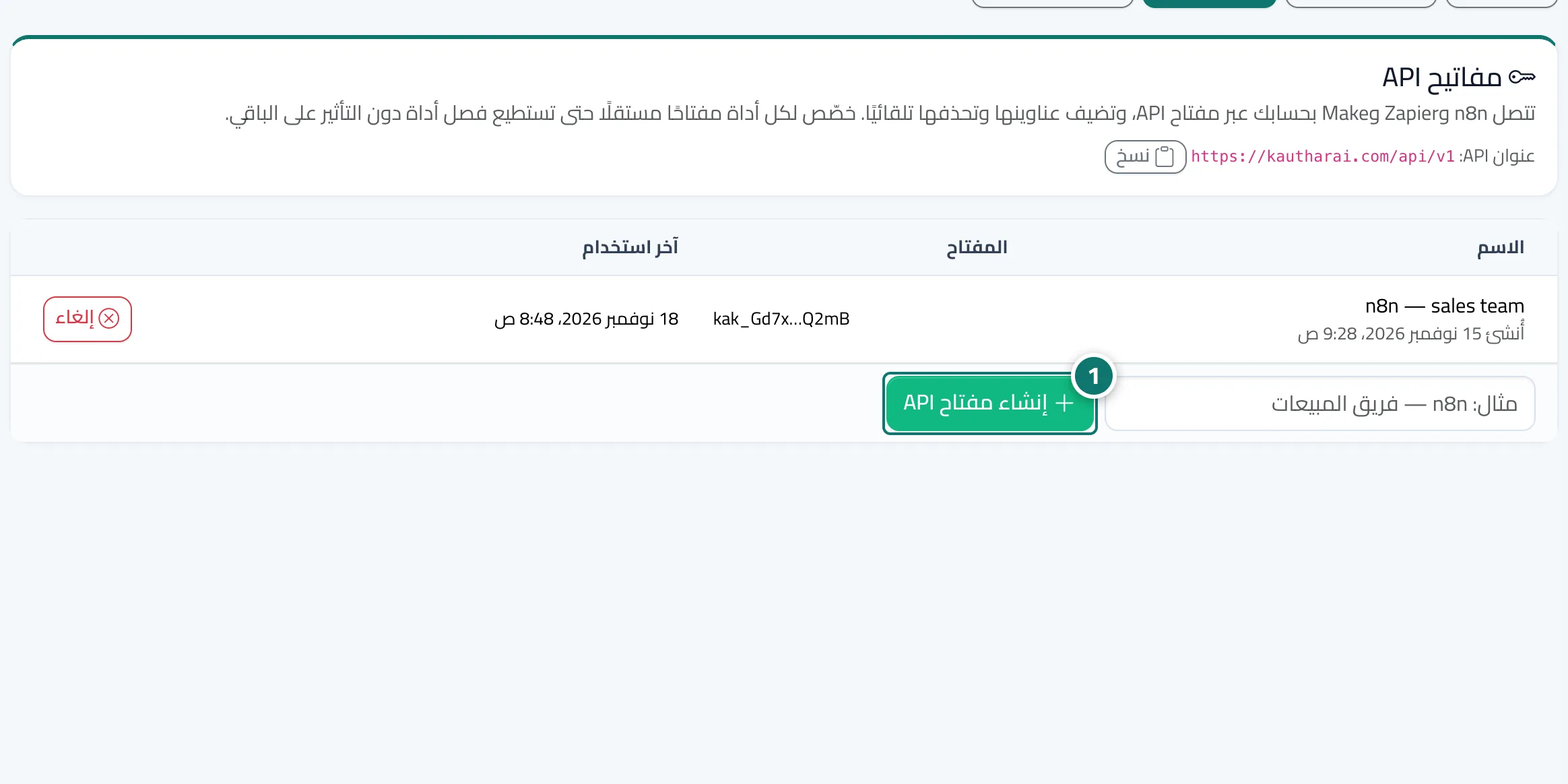
- Open «Webhooks», then the «API keys» tab, type a name such as «n8n» and press «Create API key». Numéro 1 sur l’image
- Copy the key (it starts with kak_) — it is shown only once.
- In n8n install n8n-nodes-kauthar from Settings → Community nodes, add a «Kauthar AI Trigger» node and create the «Kauthar AI API» credential with the key.
- Choose the events and activate the workflow — the n8n endpoint appears in the Webhooks screen.