
Canaux · Webhooks — connect your systems
How do I send leads, bookings and orders to my own system automatically?
Send every important moment in Kauthar AI to your own systems automatically: a customer who needs a person, a new lead, booking, order or ticket. Every request is signed and logged.
Pour qui : Propriétaire et responsable · Membres de l'équipe
Où : Side menu → Channels and customers → Webhooks
Étapes
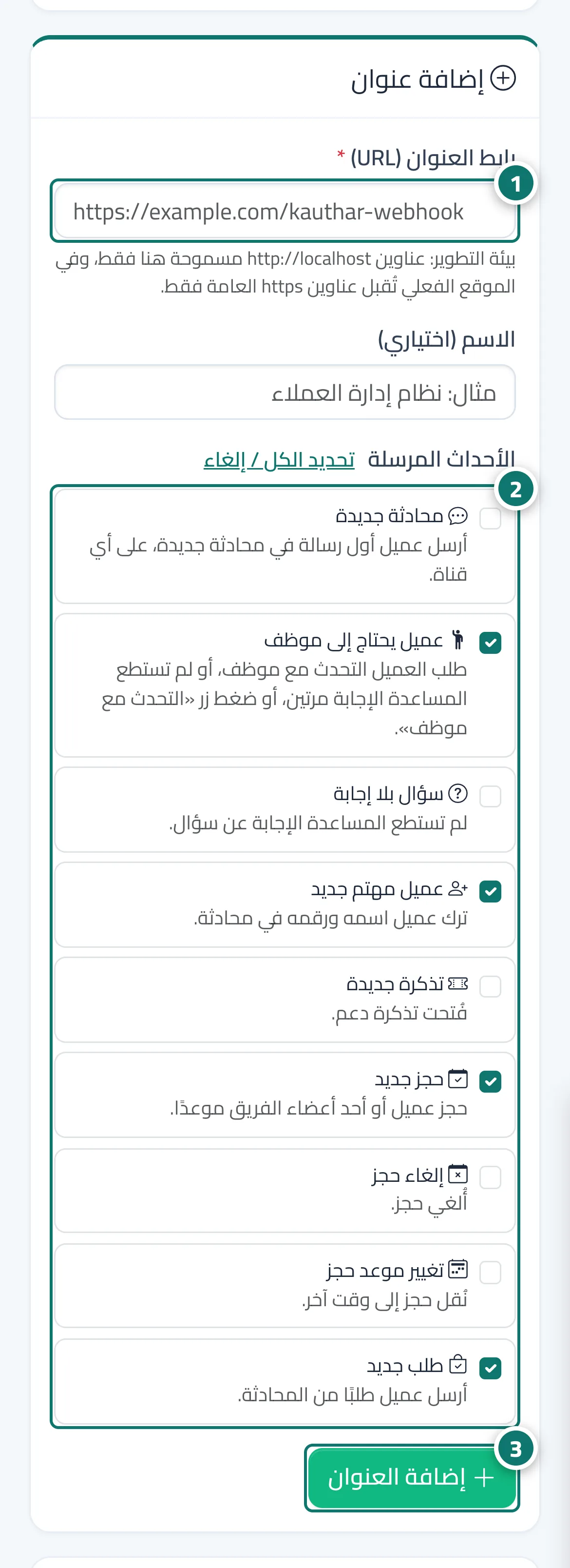
- Open «Webhooks» in the side menu and type your system's address (starting with https://) in «Endpoint URL». Numéro 1 sur l’image
- Choose the events you want, such as «Customer needs a person», «New lead» and «New booking». Numéro 2 sur l’image
- Press «Add endpoint» and copy the signing secret into your system right away — it is not shown again. Numéro 3 sur l’image
- Press «Send test event» and check that the answer is green with a 2xx code.
Étapes
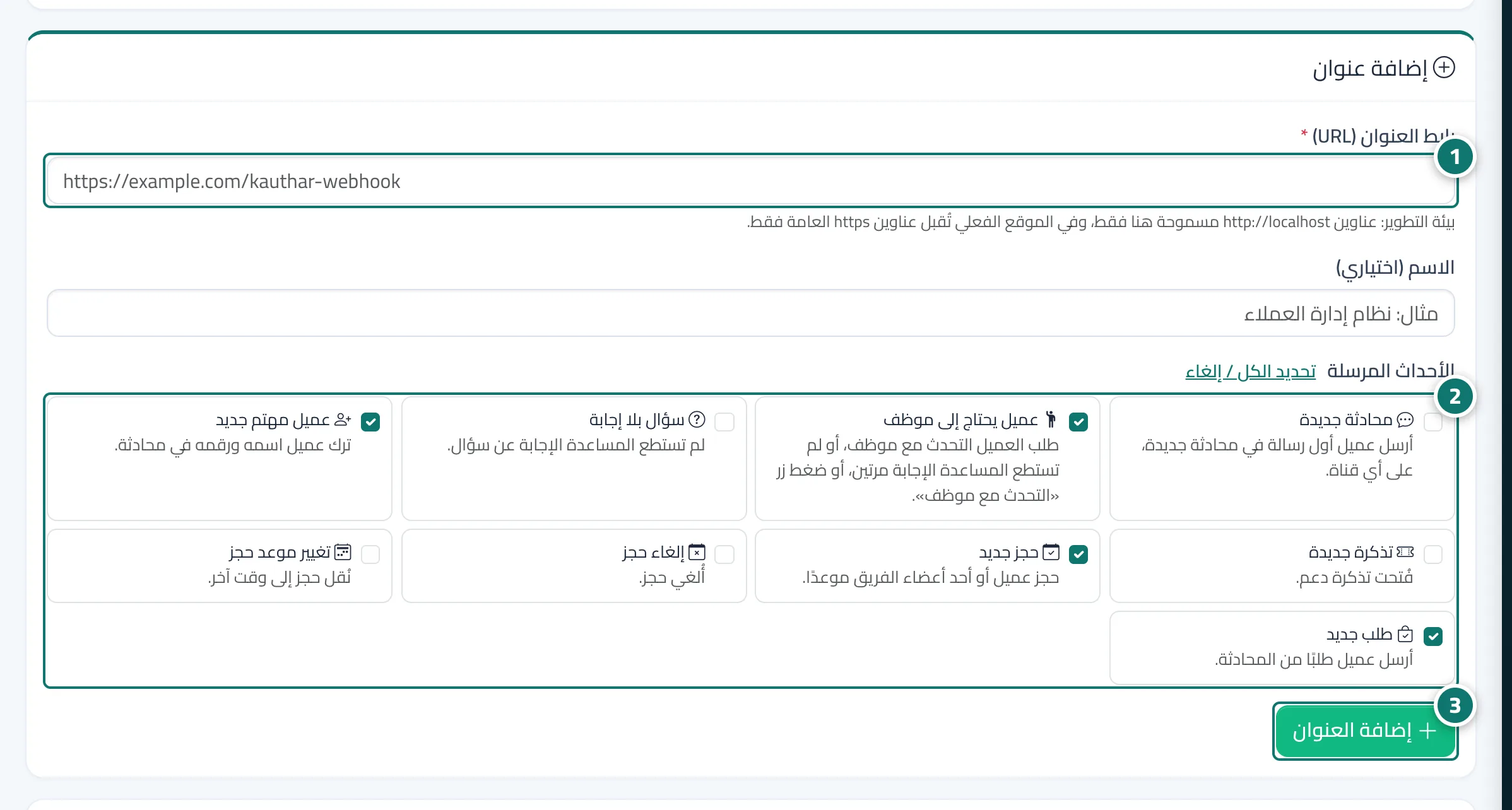
- Open «Webhooks» in the side menu and type your system's address (starting with https://) in «Endpoint URL». Numéro 1 sur l’image
- Choose the events you want, such as «Customer needs a person», «New lead» and «New booking». Numéro 2 sur l’image
- Press «Add endpoint» and copy the signing secret into your system right away — it is not shown again. Numéro 3 sur l’image
- Press «Send test event» and check that the answer is green with a 2xx code.