
Canaux · Several WhatsApp numbers for one business
Can I connect more than one WhatsApp number to Kauthar?
Connect more than one WhatsApp number (for sales, support and each branch), name each number and choose the primary one; Kauthar always replies from the same number the customer wrote to.
Pour qui : Propriétaire et responsable · Membres de l'équipe
Où : Sidebar → Channels & customers → Channels → «WhatsApp» card → «Your connected numbers»
Étapes
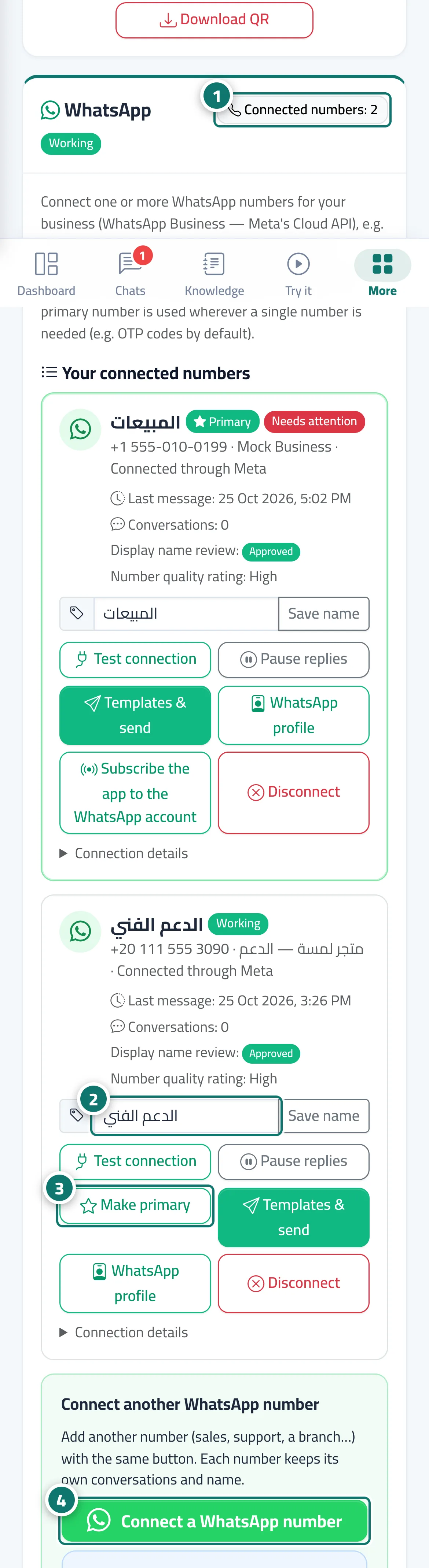
- Check the counter next to the «WhatsApp» title to see how many numbers are connected and how many your plan allows. Numéro 1 sur l’image
- Type a name for the number in «Number name» (such as «Support»), then click «Save name». Numéro 2 sur l’image
- Click «Make primary» on the number you want as your primary number. Numéro 3 sur l’image
- To add another number, click «Connect a WhatsApp number» in the «Connect another WhatsApp number» section. Numéro 4 sur l’image
Étapes
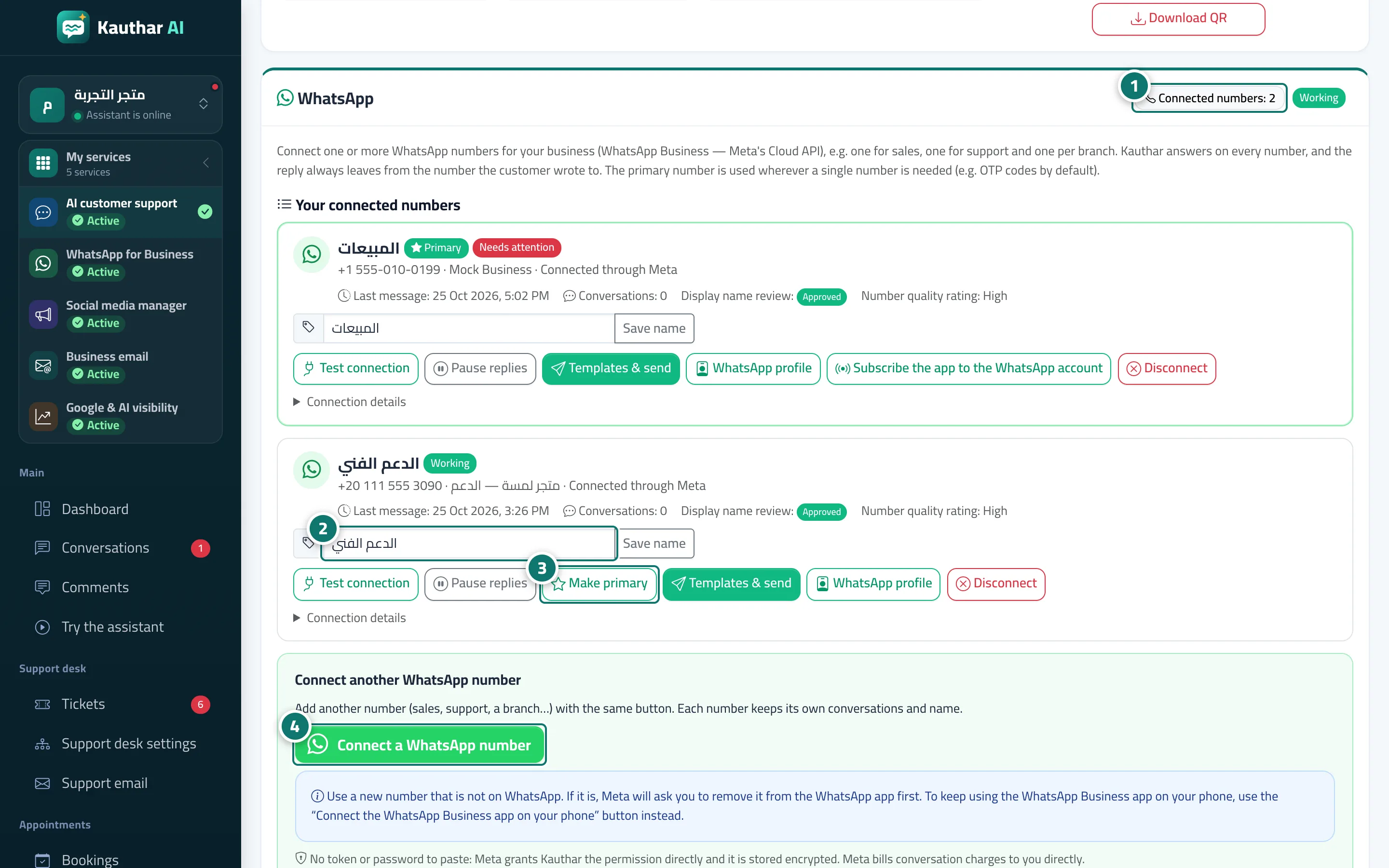
- Check the counter next to the «WhatsApp» title to see how many numbers are connected and how many your plan allows. Numéro 1 sur l’image
- Type a name for the number in «Number name» (such as «Support»), then click «Save name». Numéro 2 sur l’image
- Click «Make primary» on the number you want as your primary number. Numéro 3 sur l’image
- To add another number, click «Connect a WhatsApp number» in the «Connect another WhatsApp number» section. Numéro 4 sur l’image