
Conversations et support · Ticket form for your customers
How does a customer open a support ticket from my website without the chat?
A public page in your brand and in the customer's language where customers open a support ticket with attachments, without going through the chat.
Pour qui : Propriétaire et responsable · Vos clients
Où : A public link ending in /t/<link-name>/new · or from the “Tickets” link on the chat page · turned on from the sidebar → Support desk → Support desk settings → “Routing & ratings”
Étapes
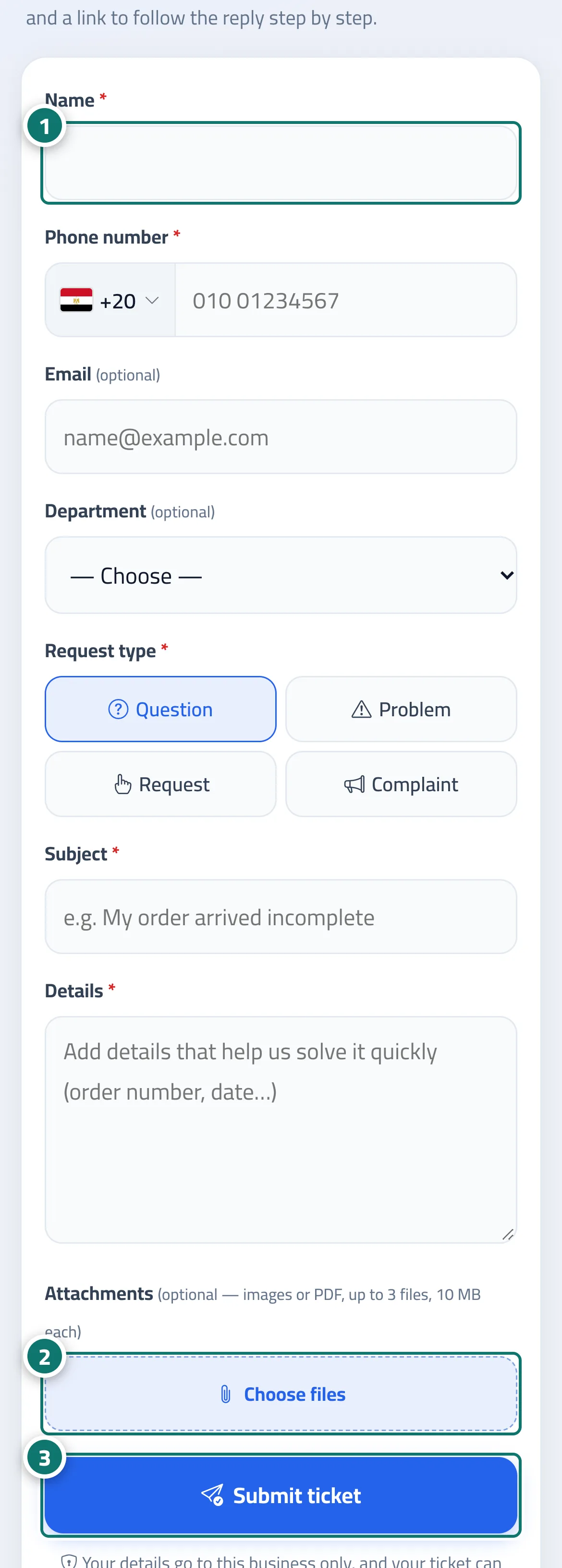
- The customer opens the page, enters their details and chooses the “Request type”. Numéro 1 sur l’image
- They tap “Choose files” to attach images or a PDF if needed. Numéro 2 sur l’image
- They tap “Submit ticket” and save the tracking link, or send it to themselves on WhatsApp. Numéro 3 sur l’image
Étapes
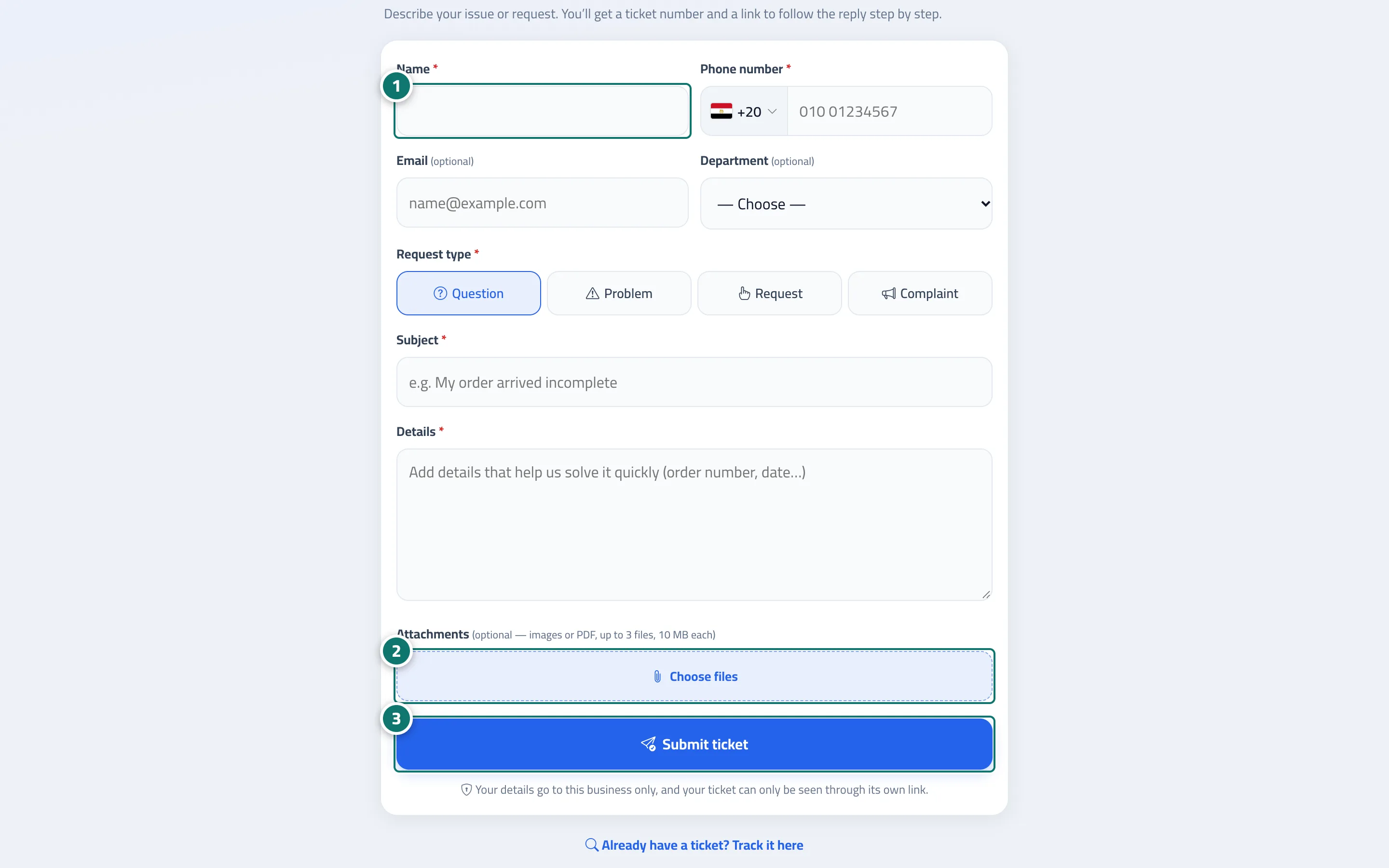
- The customer opens the page, enters their details and chooses the “Request type”. Numéro 1 sur l’image
- They tap “Choose files” to attach images or a PDF if needed. Numéro 2 sur l’image
- They tap “Submit ticket” and save the tracking link, or send it to themselves on WhatsApp. Numéro 3 sur l’image