
Conversations et support · Alerts before and after a missed deadline
How do I know a ticket is about to miss its response deadline?
Kauthar watches your tickets every minute and alerts you a quarter of an hour before a deadline and the moment it is missed.
Pour qui : Propriétaire et responsable · Membres de l'équipe
Où : Sidebar → Support desk → Tickets → Overdue · alerts in the notification bell or Account → Notifications
Étapes
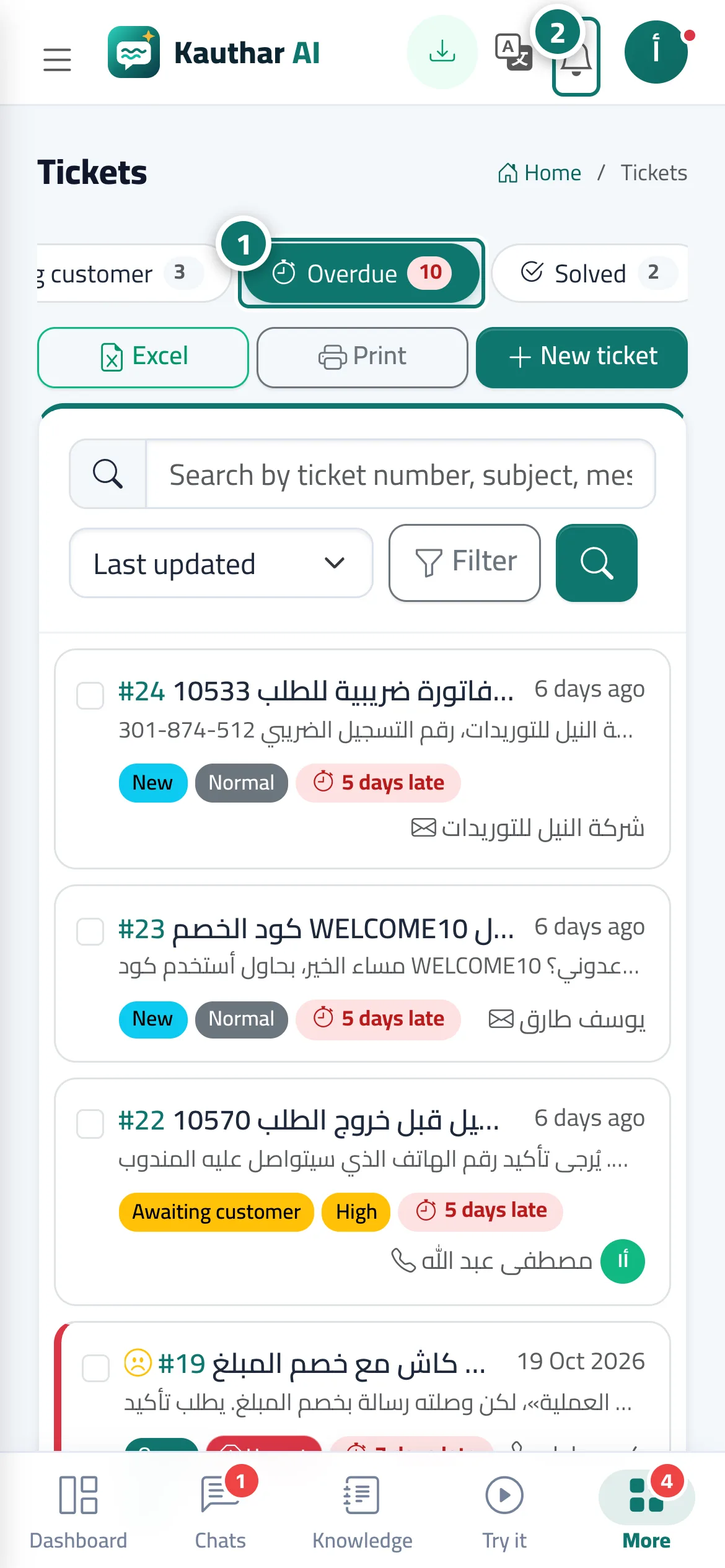
- Nothing to set up — it works automatically according to your «Response times» settings. Check the «Overdue» view to deal with late tickets first. Numéro 1 sur l’image
- When an alert arrives in the notification bell, click it to open the ticket. Numéro 2 sur l’image
- To receive alerts even when the browser is closed, open the bell menu and choose «Turn on notifications on this device», or turn on notifications in the Kauthar app on your phone.
Étapes
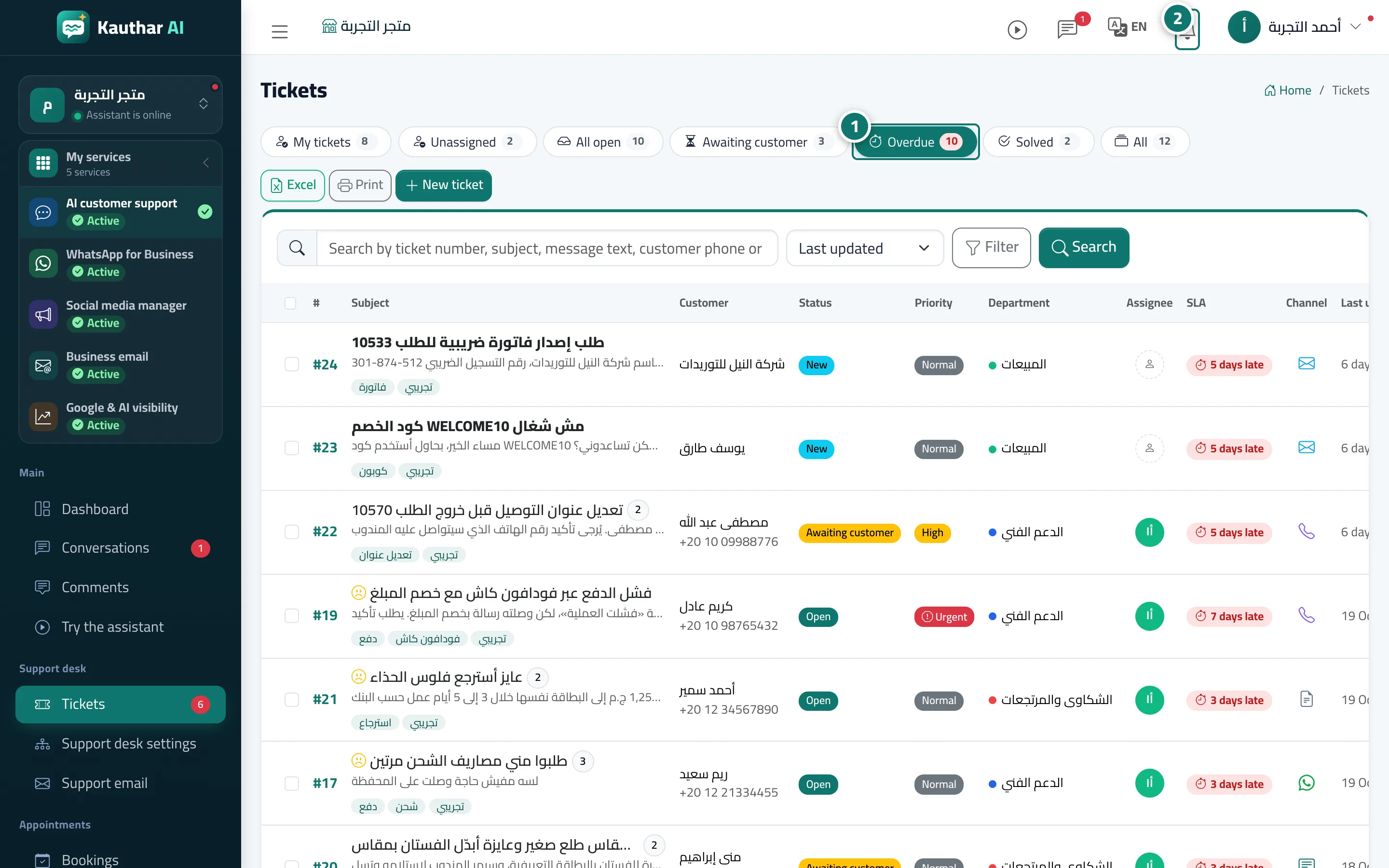
- Nothing to set up — it works automatically according to your «Response times» settings. Check the «Overdue» view to deal with late tickets first. Numéro 1 sur l’image
- When an alert arrives in the notification bell, click it to open the ticket. Numéro 2 sur l’image
- To receive alerts even when the browser is closed, open the bell menu and choose «Turn on notifications on this device», or turn on notifications in the Kauthar app on your phone.