
Conversations et support · Support departments and agent allocation
How do I add a new support department and choose its agents?
Split your support into departments (Sales, Technical support, Complaints…) and choose each department's agents, so every request reaches the right person.
Pour qui : Propriétaire et responsable
Où : Sidebar → Support desk → Support desk settings → Departments
Étapes
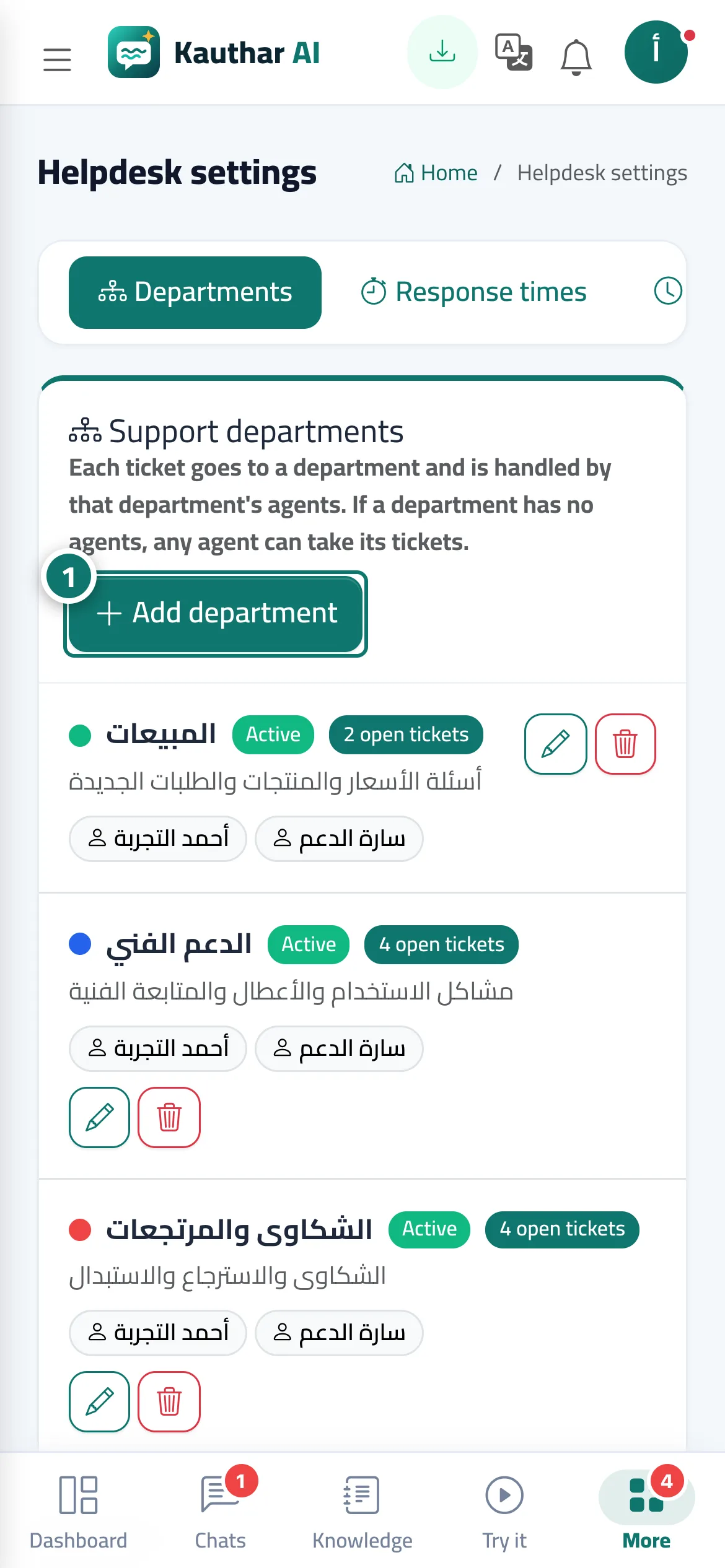
- Open «Support desk settings» → the «Departments» tab and press «Add department». Numéro 1 sur l’image
- Enter the «Department name» and «Description», and choose the «Colour» and «Order».
- Choose the «Department agents» (if you choose nobody, any agent can pick up its tickets).
- Leave «Department active (customers can pick it in the ticket form)» ticked, then press «Save».
Étapes
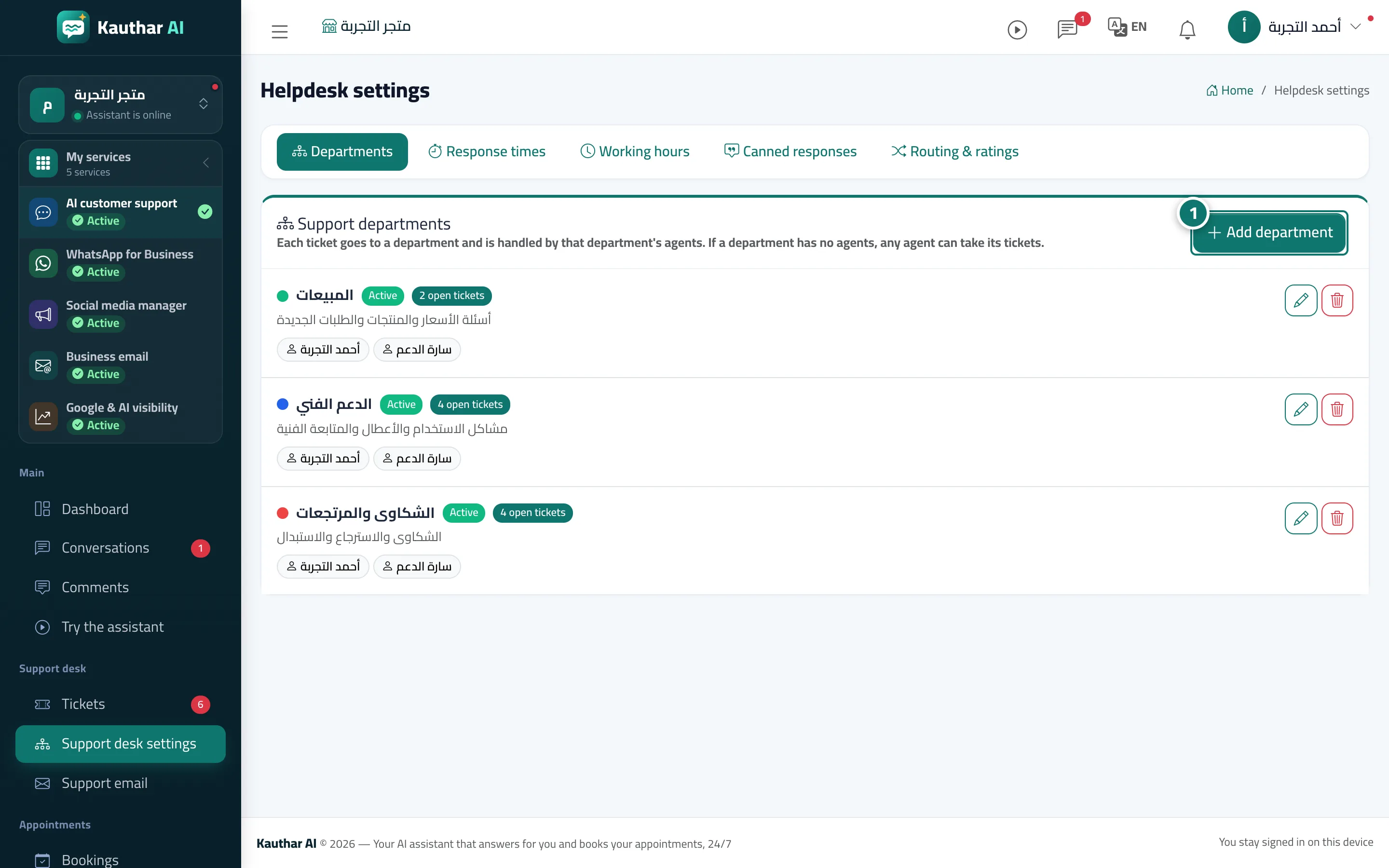
- Open «Support desk settings» → the «Departments» tab and press «Add department». Numéro 1 sur l’image
- Enter the «Department name» and «Description», and choose the «Colour» and «Order».
- Choose the «Department agents» (if you choose nobody, any agent can pick up its tickets).
- Leave «Department active (customers can pick it in the ticket form)» ticked, then press «Save».