
Conversations et support · Working hours and days off
How do I set my support team's working hours and days off?
Set your working hours for each day (up to two periods a day) and your days off, so customers know when you'll reply.
Pour qui : Propriétaire et responsable
Où : Sidebar → Support desk → Support desk settings → Working hours
Étapes
- Open «Support desk settings» → the «Working hours» tab.
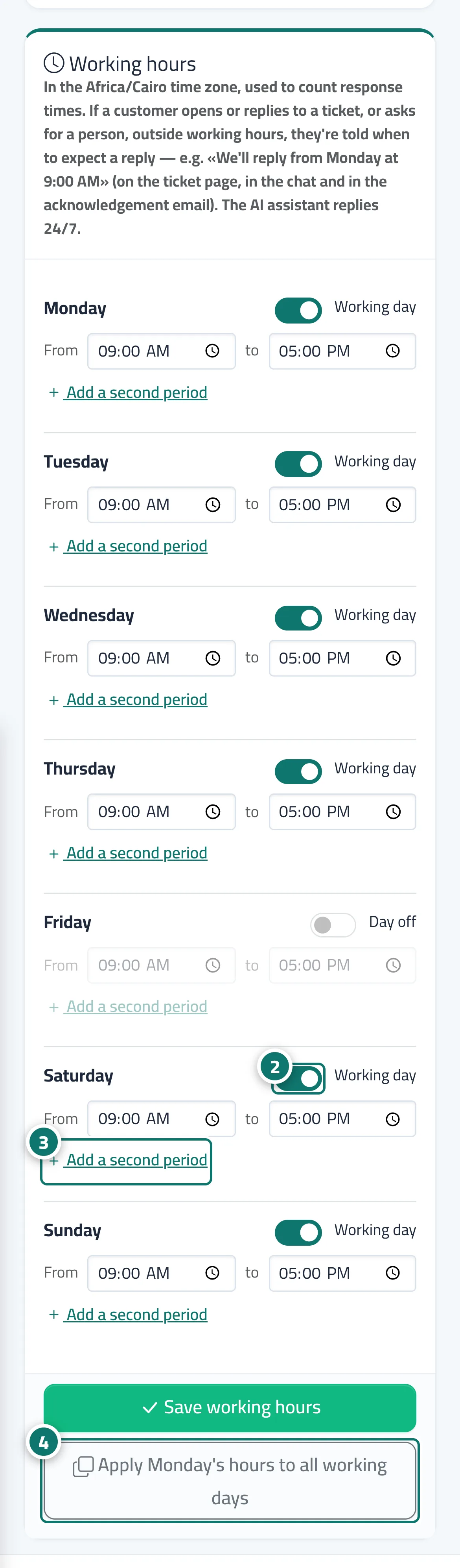
- For each day, switch it on or off («Working day» / «Day off») and set «From» and «To». Numéro 2 sur l’image
- If you have two periods, press «Add a second period». Numéro 3 sur l’image
- As a shortcut, press «Apply Saturday's hours to all working days», then «Save working hours». Numéro 4 sur l’image
Étapes
- Open «Support desk settings» → the «Working hours» tab.
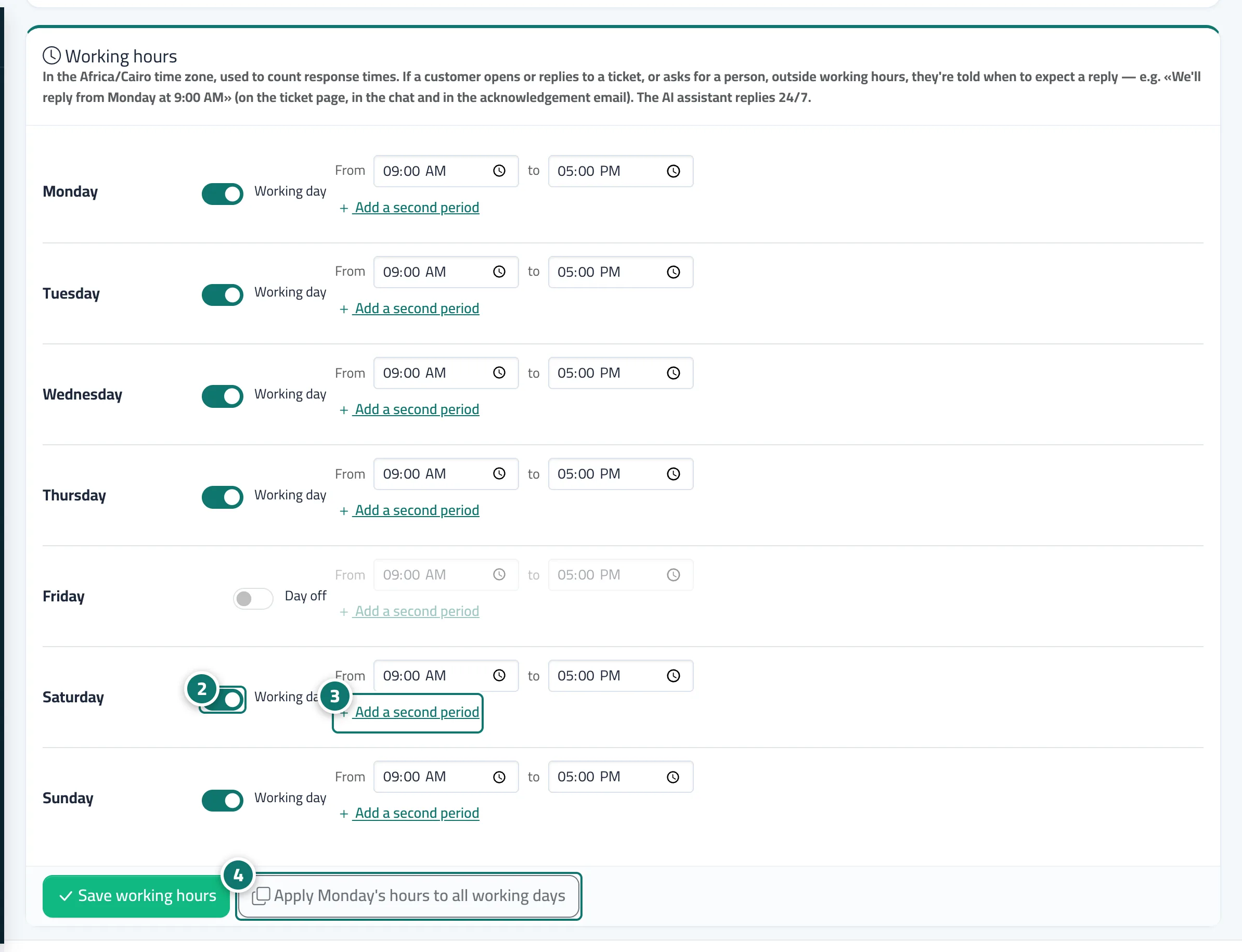
- For each day, switch it on or off («Working day» / «Day off») and set «From» and «To». Numéro 2 sur l’image
- If you have two periods, press «Add a second period». Numéro 3 sur l’image
- As a shortcut, press «Apply Saturday's hours to all working days», then «Save working hours». Numéro 4 sur l’image