
Réseaux sociaux · Connecting Facebook, Instagram, TikTok, YouTube and LinkedIn
How do I connect my Facebook Page and Instagram to the studio?
In the “Accounts” tab, connect each account once with “Connect”, follow each platform’s status in one clear line, set up replies to YouTube comments, and disconnect any account whenever you like.
Pour qui : Propriétaire et responsable
Où : Sidebar → Social media publishing → Post studio → “Accounts”
Étapes
- Open the “Accounts” tab.
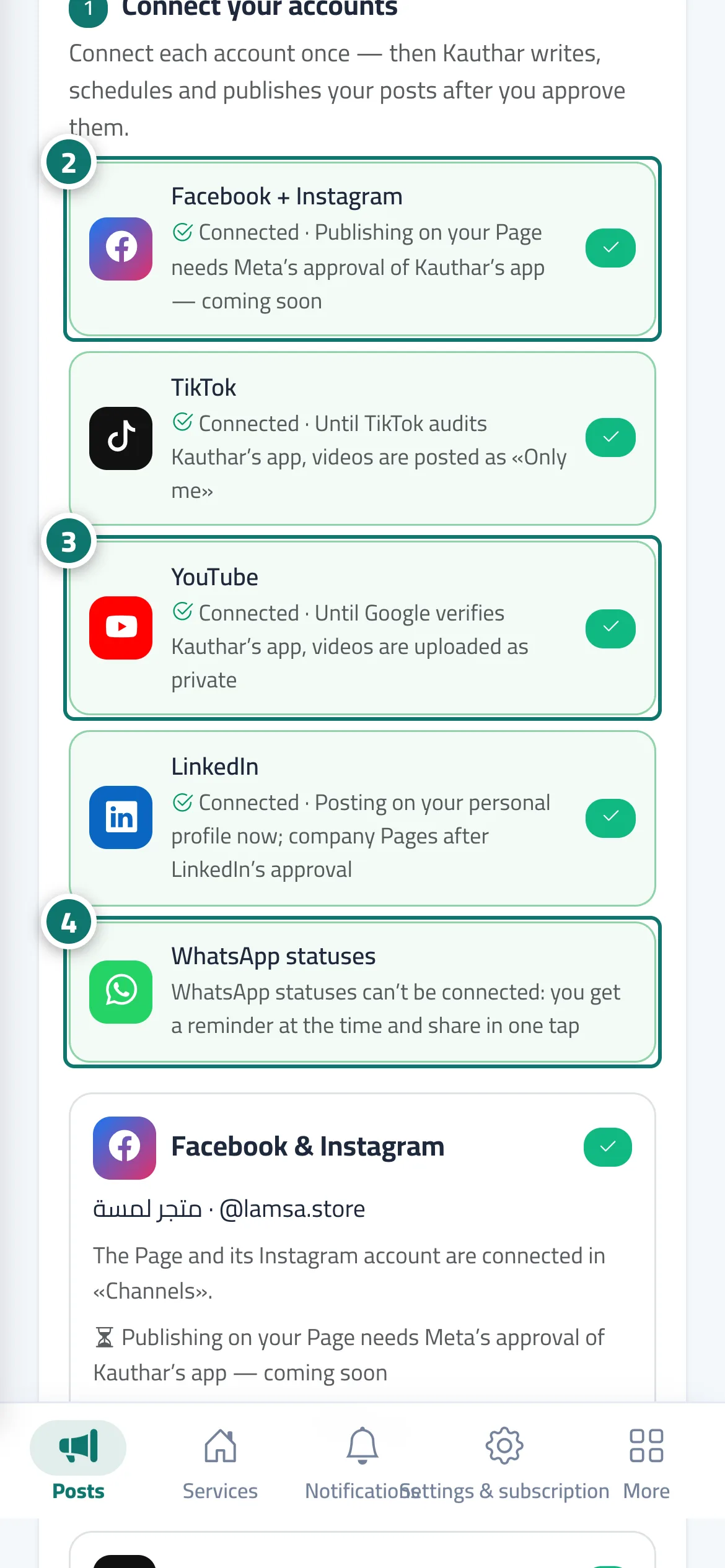
- For Facebook and Instagram, press “Connect” on the “Facebook + Instagram” line and finish in Meta’s window. Numéro 2 sur l’image
- For TikTok, YouTube or LinkedIn, press “Connect” on its line, sign in and accept the permissions. Numéro 3 sur l’image
- WhatsApp statuses need no connection: at the status’s time you get a reminder and share it in one tap. Numéro 4 sur l’image
- For YouTube, turn on “Auto-reply to YouTube comments”, choose the mode, then “Save”.
- To disconnect an account, press “Disconnect” on its card and confirm; anything already published stays as it is.
Étapes
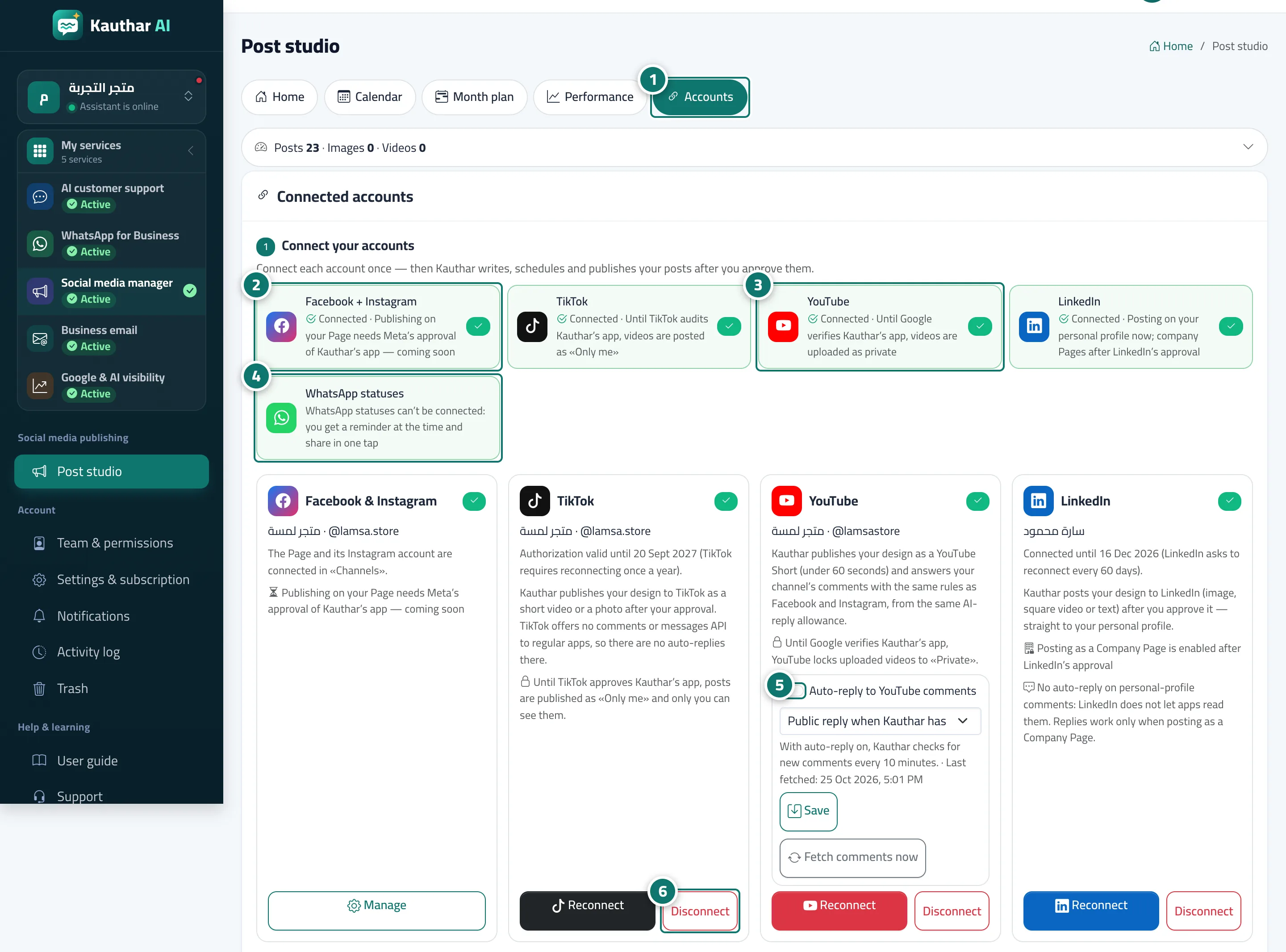
- Open the “Accounts” tab. Numéro 1 sur l’image
- For Facebook and Instagram, press “Connect” on the “Facebook + Instagram” line and finish in Meta’s window. Numéro 2 sur l’image
- For TikTok, YouTube or LinkedIn, press “Connect” on its line, sign in and accept the permissions. Numéro 3 sur l’image
- WhatsApp statuses need no connection: at the status’s time you get a reminder and share it in one tap. Numéro 4 sur l’image
- For YouTube, turn on “Auto-reply to YouTube comments”, choose the mode, then “Save”. Numéro 5 sur l’image
- To disconnect an account, press “Disconnect” on its card and confirm; anything already published stays as it is. Numéro 6 sur l’image