
Réseaux sociaux · Publish from the knowledge base: posts with your product photos as they are
How do I publish products from my knowledge base to social media directly?
Pick knowledge-base items that have photos (products or services), the platforms and the timing; they become posts straight away with the same photos and description text — no AI and not counted against your post allowance.
Pour qui : Propriétaire et responsable · Membres de l'équipe
Où : Sidebar → Social media publishing → Post studio → «Publish from the knowledge base»
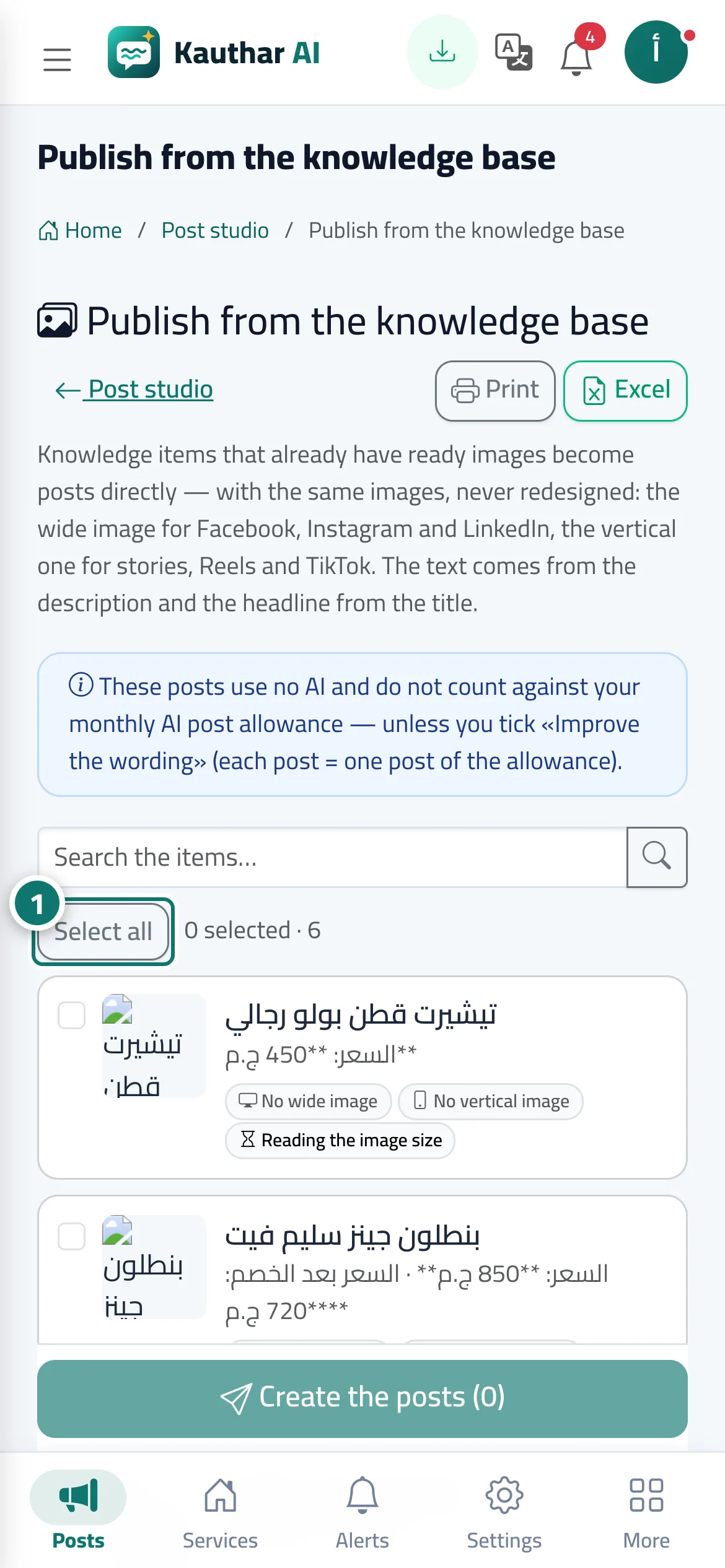
Étapes
- Pick the items to publish, or press «Select all». Numéro 1 sur l’image
- Under «Where to post?» choose the platforms and placements (feed, story, reel…).
- Choose the timing; tick «Improve the wording with AI» only if you want the text rewritten.
- Press «Create the posts»; they appear in the calendar with their status.
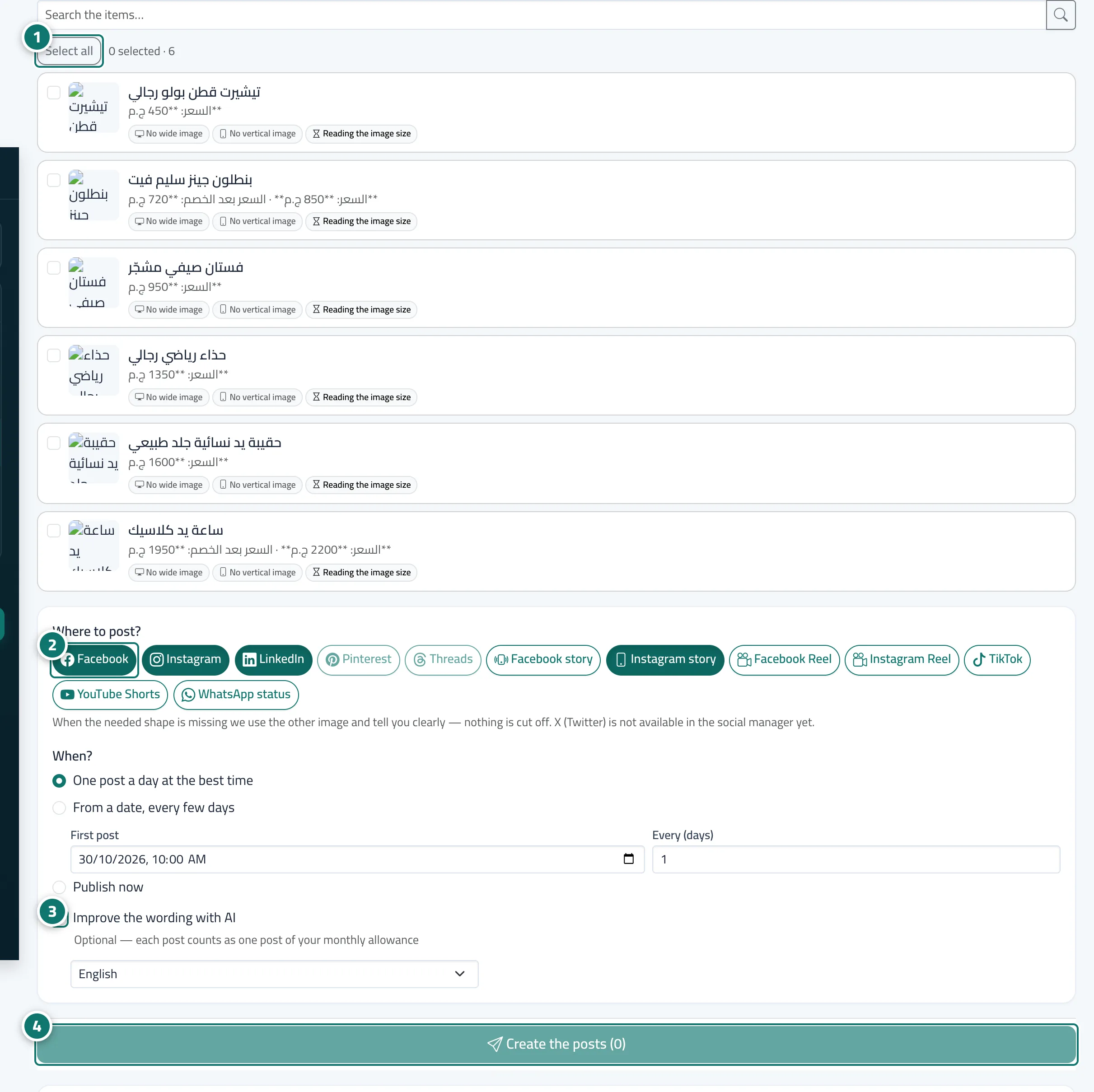
Étapes
- Pick the items to publish, or press «Select all». Numéro 1 sur l’image
- Under «Where to post?» choose the platforms and placements (feed, story, reel…). Numéro 2 sur l’image
- Choose the timing; tick «Improve the wording with AI» only if you want the text rewritten. Numéro 3 sur l’image
- Press «Create the posts»; they appear in the calendar with their status. Numéro 4 sur l’image