
Réseaux sociaux · The post page: preview, text and video
How do I review a post before it is published?
Before publishing you see the post as it will look on each platform, edit each platform’s text, turn it into a short video with music, or ask Kauthar for a new version.
Pour qui : Propriétaire et responsable · Membres de l'équipe
Où : Sidebar → Social media publishing → Post studio → tap any post
Étapes
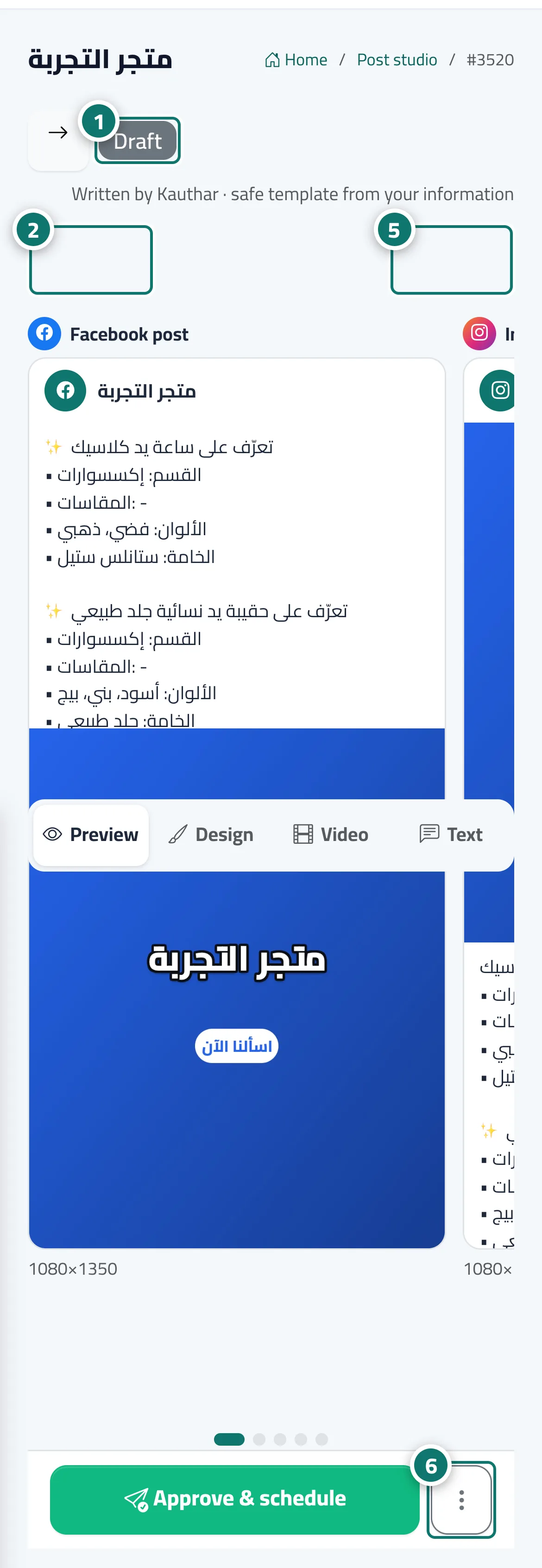
- Check the status and who wrote the post at the top of the page. Numéro 1 sur l’image
- In “Preview”, swipe between platforms to see the post as it will appear on each. Numéro 2 sur l’image
- Open “Design” to edit the text on the image or change the template.
- Open “Video” to turn the post into a short video with music, then press “Make the video”.
- In “Text”, edit each platform’s text and press “Save”, or press “Rewrite” for a new version. Numéro 5 sur l’image
- Under “More actions”, choose “Duplicate”, “Reject” or “Delete”. Numéro 6 sur l’image
Étapes
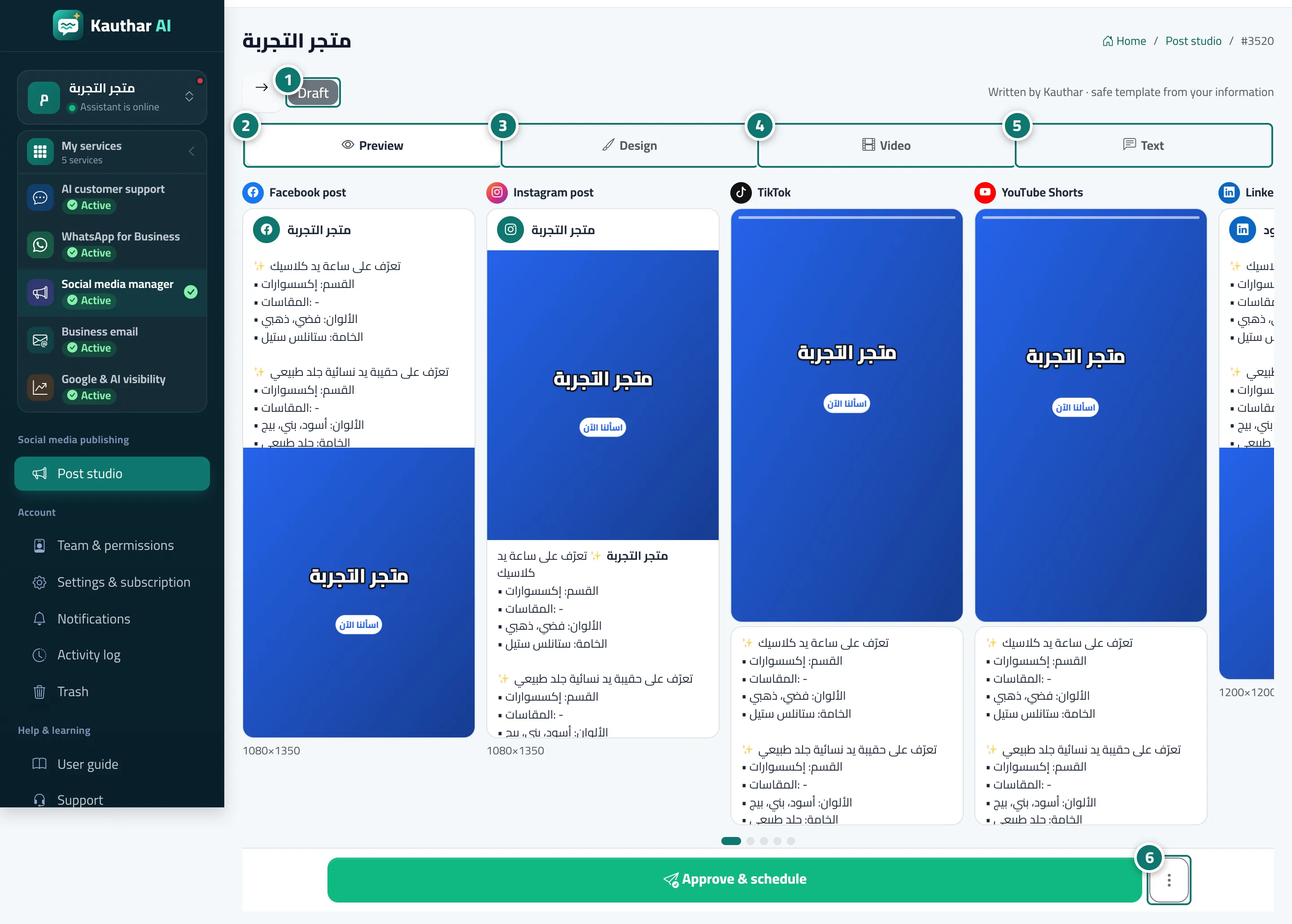
- Check the status and who wrote the post at the top of the page. Numéro 1 sur l’image
- In “Preview”, swipe between platforms to see the post as it will appear on each. Numéro 2 sur l’image
- Open “Design” to edit the text on the image or change the template. Numéro 3 sur l’image
- Open “Video” to turn the post into a short video with music, then press “Make the video”. Numéro 4 sur l’image
- In “Text”, edit each platform’s text and press “Save”, or press “Rewrite” for a new version. Numéro 5 sur l’image
- Under “More actions”, choose “Duplicate”, “Reject” or “Delete”. Numéro 6 sur l’image