
WhatsApp Business et OTP · Import contacts from Excel or CSV
How do I import my customers' numbers from an Excel file?
Upload an Excel or CSV file with your customers' numbers, map its columns to fields, confirm their consent and add them to lists in three steps.
Pour qui : Propriétaire et responsable · Membres de l'équipe
Où : Sidebar → WhatsApp Business → Marketing messages → Contacts → "Import Excel/CSV"
Étapes
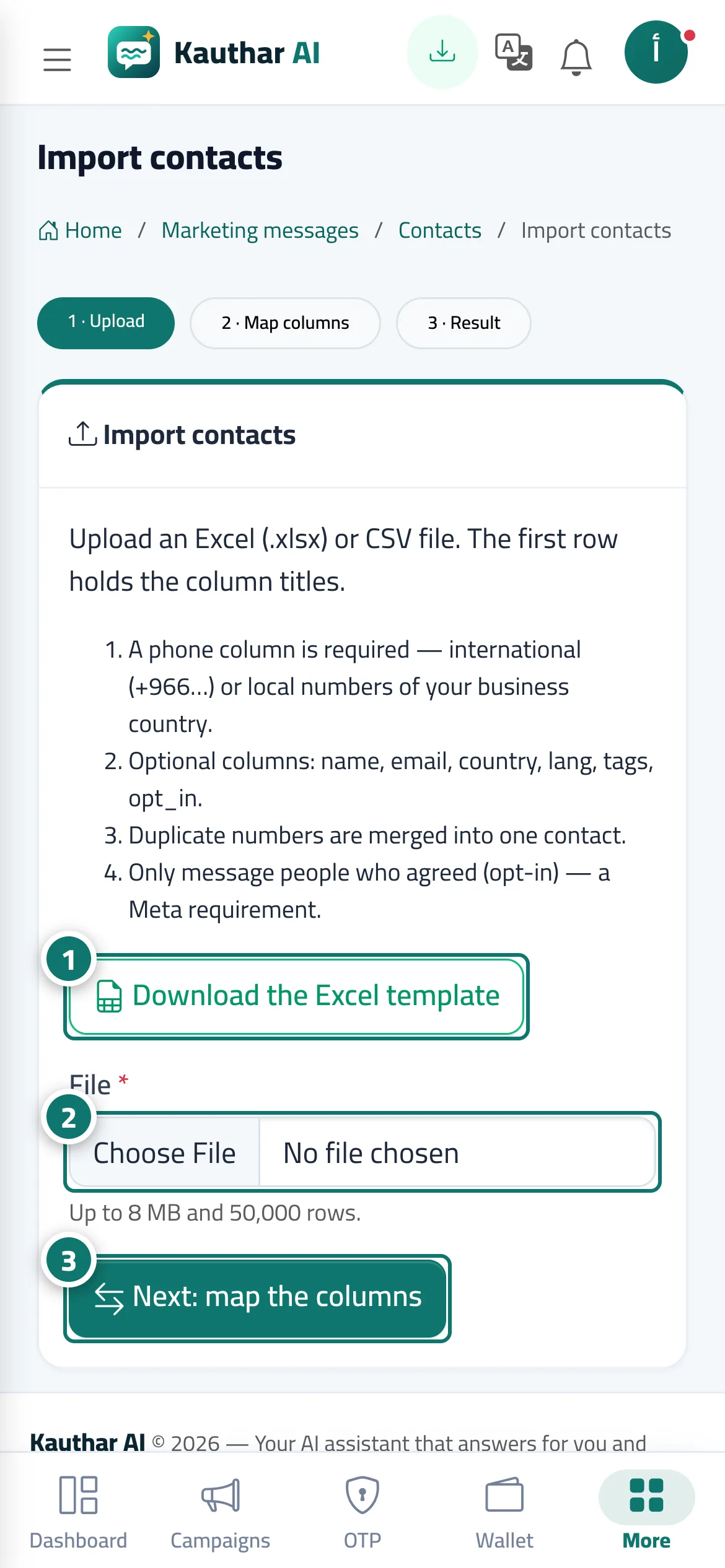
- Click "Download the Excel template" and fill it with your customers' numbers (in international format or the local format of your business's country). Numéro 1 sur l’image
- Choose the file in the "File" field. Numéro 2 sur l’image
- Click "Next: map the columns", choose the column for each piece of information, confirm consent, pick the lists, then "Import". Numéro 3 sur l’image
Étapes
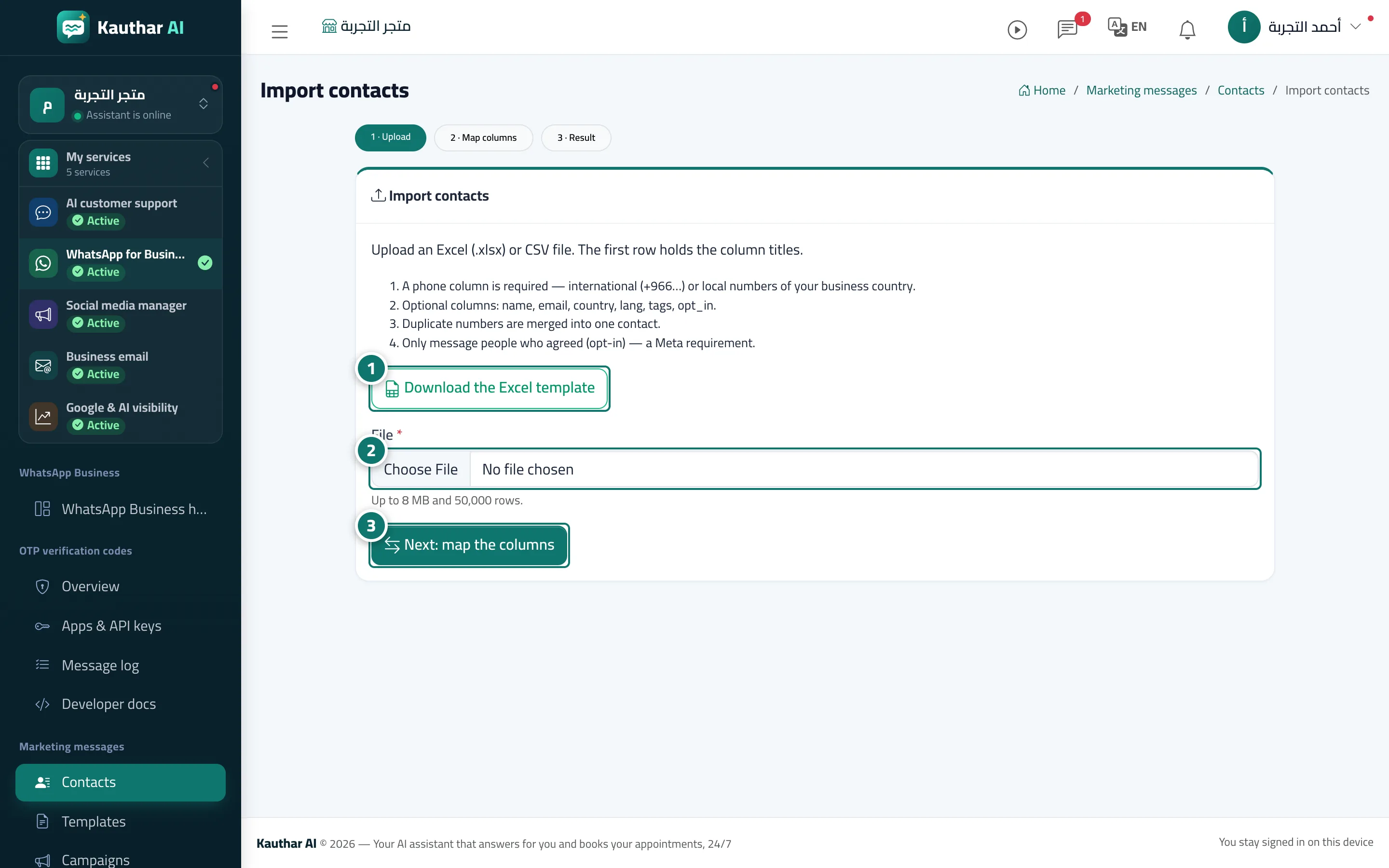
- Click "Download the Excel template" and fill it with your customers' numbers (in international format or the local format of your business's country). Numéro 1 sur l’image
- Choose the file in the "File" field. Numéro 2 sur l’image
- Click "Next: map the columns", choose the column for each piece of information, confirm consent, pick the lists, then "Import". Numéro 3 sur l’image