
WhatsApp Business et OTP · Create a WhatsApp marketing campaign
How do I send an offer to all my customers on WhatsApp?
A campaign in four steps — number and template, audience, template variables and send time — with a live estimated cost by country before you confirm.
Pour qui : Propriétaire et responsable · Membres de l'équipe
Où : Sidebar → WhatsApp Business → Marketing messages → Campaigns → "New campaign"
Étapes
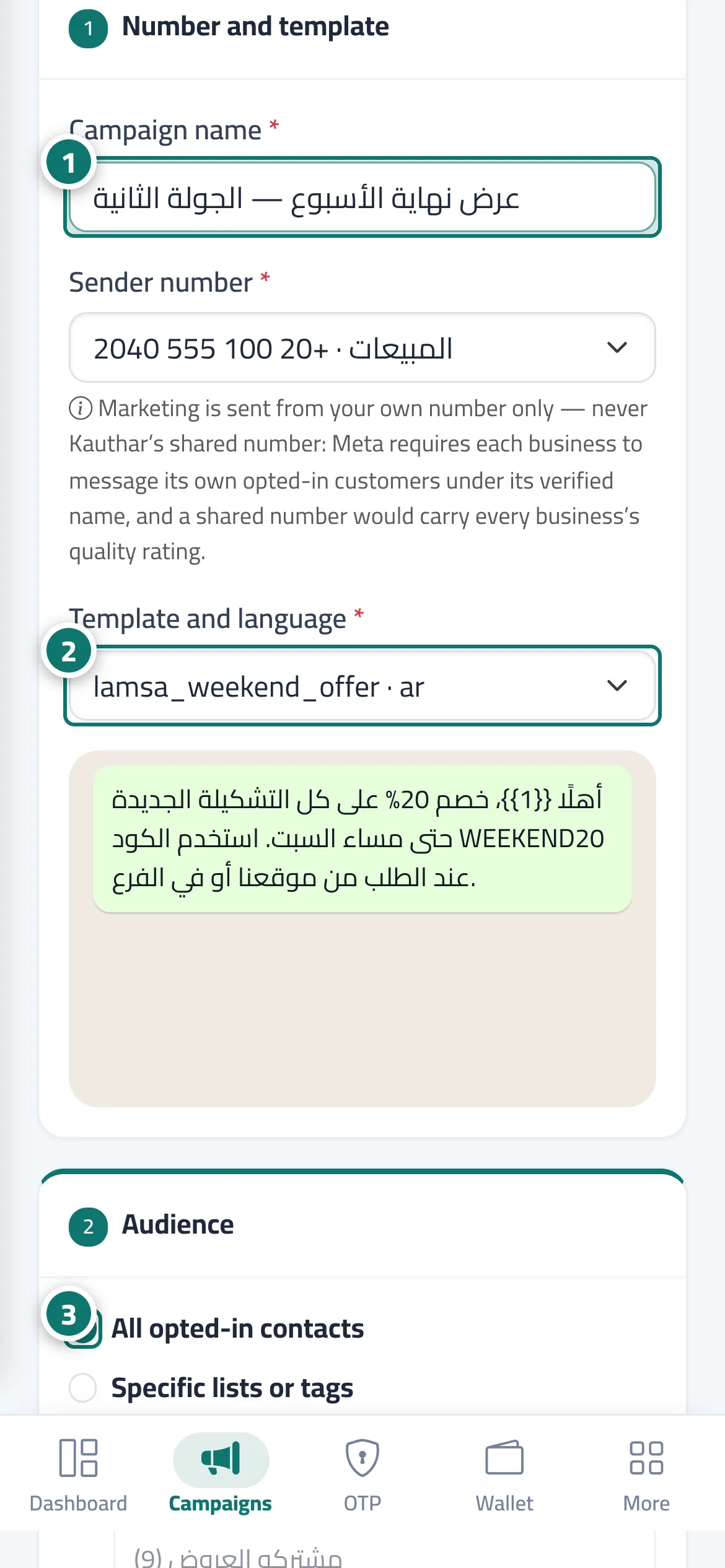
- Enter the "Campaign name" and choose the sending number. Numéro 1 sur l’image
- Choose the approved template and its language. Numéro 2 sur l’image
- Choose the audience: all opted-in contacts or specific lists and tags, and limit it to certain countries if you like. Numéro 3 sur l’image
- Set the source of each variable (such as the customer's name) and a fallback value in case the field is empty.
- Choose now or "At a set time".
- Review the "Estimated cost", then click "Review the cost before sending" and confirm.
Étapes
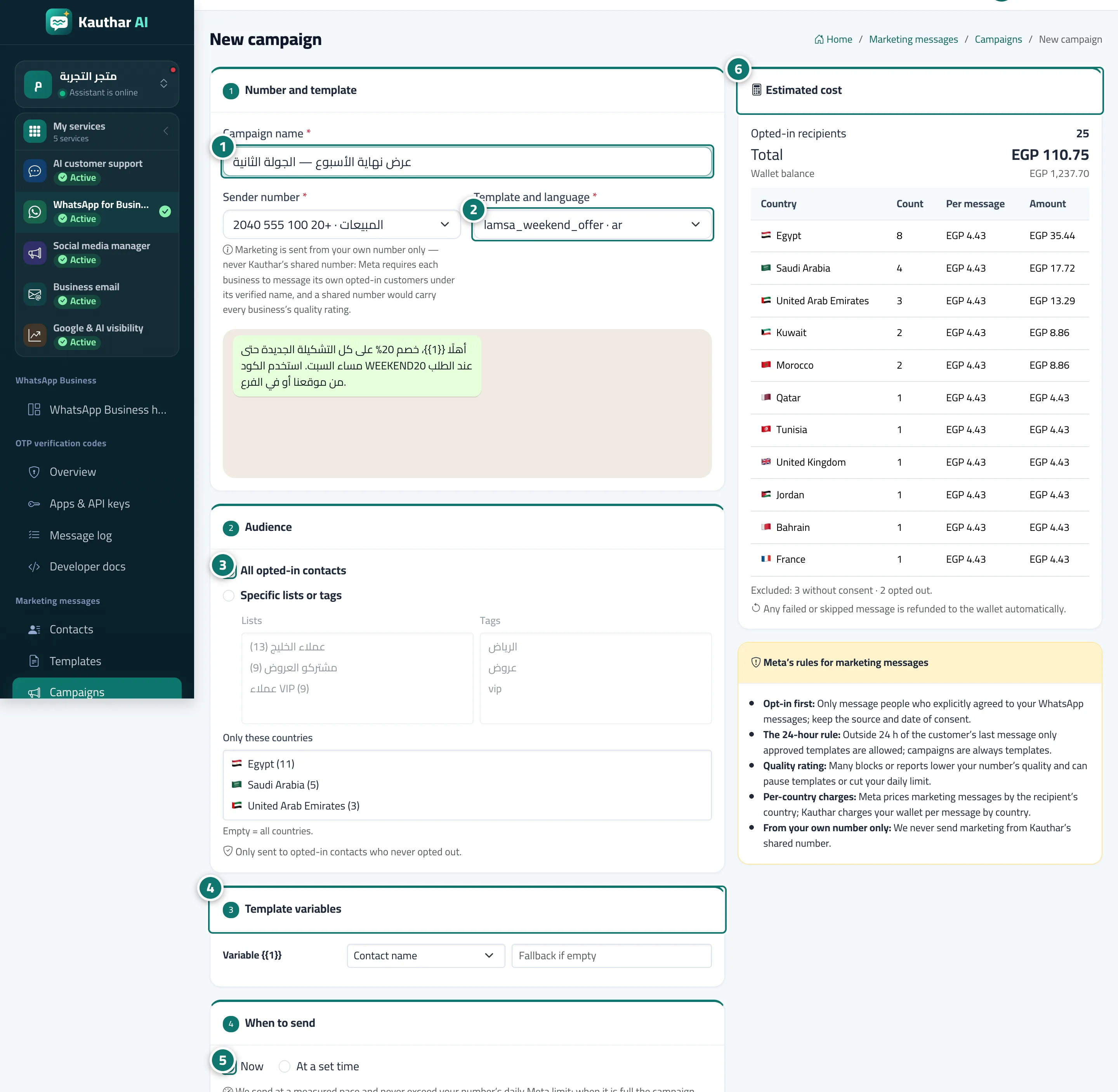
- Enter the "Campaign name" and choose the sending number. Numéro 1 sur l’image
- Choose the approved template and its language. Numéro 2 sur l’image
- Choose the audience: all opted-in contacts or specific lists and tags, and limit it to certain countries if you like. Numéro 3 sur l’image
- Set the source of each variable (such as the customer's name) and a fallback value in case the field is empty. Numéro 4 sur l’image
- Choose now or "At a set time". Numéro 5 sur l’image
- Review the "Estimated cost", then click "Review the cost before sending" and confirm. Numéro 6 sur l’image