
WhatsApp Business et OTP · Campaign reports
How do I compare my marketing campaigns' performance over the month?
The performance of all your campaigns over a period you choose: messages per day, delivery and read rates, and the campaigns table, with A4 print and Excel export.
Pour qui : Propriétaire et responsable · Membres de l'équipe
Où : Sidebar → WhatsApp Business → Marketing messages → Campaign reports
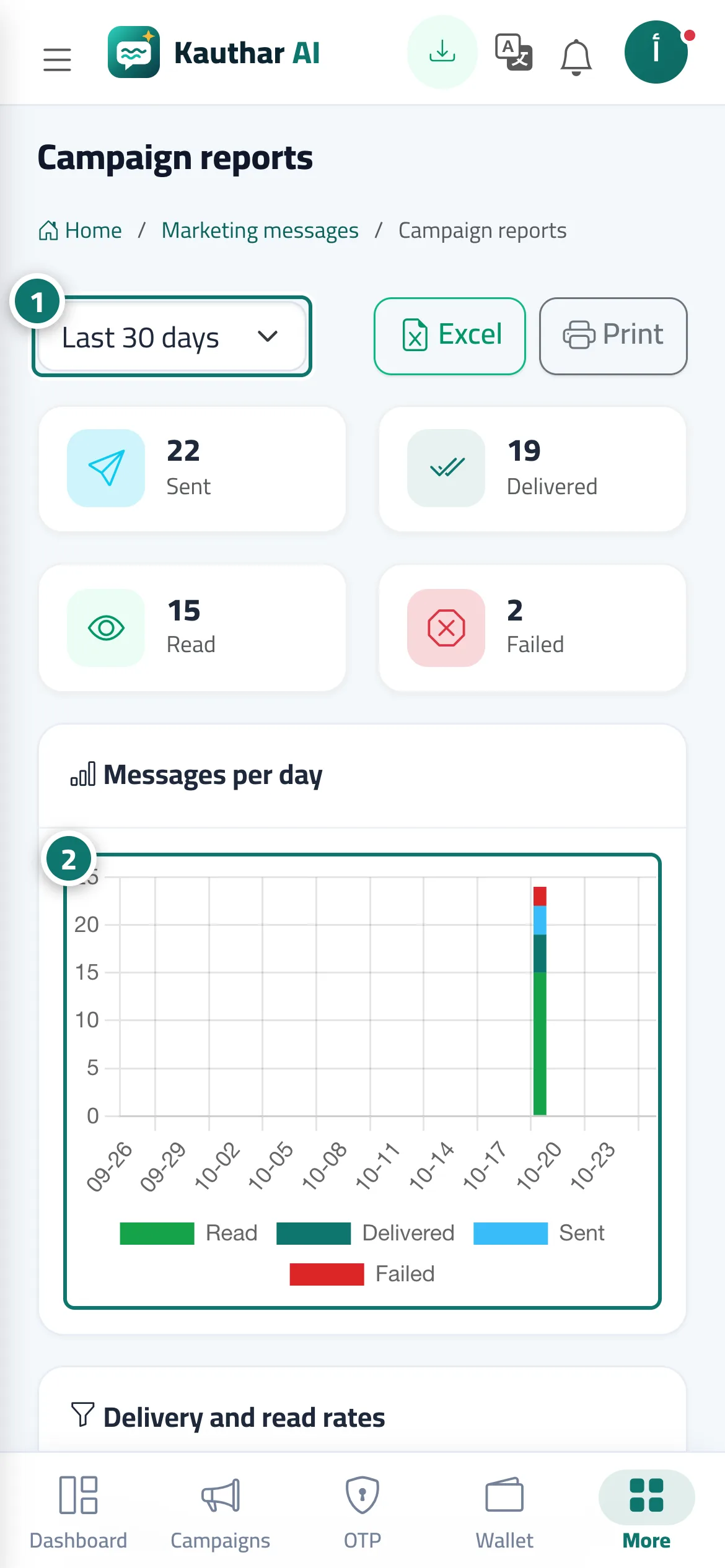
Étapes
- Choose the period. Numéro 1 sur l’image
- Review the "Messages per day" chart. Numéro 2 sur l’image
- Review "Delivery and read rates" and the campaigns table.
- Click "Excel" or "Print".
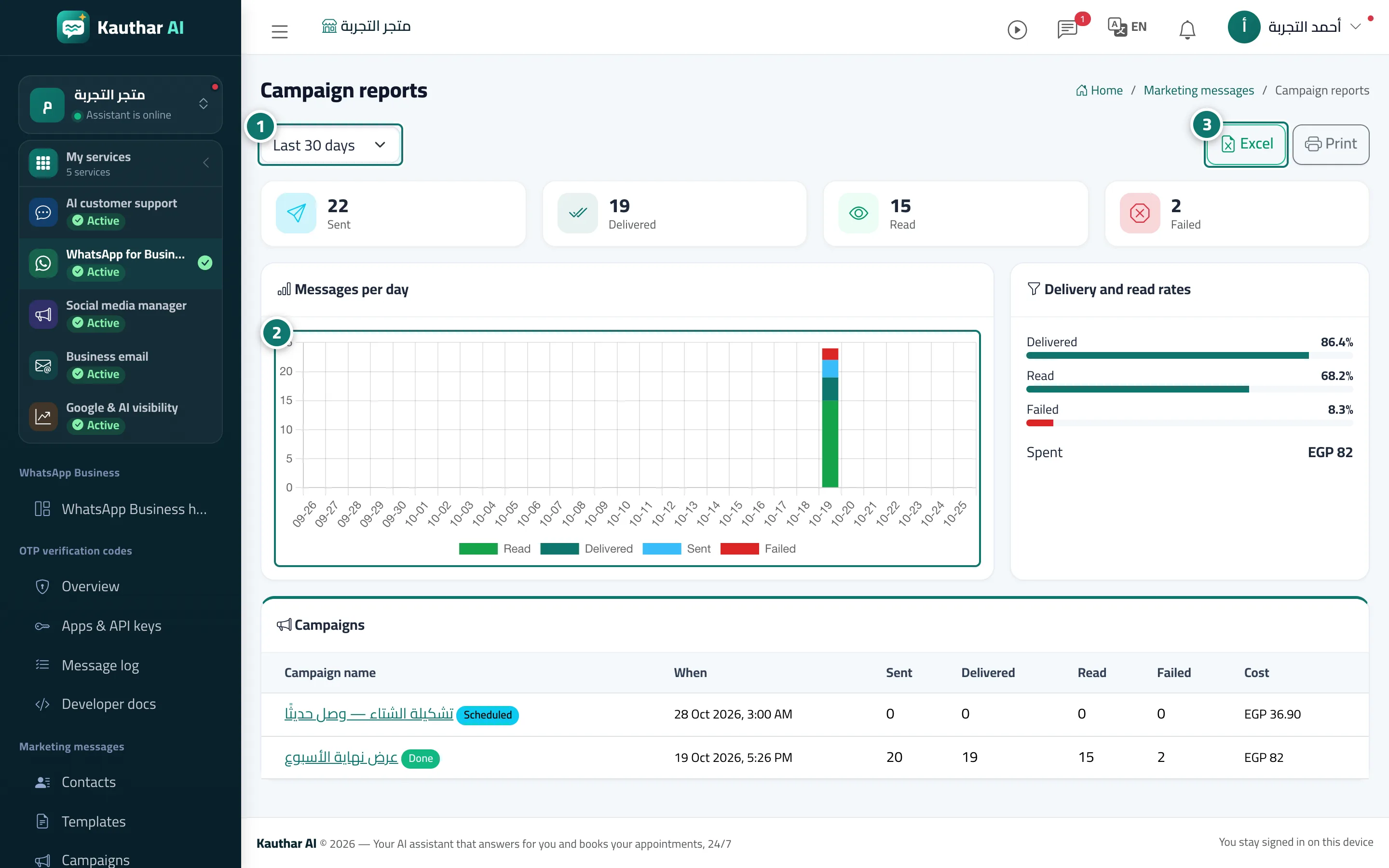
Étapes
- Choose the period. Numéro 1 sur l’image
- Review the "Messages per day" chart. Numéro 2 sur l’image
- Review "Delivery and read rates" and the campaigns table. Numéro 3 sur l’image
- Click "Excel" or "Print".