
WhatsApp Business et OTP · WhatsApp Business home
Where do I see a summary of verification messages and campaigns in one place?
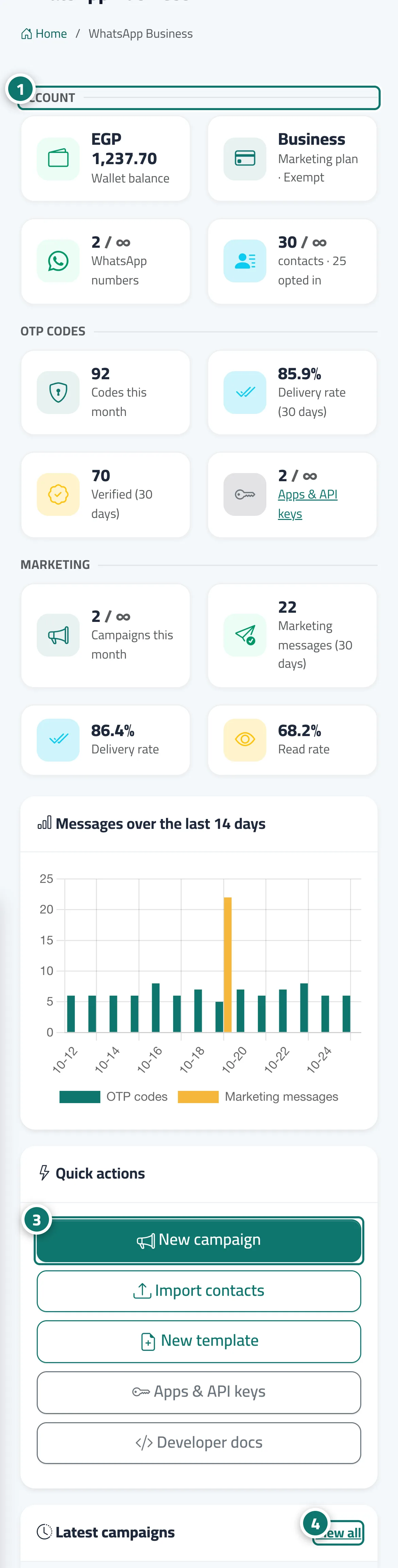
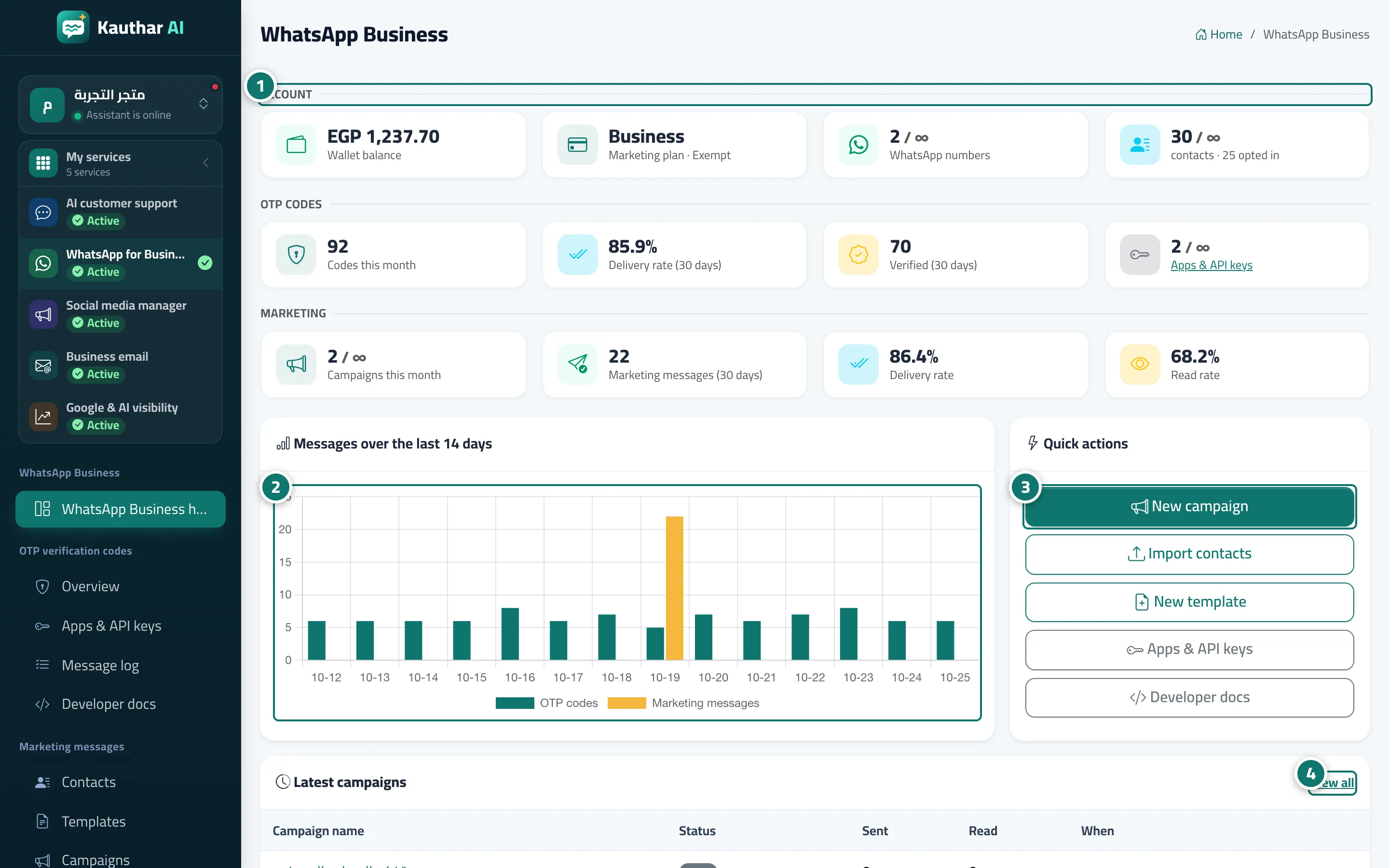
One dashboard for the product: wallet balance, subscription, numbers and contacts, OTP and campaign figures, a 14-day message chart and quick actions.
Pour qui : Propriétaire et responsable · Membres de l'équipe
Où : Sidebar → WhatsApp Business → WhatsApp Business home
Étapes
- Review the "Account" section: balance, plan, numbers and contacts. Numéro 1 sur l’image
- Follow the "OTP codes" and "Marketing" figures.
- Use "Quick actions" to create a new campaign, import contacts or create a new template. Numéro 3 sur l’image
- Open any campaign under "Latest campaigns" to see its report. Numéro 4 sur l’image
Étapes
- Review the "Account" section: balance, plan, numbers and contacts. Numéro 1 sur l’image
- Follow the "OTP codes" and "Marketing" figures. Numéro 2 sur l’image
- Use "Quick actions" to create a new campaign, import contacts or create a new template. Numéro 3 sur l’image
- Open any campaign under "Latest campaigns" to see its report. Numéro 4 sur l’image