
WhatsApp Business et OTP · Kauthar-hosted numbers (paused for new numbers)
Can I connect a WhatsApp number without a Facebook account?
Connecting a new number to Kauthar's own WhatsApp Business Account is paused because of Meta's policy. Connect your number from your business's own WhatsApp Business Account in one click; numbers hosted earlier keep working.
Pour qui : Propriétaire et responsable
Où : Sidebar → Channels & customers → Channels → “WhatsApp” card → “Connect a WhatsApp number”
Étapes
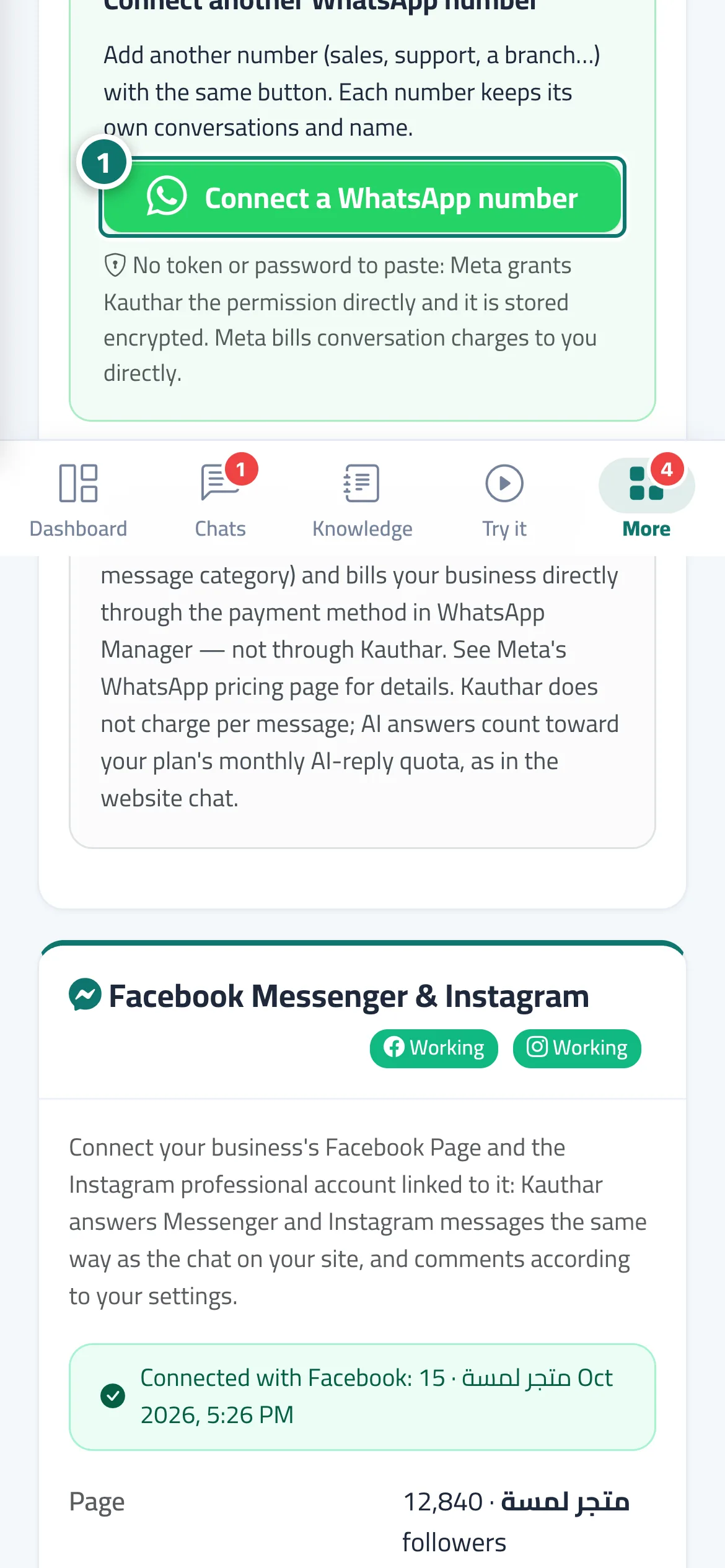
- To connect a new number, press “Connect a WhatsApp number” in the “WhatsApp” card and follow “Connect a WhatsApp number in one click”. Numéro 1 sur l’image
Étapes
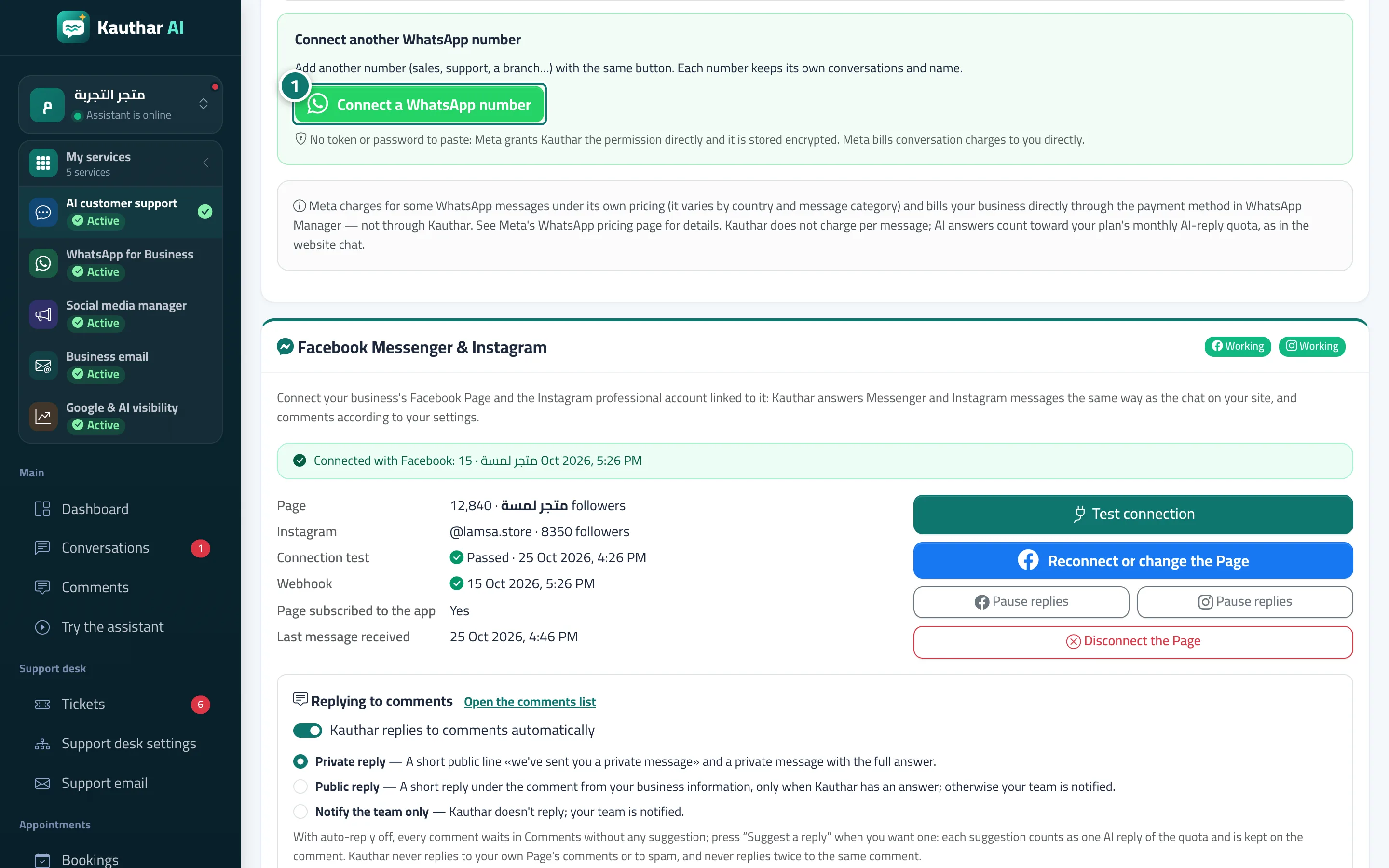
- To connect a new number, press “Connect a WhatsApp number” in the “WhatsApp” card and follow “Connect a WhatsApp number in one click”. Numéro 1 sur l’image