
Assistant & knowledge · Test the knowledge base
How can I make sure the assistant will find a piece of information before customers ask about it?
Type a question the way your customer would and see instantly which information the assistant will rely on to answer.
Who this is for: Owner & manager · Team members
Where: Sidebar → Train your assistant → Knowledge base → «Test the knowledge base» card
Steps
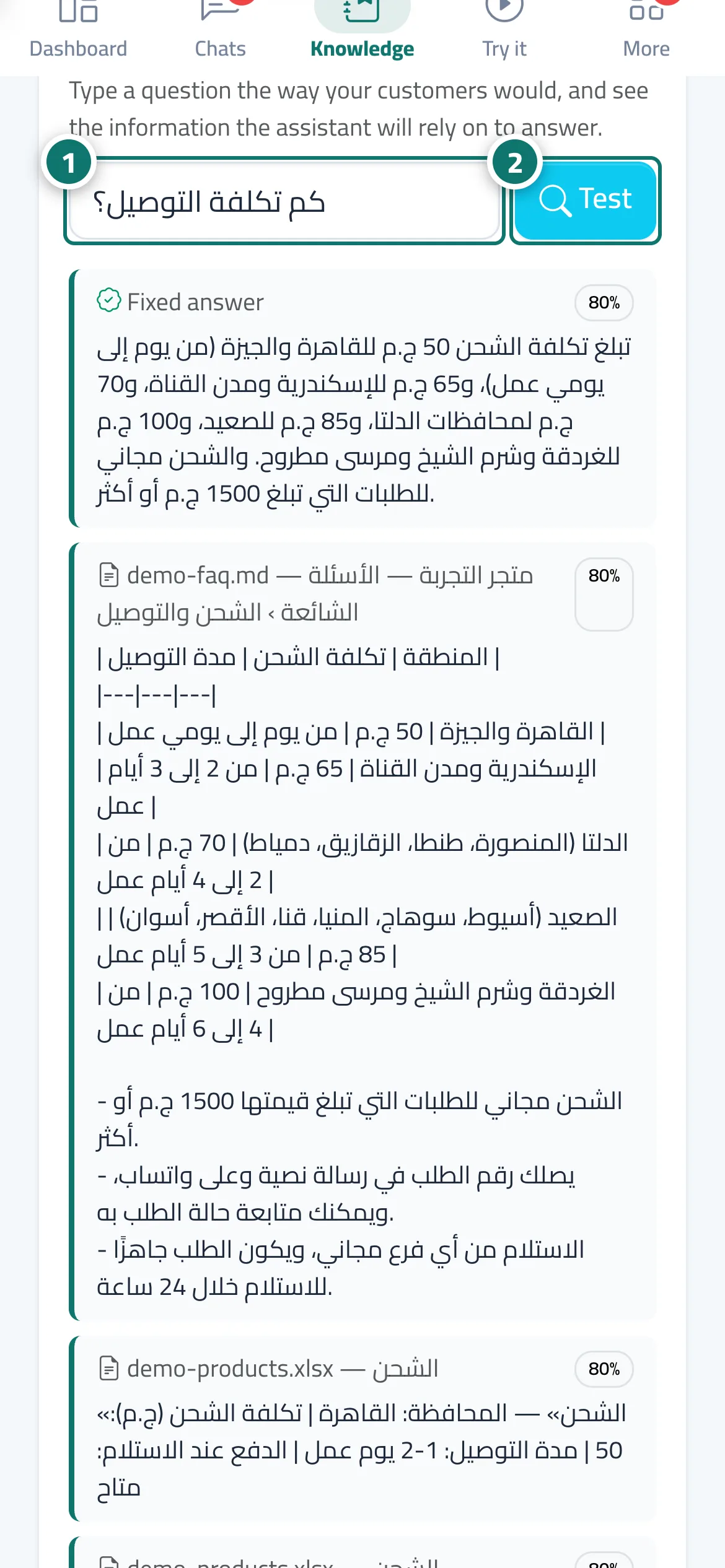
- Type a question in the box (for example: How much is delivery?). Number 1 on the picture
- Click «Test». Number 2 on the picture
- Review the results and the source of each; if the first result isn't the right information, clarify the file or add a fixed answer.
Steps
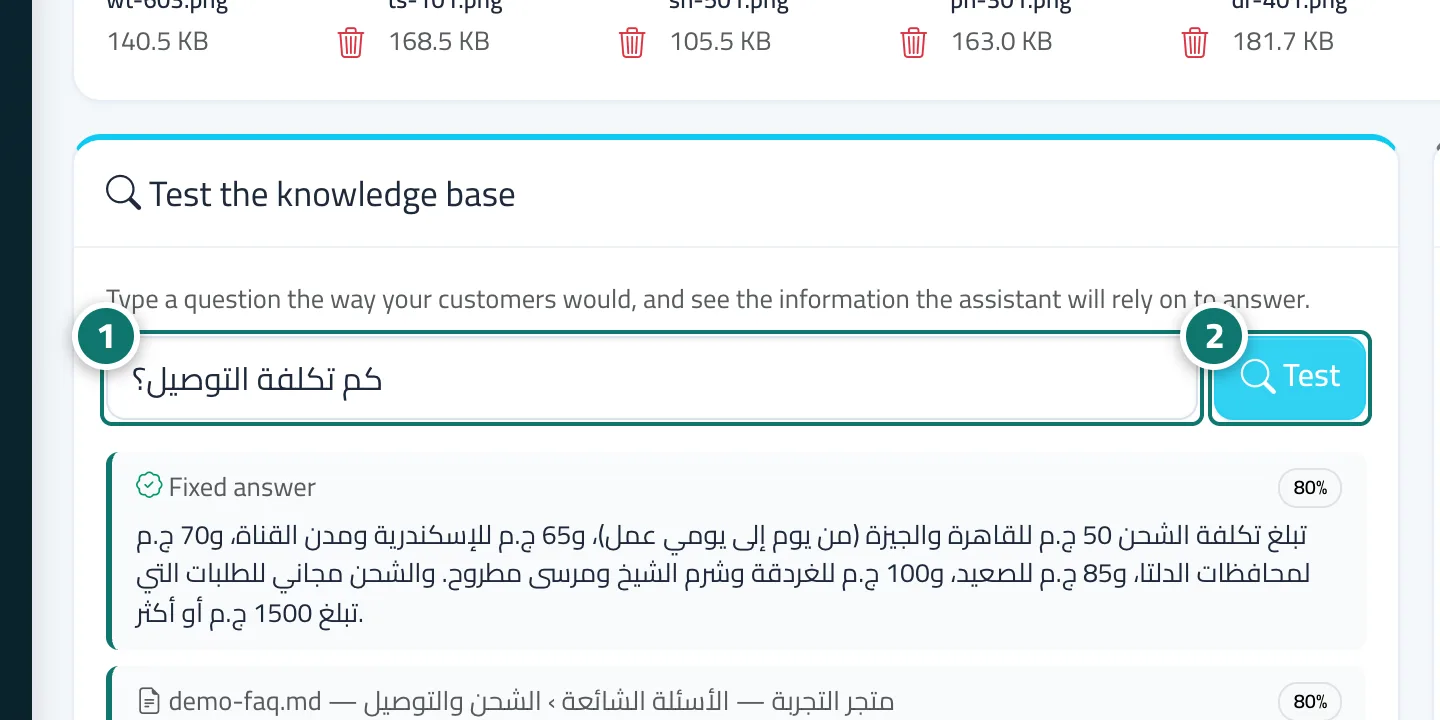
- Type a question in the box (for example: How much is delivery?). Number 1 on the picture
- Click «Test». Number 2 on the picture
- Review the results and the source of each; if the first result isn't the right information, clarify the file or add a fixed answer.