Assistant & knowledge · Knowledge base from Excel, Markdown and text
How do I upload my files so the assistant can learn from them?
Upload your price list or FAQ file and Kauthar learns from it within minutes — no coding needed.
Who this is for: Owner & manager · Team members
Where: Sidebar → Train your assistant → Knowledge base
Steps
- 1
Open «Knowledge base».
- 2
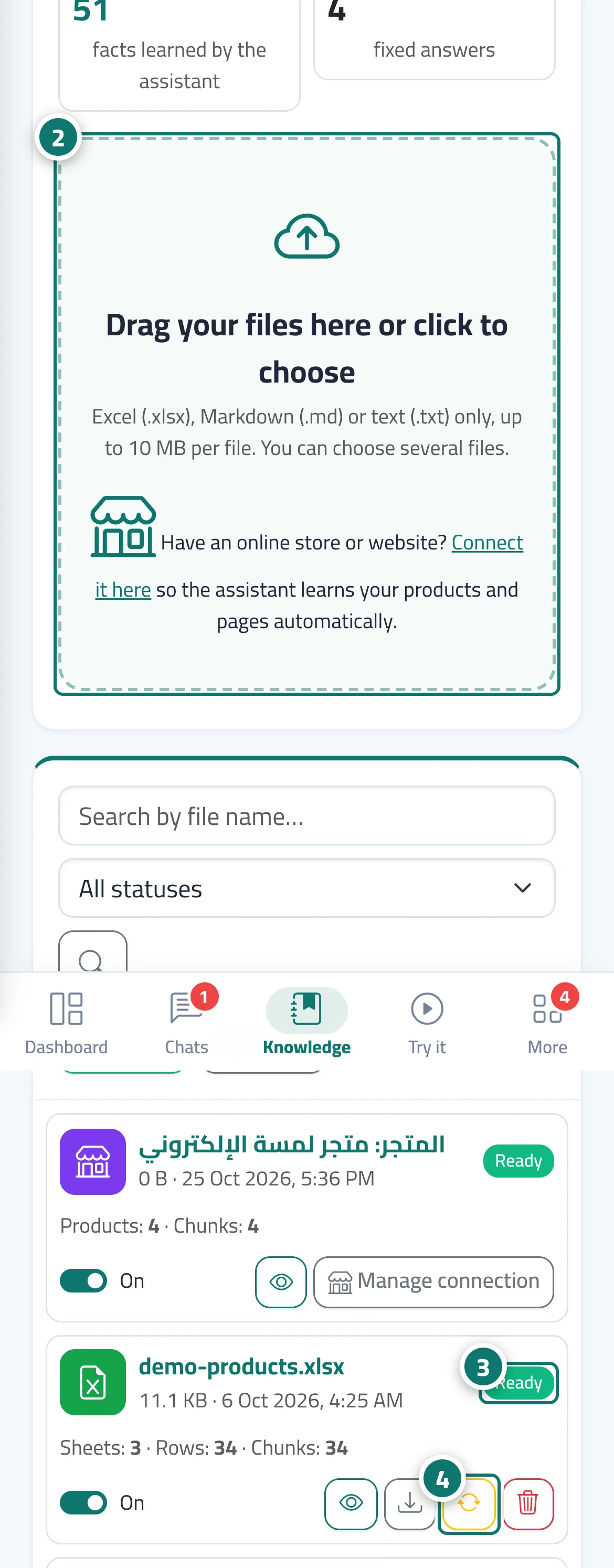
Drag your files onto the box «Drag your files here or click to choose» (you can pick several files at once). Number 2 on the picture
- 3
Wait until the status changes to «Ready»; the page refreshes by itself. Number 3 on the picture
- 4
If «Processing failed» appears, hover over the status to see why, then fix the file and upload it again or click «Reprocess». Number 4 on the picture
Steps
- 1
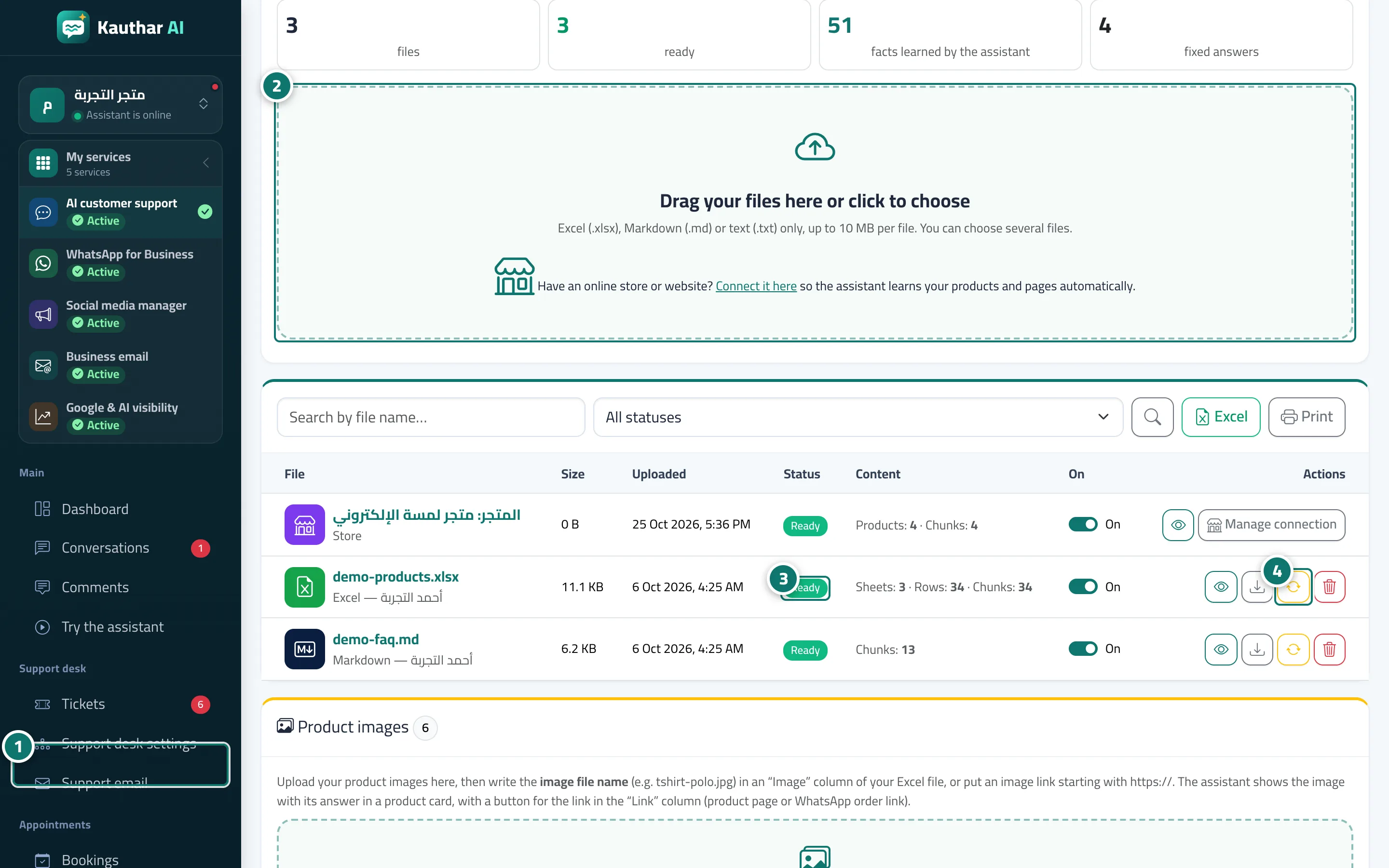
Open «Knowledge base». Number 1 on the picture
- 2
Drag your files onto the box «Drag your files here or click to choose» (you can pick several files at once). Number 2 on the picture
- 3
Wait until the status changes to «Ready»; the page refreshes by itself. Number 3 on the picture
- 4
If «Processing failed» appears, hover over the status to see why, then fix the file and upload it again or click «Reprocess». Number 4 on the picture
Full explanation in the docs
