
Assistant & knowledge · Products without a listed price: «Price on request»
How does the assistant handle a product with no price in my store?
A product with no price in your store (including WooCommerce products priced «0») never gets a price from the assistant; its card says «Price on request» and the customer is invited to contact you for the price.
Who this is for: Owner & manager
Where: Sidebar → Train your assistant → Knowledge base → preview of the store file
Steps
- Connect your store from «Connect your store»; the products are synced and appear as one file in the «Knowledge base».
- Open the «Knowledge base» and press «Preview what the assistant learned» next to the store file.
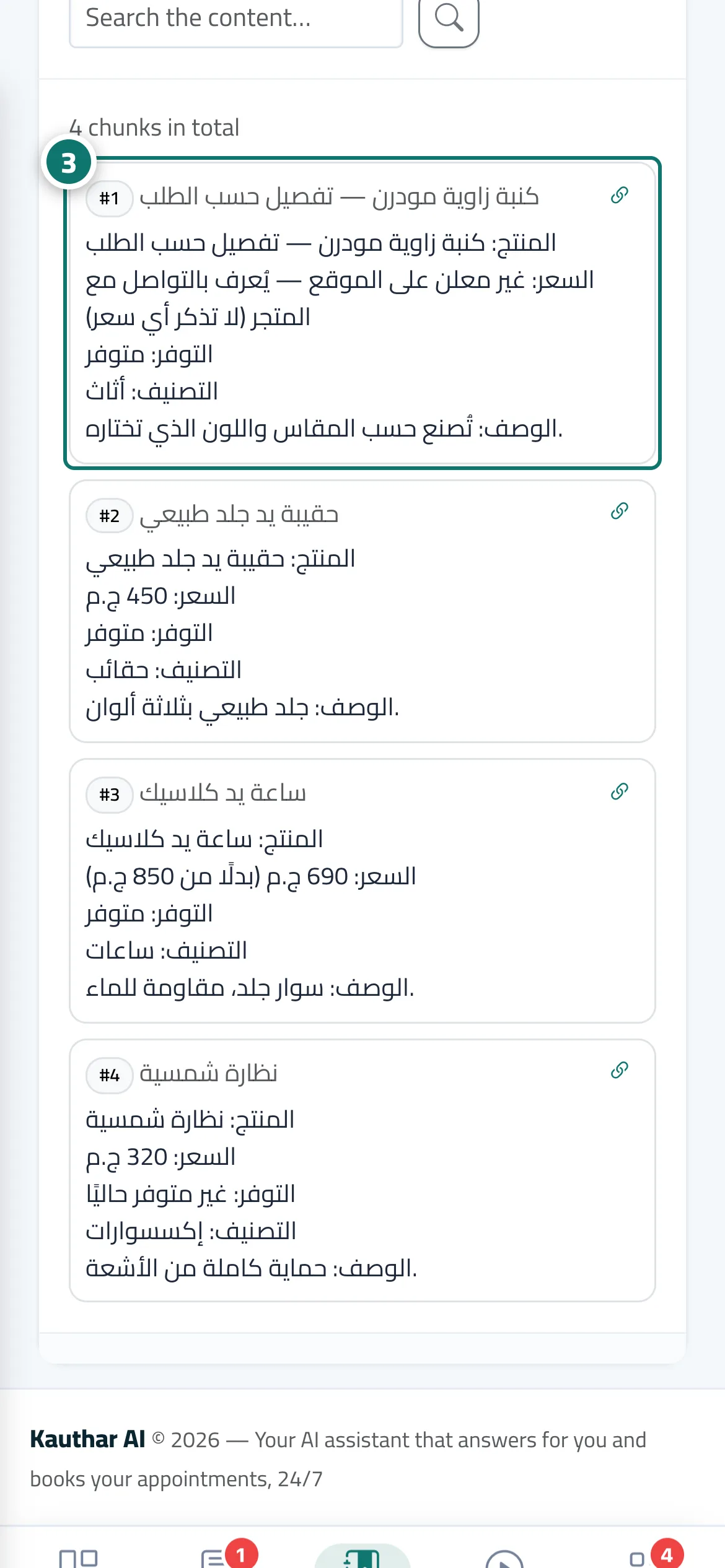
- Look for the product without a price: its price line says «not listed on the website» instead of a number. Number 3 on the picture
- Ask about it in «Try the assistant»: the reply gives no price and invites the customer to get in touch, and its card shows «Price on request».
Steps
- Connect your store from «Connect your store»; the products are synced and appear as one file in the «Knowledge base».
- Open the «Knowledge base» and press «Preview what the assistant learned» next to the store file.
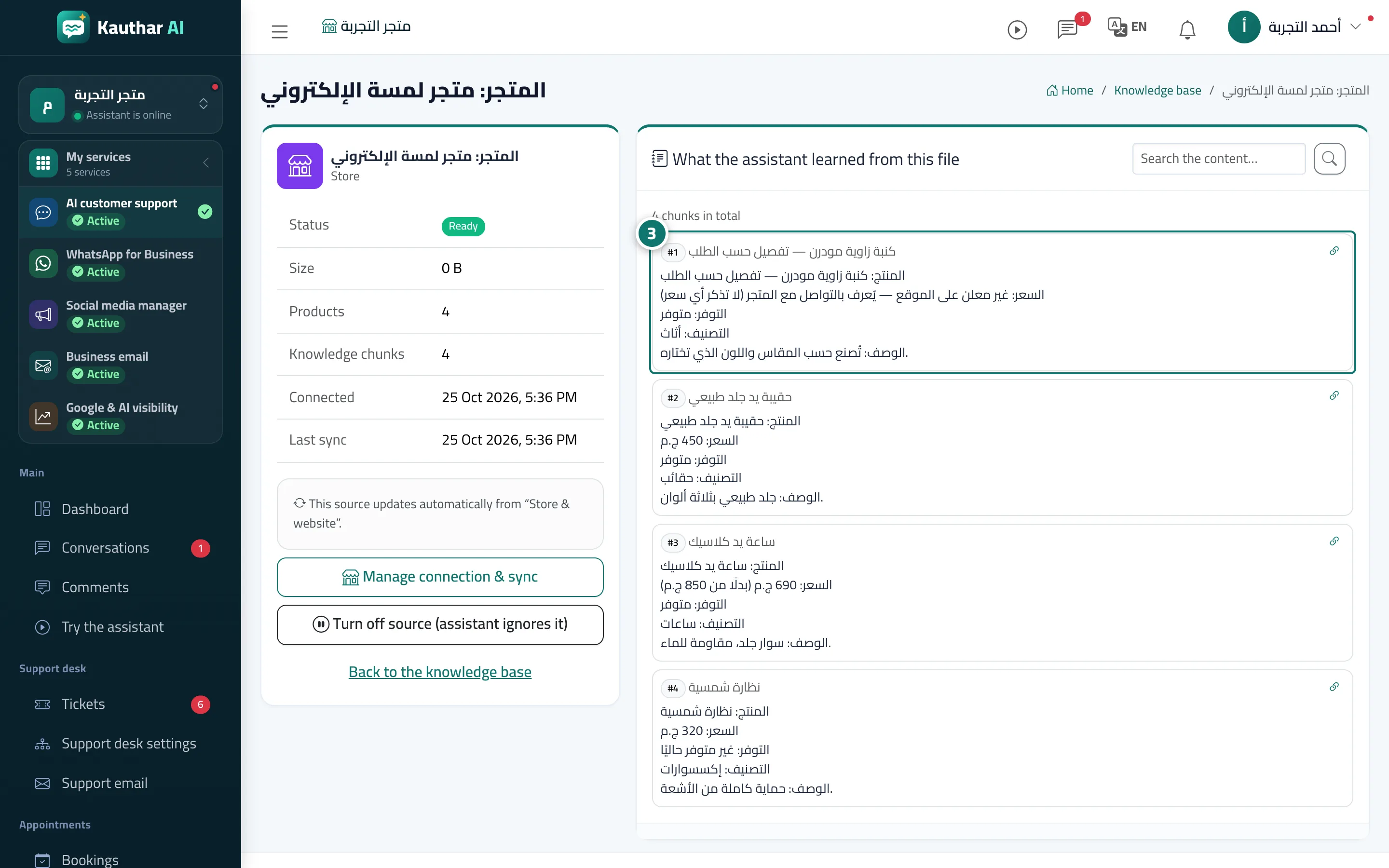
- Look for the product without a price: its price line says «not listed on the website» instead of a number. Number 3 on the picture
- Ask about it in «Try the assistant»: the reply gives no price and invites the customer to get in touch, and its card shows «Price on request».